

Reading a Soft Potentiometer — SIK Circuit 10
Use a soft potentiometer (touch strip) to control RGB LED color. Slide your finger along the strip to smoothly transition through the color spectrum.
Instructions
Parts & Introduction
Parts & Introduction
A soft potentiometer is a thin, flexible strip that acts as a variable resistor based on where you press. Combined with an RGB LED, you can create an intuitive color picker — slide your finger to change colors!
Parts Needed
- 1x Arduino Uno + USB cable
- 1x Breadboard
- 1x Soft Potentiometer
- 1x RGB LED (Common Cathode)
- 3x 330Ω Resistors
- 1x 10KΩ Resistor (pull-down)
- 9x Jumper Wires
Materials for this step:
 SparkFun Inventors Kit - V3.21 kit
 Arduino Uno R31 piece
 Breadboard1 piece
 Soft Potentiometer1 piece
 RGB LED (Common Cathode)1 piece
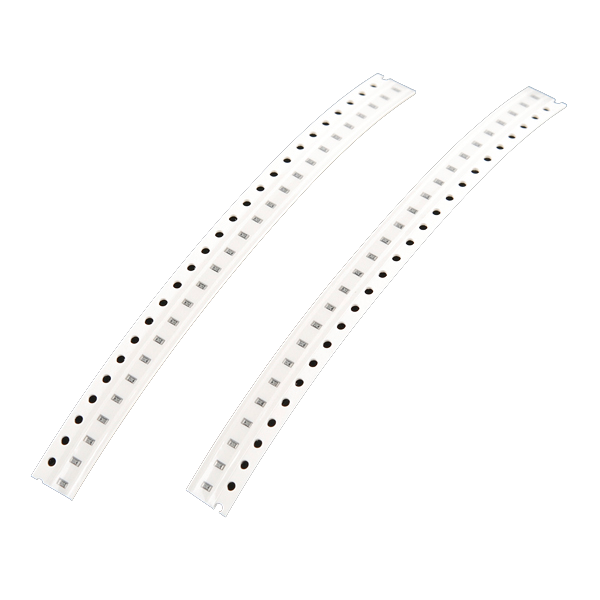 330 Ohm Resistor3 piecess10K Ohm Resistor1 piece
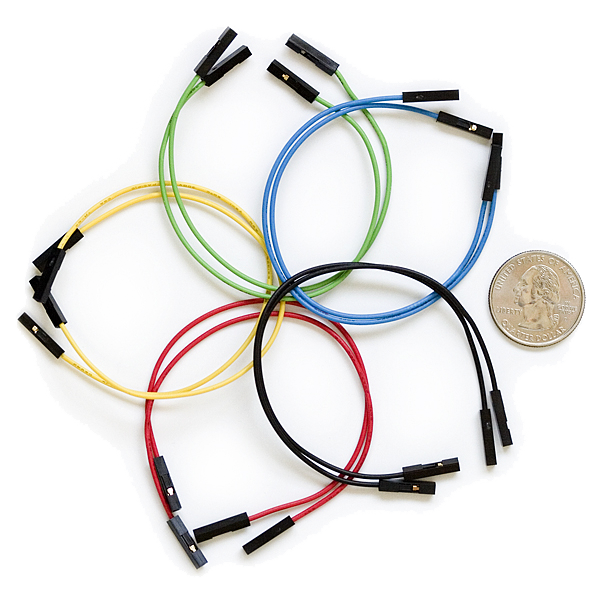 Jumper Wires8 piecess
Tools needed:
Hardware Hookup
Hardware Hookup
Wiring Instructions
Soft Potentiometer
- Connect the middle pin to Analog Pin A0.
- Connect one side pin to 5V.
- Connect the other side pin to GND.
- Add a 10K pull-down resistor from Analog Pin A0 to GND.
RGB LED (pin order from flat edge: Red, GND, Green, Blue)
- Connect Red through 330Ω resistor to Pin 9.
- Connect GND (longest pin) to GND rail.
- Connect Green through 330Ω resistor to Pin 10.
- Connect Blue through 330Ω resistor to Pin 11.
Materials for this step:
Soft Potentiometer1 pieceRGB LED (Common Cathode)1 piece330 Ohm Resistor3 piecess10K Ohm Resistor1 pieceBreadboard1 pieceJumper Wires8 piecessArduino Code
Arduino Code
Open the Arduino IDE and upload the following sketch to your Arduino board.
/*
SparkFun Inventor's Kit
Example sketch 10 — SOFT POTENTIOMETER

Use the soft potentiometer to change the color of the RGB LED.

Hardware connections:
  Soft pot: middle pin to analog 0, one side to 5V, other to GND
  10K resistor from analog 0 to GND
  RGB LED: RED->330ohm->pin 9, COMMON->GND, GREEN->330ohm->pin 10, BLUE->330ohm->pin 11

This code is completely free for any use.
*/

const int RED_LED_PIN = 9;
const int GREEN_LED_PIN = 10;
const int BLUE_LED_PIN = 11;

const int SENSOR_PIN = 0;

int redValue, greenValue, blueValue;

void setup()
{
  // No setup needed
}

void loop()
{
  int sensorValue;
  sensorValue = analogRead(SENSOR_PIN);
  setRGB(sensorValue);
}

void setRGB(int RGBposition)
{
  int mapRGB1, mapRGB2, constrained1, constrained2;

  // Red peak, centered at 0
  mapRGB1 = map(RGBposition, 0, 341, 255, 0);
  constrained1 = constrain(mapRGB1, 0, 255);
  mapRGB2 = map(RGBposition, 682, 1023, 0, 255);
  constrained2 = constrain(mapRGB2, 0, 255);
  redValue = constrained1 + constrained2;

  // Green peak, centered at 341
  greenValue = constrain(map(RGBposition, 0, 341, 0, 255), 0, 255)
             - constrain(map(RGBposition, 341, 682, 0, 255), 0, 255);

  // Blue peak, centered at 682
  blueValue = constrain(map(RGBposition, 341, 682, 0, 255), 0, 255)
            - constrain(map(RGBposition, 682, 1023, 0, 255), 0, 255);

  analogWrite(RED_LED_PIN, redValue);
  analogWrite(GREEN_LED_PIN, greenValue);
  analogWrite(BLUE_LED_PIN, blueValue);
}
Materials for this step:
Arduino Uno R31 pieceTools needed:
Test & Experiment
Test & Experiment
What You Should See
The RGB LED changes color as you slide your finger along the soft potentiometer strip. The color smoothly transitions through the spectrum: red → green → blue → red.
Troubleshooting
- LED dark or wrong color: Four pins close together are easy to misplace. Verify each RGB LED connection.
- Bizarre color jumps: Pressing the soft pot in multiple spots simultaneously gives unpredictable results. Use one finger.
Experiments to Try
- Add Serial output to see the raw sensor values as you slide.
- Map the soft pot to servo position instead of color.
Materials
8- $105.00
- 1 piecePlaceholder
- 1 piecePlaceholder
- 1 piecePlaceholder
- 1 piecePlaceholder
- 3 pieces$3.00
- 1 piece$3.00
- 9 pieces$5.00
CC0 Public Domain
This blueprint is released under CC0. You are free to copy, modify, distribute, and use this work for any purpose, without asking permission.
Support the Maker by purchasing products through their Blueprint where they earn a Maker Commission set by Vendors, or create a new iteration of this Blueprint and include it as a connection in your own Blueprint to share revenue.