
སྒྱུ་རྩལ
མཛེས་སྡུག་དང་བདེ་ཐང
བཟོ་རིག
རིག་གནས་དང་ལོ་རྒྱུས
དགའ་སྟོན
ཁོར་ཡུག
ཟས་དང་བཏུང་རྫས
ལྗང་མ་འཇོར་ལུགས
ཕྱིར་འཕྲུལ་རིག
ཚན་རིག
རྩེད་འགྲན
རིག་རྩལ
གྱོན་རུང
Driving Multiple LEDs — SIK Circuit 4
Ed

བཟོས་མཁན

Ed

17. སྤྱི་ཟླ་གསུམ་པ 2026FI
༦༨

Driving Multiple LEDs — SIK Circuit 4

Make eight LEDs dance! Learn about arrays, for loops, and multiple output patterns including chase, ping-pong, marquee, and random blink effects.

ལམ་སྟོན

1

Parts & Introduction

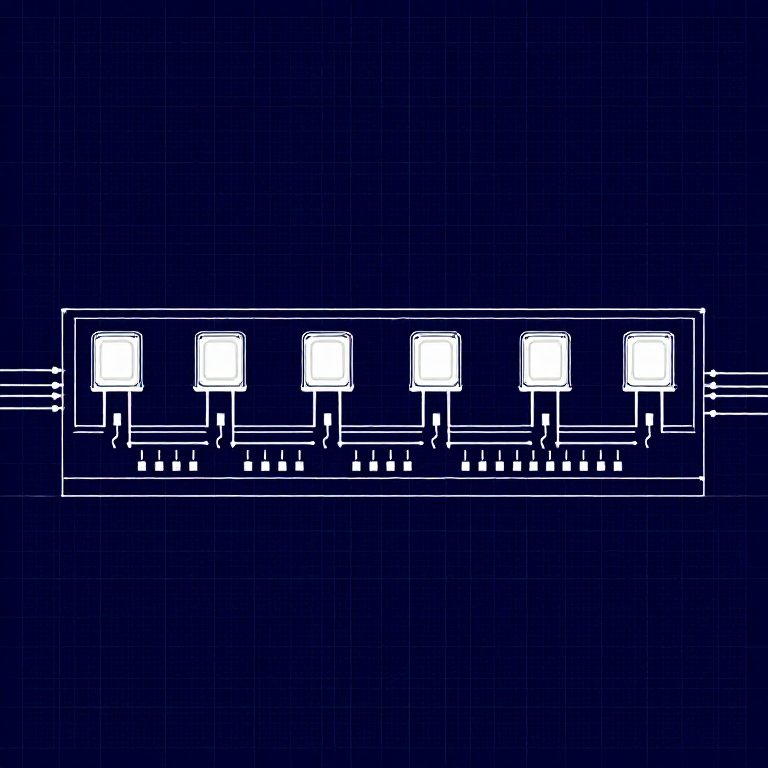
This experiment uses 8 LEDs to create light patterns. You'll learn about arrays (grouping related variables) and for loops (repeating actions efficiently). The sketch includes 6 different animation functions you can try.

Parts Needed

  • 1x Arduino Uno + USB cable
  • 1x Breadboard
  • 8x LEDs (any color)
  • 8x 330Ω Resistors
  • 9x Jumper Wires

གོམ་པ་འདིའི་རྫས་རིགས:

SparkFun Inventors Kit - V3.2SparkFun Inventors Kit - V3.21 kit
Arduino Uno R31 piece
Breadboard1 piece
5mm LED8 pieces
330 Ohm Resistor330 Ohm Resistor8 pieces
Jumper WiresJumper Wires9 pieces

ལག་ཆས་དགོས་མཁོ:

Computer with Arduino IDE
2

Hardware Hookup

Wiring Instructions

  1. Place 8 LEDs in a row on the breadboard.
  2. For each LED, connect the negative leg (shorter) through a 330Ω resistor to GND.
  3. Connect the positive leg (longer) of each LED to Arduino digital pins 2 through 9 (LED 1 = pin 2, LED 2 = pin 3, etc.).
  4. Connect the GND rail on the breadboard to Arduino GND.

Tip: Keep the LEDs neatly spaced for the best visual effect.

གོམ་པ་འདིའི་རྫས་རིགས:

5mm LED8 pieces
330 Ohm Resistor330 Ohm Resistor8 pieces
Breadboard1 piece
Jumper WiresJumper Wires9 pieces
3

Arduino Code

Open the Arduino IDE and upload the following sketch to your Arduino board.

multiple_leds.inoarduino
/*
SparkFun Inventor's Kit
Example sketch 04 — MULTIPLE LEDs

Make eight LEDs dance. Dance LEDs, dance!

Hardware connections:
  8 LEDs with 330 ohm resistors on pins 2-9.
  Negative sides through resistors to GND.

This code is completely free for any use.
*/

int ledPins[] = {2,3,4,5,6,7,8,9};

void setup()
{
  int index;
  for(index = 0; index <= 7; index++)
  {
    pinMode(ledPins[index], OUTPUT);
  }
}

void loop()
{
  oneAfterAnotherNoLoop();

  //oneAfterAnotherLoop();
  //oneOnAtATime();
  //pingPong();
  //marquee();
  //randomLED();
}

void oneAfterAnotherNoLoop()
{
  int delayTime = 100;

  digitalWrite(ledPins[0], HIGH); delay(delayTime);
  digitalWrite(ledPins[1], HIGH); delay(delayTime);
  digitalWrite(ledPins[2], HIGH); delay(delayTime);
  digitalWrite(ledPins[3], HIGH); delay(delayTime);
  digitalWrite(ledPins[4], HIGH); delay(delayTime);
  digitalWrite(ledPins[5], HIGH); delay(delayTime);
  digitalWrite(ledPins[6], HIGH); delay(delayTime);
  digitalWrite(ledPins[7], HIGH); delay(delayTime);

  digitalWrite(ledPins[7], LOW); delay(delayTime);
  digitalWrite(ledPins[6], LOW); delay(delayTime);
  digitalWrite(ledPins[5], LOW); delay(delayTime);
  digitalWrite(ledPins[4], LOW); delay(delayTime);
  digitalWrite(ledPins[3], LOW); delay(delayTime);
  digitalWrite(ledPins[2], LOW); delay(delayTime);
  digitalWrite(ledPins[1], LOW); delay(delayTime);
  digitalWrite(ledPins[0], LOW); delay(delayTime);
}

void oneAfterAnotherLoop()
{
  int index;
  int delayTime = 100;

  for(index = 0; index <= 7; index++)
  {
    digitalWrite(ledPins[index], HIGH);
    delay(delayTime);
  }
  for(index = 7; index >= 0; index--)
  {
    digitalWrite(ledPins[index], LOW);
    delay(delayTime);
  }
}

void oneOnAtATime()
{
  int index;
  int delayTime = 100;

  for(index = 0; index <= 7; index++)
  {
    digitalWrite(ledPins[index], HIGH);
    delay(delayTime);
    digitalWrite(ledPins[index], LOW);
  }
}

void pingPong()
{
  int index;
  int delayTime = 100;

  for(index = 0; index <= 7; index++)
  {
    digitalWrite(ledPins[index], HIGH);
    delay(delayTime);
    digitalWrite(ledPins[index], LOW);
  }
  for(index = 7; index >= 0; index--)
  {
    digitalWrite(ledPins[index], HIGH);
    delay(delayTime);
    digitalWrite(ledPins[index], LOW);
  }
}

void marquee()
{
  int index;
  int delayTime = 200;

  for(index = 0; index <= 3; index++)
  {
    digitalWrite(ledPins[index], HIGH);
    digitalWrite(ledPins[index+4], HIGH);
    delay(delayTime);
    digitalWrite(ledPins[index], LOW);
    digitalWrite(ledPins[index+4], LOW);
  }
}

void randomLED()
{
  int index;
  int delayTime = 100;

  index = random(8);
  digitalWrite(ledPins[index], HIGH);
  delay(delayTime);
  digitalWrite(ledPins[index], LOW);
}

གོམ་པ་འདིའི་རྫས་རིགས:

Arduino Uno R31 piece

ལག་ཆས་དགོས་མཁོ:

Computer with Arduino IDE
4

Test & Experiment

What You Should See

All 8 LEDs light up one after another, then turn off in reverse order. This repeats continuously.

Troubleshooting

  • Some LEDs don't light: Easy to insert an LED backwards. Check polarity.
  • Out of sequence: With 8 wires, it's easy to cross a couple. Verify LED 1 is on pin 2, then each pin in order.
  • Starting fresh: Sometimes pulling everything out and re-wiring is faster than debugging.

Experiments to Try

  • Uncomment the other functions in loop() to try: oneOnAtATime(), pingPong(), marquee(), randomLED().
  • Create your own animation pattern!
  • Modify the delay times to change the speed.

རྫས་རིགས

6

ལག་ཆས་དགོས་མཁོ

1
  • Computer with Arduino IDE
ཚོད་དཔག་བསྡོམས
$174.00

CC0 སྤྱི་དབང

བིལུ་པིརིན་ཊི་འདི་CC0 འོག་བཀྲམས་ཡོད། ཁྱེད་རང་གིས་ཆོག་མཆན་མ་བཞེས་པར་ཕབ་ལེན་དང་བཟོ་བཅོས། བགོ་བཤའ། དགོས་མཁོ་གང་ལའང་བཀོལ་སྤྱོད་བྱས་ཆོག

བཟོ་མཁན་ལ་རྒྱབ་སྐྱོར་བྱེད་པའི་ཆེད་ཁོང་ཚོའི་བིལུ་པིརིན་ཊི་བརྒྱུད་ཐོན་སྐྱེད་ཉོ། བཟོ་མཁན་གྱིས བཟོ་མཁན་གྱི་ཁེ་ཕོགས ཚོང་པས་གཏན་འཁེལ་བྱས་པ། ཡང་ན་བིལུ་པིརིན་ཊི་འདིའི་པར་གསར་བཟོས་ཏེ་ཁྱེད་རང་གི་བིལུ་པིརིན་ཊི་ནང་མཐུད་སྦྲེལ་བྱས་ཏེ་ཡོང་སྒོ་བགོ་བཤའ་བྱེད།

གྲོས་བསྡུར

(0)

ནང་འཛུལ གྲོས་བསྡུར་ནང་མཉམ་ཞུགས་ཆེད

བསམ་ཚུལ་ཚུ་ཐོབ་བཞིན...



