艺术
美容与健康
工艺
文化与历史
娱乐
环境
食品与饮料
绿色未来
逆向工程
科学
体育
技术
可穿戴设备

Driving Multiple LEDs — SIK Circuit 4
Make eight LEDs dance! Learn about arrays, for loops, and multiple output patterns including chase, ping-pong, marquee, and random blink effects.
说明
1
1
Parts & Introduction
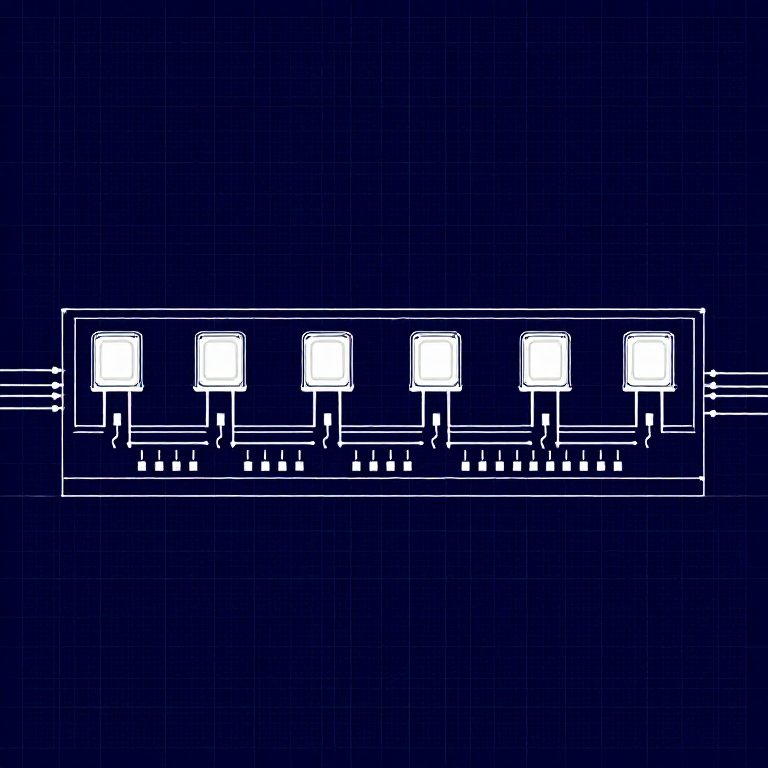
This experiment uses 8 LEDs to create light patterns. You'll learn about arrays (grouping related variables) and for loops (repeating actions efficiently). The sketch includes 6 different animation functions you can try.
Parts Needed
- 1x Arduino Uno + USB cable
- 1x Breadboard
- 8x LEDs (any color)
- 8x 330Ω Resistors
- 9x Jumper Wires
2
2
Hardware Hookup
Hardware Hookup
Wiring Instructions
- Place 8 LEDs in a row on the breadboard.
- For each LED, connect the negative leg (shorter) through a 330Ω resistor to GND.
- Connect the positive leg (longer) of each LED to Arduino digital pins 2 through 9 (LED 1 = pin 2, LED 2 = pin 3, etc.).
- Connect the GND rail on the breadboard to Arduino GND.
Tip: Keep the LEDs neatly spaced for the best visual effect.
3
3
Arduino Code
Arduino Code
Open the Arduino IDE and upload the following sketch to your Arduino board.
multiple_leds.inoarduino
/*
SparkFun Inventor's Kit
Example sketch 04 — MULTIPLE LEDs
Make eight LEDs dance. Dance LEDs, dance!
Hardware connections:
8 LEDs with 330 ohm resistors on pins 2-9.
Negative sides through resistors to GND.
This code is completely free for any use.
*/
int ledPins[] = {2,3,4,5,6,7,8,9};
void setup()
{
int index;
for(index = 0; index <= 7; index++)
{
pinMode(ledPins[index], OUTPUT);
}
}
void loop()
{
oneAfterAnotherNoLoop();
//oneAfterAnotherLoop();
//oneOnAtATime();
//pingPong();
//marquee();
//randomLED();
}
void oneAfterAnotherNoLoop()
{
int delayTime = 100;
digitalWrite(ledPins[0], HIGH); delay(delayTime);
digitalWrite(ledPins[1], HIGH); delay(delayTime);
digitalWrite(ledPins[2], HIGH); delay(delayTime);
digitalWrite(ledPins[3], HIGH); delay(delayTime);
digitalWrite(ledPins[4], HIGH); delay(delayTime);
digitalWrite(ledPins[5], HIGH); delay(delayTime);
digitalWrite(ledPins[6], HIGH); delay(delayTime);
digitalWrite(ledPins[7], HIGH); delay(delayTime);
digitalWrite(ledPins[7], LOW); delay(delayTime);
digitalWrite(ledPins[6], LOW); delay(delayTime);
digitalWrite(ledPins[5], LOW); delay(delayTime);
digitalWrite(ledPins[4], LOW); delay(delayTime);
digitalWrite(ledPins[3], LOW); delay(delayTime);
digitalWrite(ledPins[2], LOW); delay(delayTime);
digitalWrite(ledPins[1], LOW); delay(delayTime);
digitalWrite(ledPins[0], LOW); delay(delayTime);
}
void oneAfterAnotherLoop()
{
int index;
int delayTime = 100;
for(index = 0; index <= 7; index++)
{
digitalWrite(ledPins[index], HIGH);
delay(delayTime);
}
for(index = 7; index >= 0; index--)
{
digitalWrite(ledPins[index], LOW);
delay(delayTime);
}
}
void oneOnAtATime()
{
int index;
int delayTime = 100;
for(index = 0; index <= 7; index++)
{
digitalWrite(ledPins[index], HIGH);
delay(delayTime);
digitalWrite(ledPins[index], LOW);
}
}
void pingPong()
{
int index;
int delayTime = 100;
for(index = 0; index <= 7; index++)
{
digitalWrite(ledPins[index], HIGH);
delay(delayTime);
digitalWrite(ledPins[index], LOW);
}
for(index = 7; index >= 0; index--)
{
digitalWrite(ledPins[index], HIGH);
delay(delayTime);
digitalWrite(ledPins[index], LOW);
}
}
void marquee()
{
int index;
int delayTime = 200;
for(index = 0; index <= 3; index++)
{
digitalWrite(ledPins[index], HIGH);
digitalWrite(ledPins[index+4], HIGH);
delay(delayTime);
digitalWrite(ledPins[index], LOW);
digitalWrite(ledPins[index+4], LOW);
}
}
void randomLED()
{
int index;
int delayTime = 100;
index = random(8);
digitalWrite(ledPins[index], HIGH);
delay(delayTime);
digitalWrite(ledPins[index], LOW);
}4
4
Test & Experiment
Test & Experiment
What You Should See
All 8 LEDs light up one after another, then turn off in reverse order. This repeats continuously.
Troubleshooting
- Some LEDs don't light: Easy to insert an LED backwards. Check polarity.
- Out of sequence: With 8 wires, it's easy to cross a couple. Verify LED 1 is on pin 2, then each pin in order.
- Starting fresh: Sometimes pulling everything out and re-wiring is faster than debugging.
Experiments to Try
- Uncomment the other functions in
loop()to try:oneOnAtATime(),pingPong(),marquee(),randomLED(). - Create your own animation pattern!
- Modify the delay times to change the speed.
材料
- •SparkFun Inventor's Kit - V3.2 - 1 kitNOK 999.20
- •Arduino Uno R3 - 1 piece占位符
- •Breadboard - 1 piece占位符
- •5mm LED - 8 piecess占位符
- •330 Ohm Resistor - 8 piecessNOK 24.00
- •Jumper Wires - 9 piecessNOK 39.20
所需工具
- Computer with Arduino IDE
CC0 公共领域
此蓝图以 CC0 协议发布。你可以自由复制、修改、分发和使用此作品,无需征得许可。
通过购买蓝图中的产品支持创客,他们将获得 创客佣金 (由供应商设定),或创建此蓝图的新版本并将其作为连接包含在你自己的蓝图中以分享收入。