
艺术
美容与健康
工艺
文化与历史
娱乐
环境
食品与饮料
绿色未来
逆向工程
科学
体育
技术
可穿戴设备
Using a Shift Register — SIK Circuit 14
Ed

创建者

Ed

17. 三月 2026FI
44
0
0
0
0

Using a Shift Register — SIK Circuit 14

Turn 3 Arduino pins into 8 outputs using a 74HC595 shift register IC. Learn about serial-to-parallel conversion, SPI communication, and bit manipulation.

说明

1

Parts & Introduction

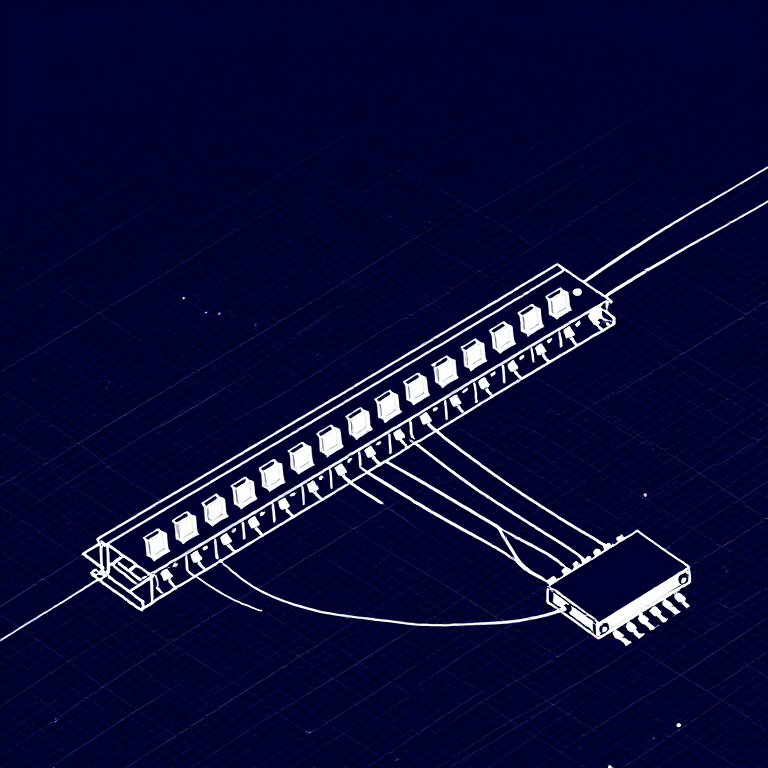
What if you need more outputs than the Arduino has pins? A shift register (74HC595) converts serial data into 8 parallel outputs — you send data on 3 pins and control 8 LEDs. You can chain multiple shift registers for even more outputs! This introduces SPI-style communication and bit manipulation.

Parts Needed

  • 1x Arduino Uno + USB cable
  • 1x Breadboard
  • 1x 74HC595 Shift Register IC
  • 8x LEDs (any color)
  • 8x 330Ω Resistors
  • 19x Jumper Wires

此步骤所需材料:

SparkFun Inventors Kit - V3.2SparkFun Inventors Kit - V3.21 套件
Arduino Uno R3Arduino Uno R31
BreadboardBreadboard1
74HC595 Shift Register74HC595 Shift Register1
5mm LED5mm LED8
330 Ohm Resistor330 Ohm Resistor8
Jumper WiresJumper Wires10

所需工具:

Computer with Arduino IDE
2

Hardware Hookup

Wiring Instructions

Place the 74HC595 chip so it bridges the center canyon. The notch indicates pin 1.

74HC595 Pin Connections
PinNameConnection
1 (QB)Output BLED 2 positive
2 (QC)Output CLED 3 positive
3 (QD)Output DLED 4 positive
4 (QE)Output ELED 5 positive
5 (QF)Output FLED 6 positive
6 (QG)Output GLED 7 positive
7 (QH)Output HLED 8 positive
8 (GND)GroundGND
10 (SRCLR*)Clear5V (active low, keep high)
11 (SRCLK)ClockArduino Pin 3
12 (RCLK)LatchArduino Pin 4
13 (OE*)Output EnableGND (active low)
14 (SER)DataArduino Pin 2
15 (QA)Output ALED 1 positive
16 (VCC)Power5V

Connect each LED's negative leg through a 330Ω resistor to GND.

此步骤所需材料:

74HC595 Shift Register74HC595 Shift Register1
5mm LED5mm LED8
330 Ohm Resistor330 Ohm Resistor8
BreadboardBreadboard1
Jumper WiresJumper Wires10
3

Arduino Code

Open the Arduino IDE and upload the following sketch to your Arduino board.

shift_register.inoarduino
/*
SparkFun Inventor's Kit
Example sketch 14 — SHIFT REGISTER

Use a shift register to turn three pins into eight outputs.

Hardware connections:
  74HC595 pin 14 (SER) to Arduino pin 2 (data)
  74HC595 pin 11 (SRCLK) to Arduino pin 3 (clock)
  74HC595 pin 12 (RCLK) to Arduino pin 4 (latch)
  74HC595 pin 8 to GND, pin 16 to 5V
  74HC595 pin 10 to 5V, pin 13 to GND
  Outputs QA-QH to LEDs through 330 ohm resistors

This code is completely free for any use.
*/

int datapin = 2;
int clockpin = 3;
int latchpin = 4;

byte data = 0;

void setup()
{
  pinMode(datapin, OUTPUT);
  pinMode(clockpin, OUTPUT);
  pinMode(latchpin, OUTPUT);
}

void loop()
{
  oneAfterAnother();

  //oneOnAtATime();
  //pingPong();
  //randomLED();
  //marquee();
  //binaryCount();
}

void shiftWrite(int desiredPin, boolean desiredState)
{
  bitWrite(data, desiredPin, desiredState);
  shiftOut(datapin, clockpin, MSBFIRST, data);
  digitalWrite(latchpin, HIGH);
  digitalWrite(latchpin, LOW);
}

void oneAfterAnother()
{
  int index;
  int delayTime = 100;

  for(index = 0; index <= 7; index++)
  {
    shiftWrite(index, HIGH);
    delay(delayTime);
  }
  for(index = 7; index >= 0; index--)
  {
    shiftWrite(index, LOW);
    delay(delayTime);
  }
}

void oneOnAtATime()
{
  int index;
  int delayTime = 100;

  for(index = 0; index <= 7; index++)
  {
    shiftWrite(index, HIGH);
    delay(delayTime);
    shiftWrite(index, LOW);
  }
}

void pingPong()
{
  int index;
  int delayTime = 100;

  for(index = 0; index <= 7; index++)
  {
    shiftWrite(index, HIGH);
    delay(delayTime);
    shiftWrite(index, LOW);
  }
  for(index = 7; index >= 0; index--)
  {
    shiftWrite(index, HIGH);
    delay(delayTime);
    shiftWrite(index, LOW);
  }
}

void randomLED()
{
  int index;
  int delayTime = 100;

  index = random(8);
  shiftWrite(index, HIGH);
  delay(delayTime);
  shiftWrite(index, LOW);
}

void marquee()
{
  int index;
  int delayTime = 200;

  for(index = 0; index <= 3; index++)
  {
    shiftWrite(index, HIGH);
    shiftWrite(index+4, HIGH);
    delay(delayTime);
    shiftWrite(index, LOW);
    shiftWrite(index+4, LOW);
  }
}

void binaryCount()
{
  int delayTime = 1000;

  shiftOut(datapin, clockpin, MSBFIRST, data);
  digitalWrite(latchpin, HIGH);
  digitalWrite(latchpin, LOW);

  data++;
  delay(delayTime);
}

此步骤所需材料:

Arduino Uno R3Arduino Uno R31

所需工具:

Computer with Arduino IDE
4

Test & Experiment

What You Should See

The same LED patterns as Circuit 4 (chase, ping-pong, etc.) but using only 3 Arduino pins instead of 8! The shift register does the heavy lifting.

Troubleshooting

  • Arduino power LED goes out: The chip is inserted backwards. Fix it quickly — no permanent damage if caught fast.
  • Not working: With 19 wires, a crossed connection is likely. Double-check systematically.

Experiments to Try

  • Uncomment binaryCount() to see binary counting from 0-255 displayed on the LEDs.
  • Chain two 74HC595s together for 16 outputs from just 3 pins.
  • Combine with a potentiometer to control the animation speed.

材料

7

所需工具

1
  • Computer with Arduino IDE
估计总额
$224.00

CC0 公共领域

此蓝图以 CC0 协议发布。你可以自由复制、修改、分发和使用此作品,无需征得许可。

通过购买蓝图中的产品支持创客,他们将获得 创客佣金 (由供应商设定),或创建此蓝图的新版本并将其作为连接包含在你自己的蓝图中以分享收入。

讨论

(0)

登录 加入讨论

加载评论中...



