/*
SparkFun Inventor's Kit
Example sketch 16 — SIMON SAYS

Simon Says memory game. Press a button to start.
Repeat the LED sequence as it grows. Win after 13 rounds.

Hold GREEN at startup for Battle Mode (2 player).
Hold YELLOW at startup for a musical easter egg!

This code is completely free for any use.
*/

#define CHOICE_OFF    0
#define CHOICE_NONE   0
#define CHOICE_RED    (1 << 0)
#define CHOICE_GREEN  (1 << 1)
#define CHOICE_BLUE   (1 << 2)
#define CHOICE_YELLOW (1 << 3)

#define LED_RED     10
#define LED_GREEN   3
#define LED_BLUE    13
#define LED_YELLOW  5

#define BUTTON_RED    9
#define BUTTON_GREEN  2
#define BUTTON_BLUE   12
#define BUTTON_YELLOW 6

#define BUZZER1  4
#define BUZZER2  7

#define ROUNDS_TO_WIN      13
#define ENTRY_TIME_LIMIT   3000

#define MODE_MEMORY  0
#define MODE_BATTLE  1
#define MODE_BEEGEES 2

// Note frequencies
#define NOTE_G4 392
#define NOTE_A4 440
#define NOTE_C5 523

byte gameMode = MODE_MEMORY;
byte gameBoard[32];
byte gameRound = 0;

void setup()
{
  pinMode(BUTTON_RED, INPUT_PULLUP);
  pinMode(BUTTON_GREEN, INPUT_PULLUP);
  pinMode(BUTTON_BLUE, INPUT_PULLUP);
  pinMode(BUTTON_YELLOW, INPUT_PULLUP);

  pinMode(LED_RED, OUTPUT);
  pinMode(LED_GREEN, OUTPUT);
  pinMode(LED_BLUE, OUTPUT);
  pinMode(LED_YELLOW, OUTPUT);

  pinMode(BUZZER1, OUTPUT);
  pinMode(BUZZER2, OUTPUT);

  gameMode = MODE_MEMORY;

  if (checkButton() == CHOICE_YELLOW) play_beegees();
  if (checkButton() == CHOICE_GREEN)
  {
    gameMode = MODE_BATTLE;
    setLEDs(CHOICE_GREEN);
    toner(CHOICE_GREEN, 150);
    setLEDs(CHOICE_RED | CHOICE_BLUE | CHOICE_YELLOW);
    while(checkButton() != CHOICE_NONE) ;
  }

  play_winner();
}

void loop()
{
  attractMode();
  setLEDs(CHOICE_RED | CHOICE_GREEN | CHOICE_BLUE | CHOICE_YELLOW);
  delay(1000);
  setLEDs(CHOICE_OFF);
  delay(250);

  if (gameMode == MODE_MEMORY)
  {
    if (play_memory() == true)
      play_winner();
    else
      play_loser();
  }

  if (gameMode == MODE_BATTLE)
  {
    play_battle();
    play_loser();
  }
}

boolean play_memory(void)
{
  randomSeed(millis());
  gameRound = 0;

  while (gameRound < ROUNDS_TO_WIN)
  {
    add_to_moves();
    playMoves();

    for (byte currentMove = 0; currentMove < gameRound; currentMove++)
    {
      byte choice = wait_for_button();
      if (choice == 0) return false;
      if (choice != gameBoard[currentMove]) return false;
    }
    delay(1000);
  }
  return true;
}

boolean play_battle(void)
{
  gameRound = 0;
  while (1)
  {
    byte newButton = wait_for_button();
    gameBoard[gameRound++] = newButton;

    for (byte currentMove = 0; currentMove < gameRound; currentMove++)
    {
      byte choice = wait_for_button();
      if (choice == 0) return false;
      if (choice != gameBoard[currentMove]) return false;
    }
    delay(100);
  }
  return true;
}

void playMoves(void)
{
  for (byte currentMove = 0; currentMove < gameRound; currentMove++)
  {
    toner(gameBoard[currentMove], 150);
    delay(150);
  }
}

void add_to_moves(void)
{
  byte newButton = random(0, 4);
  if(newButton == 0) newButton = CHOICE_RED;
  else if(newButton == 1) newButton = CHOICE_GREEN;
  else if(newButton == 2) newButton = CHOICE_BLUE;
  else if(newButton == 3) newButton = CHOICE_YELLOW;
  gameBoard[gameRound++] = newButton;
}

void setLEDs(byte leds)
{
  digitalWrite(LED_RED, (leds & CHOICE_RED) ? HIGH : LOW);
  digitalWrite(LED_GREEN, (leds & CHOICE_GREEN) ? HIGH : LOW);
  digitalWrite(LED_BLUE, (leds & CHOICE_BLUE) ? HIGH : LOW);
  digitalWrite(LED_YELLOW, (leds & CHOICE_YELLOW) ? HIGH : LOW);
}

byte wait_for_button(void)
{
  long startTime = millis();
  while ((millis() - startTime) < ENTRY_TIME_LIMIT)
  {
    byte button = checkButton();
    if (button != CHOICE_NONE)
    {
      toner(button, 150);
      while(checkButton() != CHOICE_NONE) ;
      delay(10);
      return button;
    }
  }
  return CHOICE_NONE;
}

byte checkButton(void)
{
  if (digitalRead(BUTTON_RED) == 0) return CHOICE_RED;
  else if (digitalRead(BUTTON_GREEN) == 0) return CHOICE_GREEN;
  else if (digitalRead(BUTTON_BLUE) == 0) return CHOICE_BLUE;
  else if (digitalRead(BUTTON_YELLOW) == 0) return CHOICE_YELLOW;
  return CHOICE_NONE;
}

void toner(byte which, int buzz_length_ms)
{
  setLEDs(which);
  switch(which)
  {
    case CHOICE_RED:    buzz_sound(buzz_length_ms, 1136); break;
    case CHOICE_GREEN:  buzz_sound(buzz_length_ms, 568);  break;
    case CHOICE_BLUE:   buzz_sound(buzz_length_ms, 851);  break;
    case CHOICE_YELLOW: buzz_sound(buzz_length_ms, 638);  break;
  }
  setLEDs(CHOICE_OFF);
}

void buzz_sound(int buzz_length_ms, int buzz_delay_us)
{
  long buzz_length_us = buzz_length_ms * (long)1000;
  while (buzz_length_us > (buzz_delay_us * 2))
  {
    buzz_length_us -= buzz_delay_us * 2;
    digitalWrite(BUZZER1, LOW);
    digitalWrite(BUZZER2, HIGH);
    delayMicroseconds(buzz_delay_us);
    digitalWrite(BUZZER1, HIGH);
    digitalWrite(BUZZER2, LOW);
    delayMicroseconds(buzz_delay_us);
  }
}

void play_winner(void)
{
  setLEDs(CHOICE_GREEN | CHOICE_BLUE);
  winner_sound();
  setLEDs(CHOICE_RED | CHOICE_YELLOW);
  winner_sound();
  setLEDs(CHOICE_GREEN | CHOICE_BLUE);
  winner_sound();
  setLEDs(CHOICE_RED | CHOICE_YELLOW);
  winner_sound();
}

void winner_sound(void)
{
  for (byte x = 250; x > 70; x--)
  {
    for (byte y = 0; y < 3; y++)
    {
      digitalWrite(BUZZER2, HIGH);
      digitalWrite(BUZZER1, LOW);
      delayMicroseconds(x);
      digitalWrite(BUZZER2, LOW);
      digitalWrite(BUZZER1, HIGH);
      delayMicroseconds(x);
    }
  }
}

void play_loser(void)
{
  setLEDs(CHOICE_RED | CHOICE_GREEN);
  buzz_sound(255, 1500);
  setLEDs(CHOICE_BLUE | CHOICE_YELLOW);
  buzz_sound(255, 1500);
  setLEDs(CHOICE_RED | CHOICE_GREEN);
  buzz_sound(255, 1500);
  setLEDs(CHOICE_BLUE | CHOICE_YELLOW);
  buzz_sound(255, 1500);
}

void attractMode(void)
{
  while(1)
  {
    setLEDs(CHOICE_RED);
    delay(100);
    if (checkButton() != CHOICE_NONE) return;
    setLEDs(CHOICE_BLUE);
    delay(100);
    if (checkButton() != CHOICE_NONE) return;
    setLEDs(CHOICE_GREEN);
    delay(100);
    if (checkButton() != CHOICE_NONE) return;
    setLEDs(CHOICE_YELLOW);
    delay(100);
    if (checkButton() != CHOICE_NONE) return;
  }
}

int melody[] = {
  NOTE_G4, NOTE_A4, 0, NOTE_C5, 0, 0, NOTE_G4, 0, 0, 0,
  0, 0, NOTE_G4, 0, NOTE_G4, NOTE_G4, 0,
  NOTE_G4, 0, 0, NOTE_G4, 0, 0,
  NOTE_G4, 0, 0, 0, NOTE_G4, 0, NOTE_A4, 0, NOTE_C5, 0};

int noteDuration = 115;
int LEDnumber = 0;

void play_beegees()
{
  setLEDs(CHOICE_YELLOW);
  toner(CHOICE_YELLOW, 150);
  setLEDs(CHOICE_RED | CHOICE_GREEN | CHOICE_BLUE);
  while(checkButton() != CHOICE_NONE) ;
  setLEDs(CHOICE_NONE);
  delay(1000);
  digitalWrite(BUZZER1, LOW);

  while(checkButton() == CHOICE_NONE)
  {
    for (int thisNote = 0; thisNote < 32; thisNote++) {
      changeLED();
      tone(BUZZER2, melody[thisNote], noteDuration);
      int pauseBetweenNotes = noteDuration * 1.30;
      delay(pauseBetweenNotes);
      noTone(BUZZER2);
    }
  }
}

void changeLED(void)
{
  setLEDs(1 << LEDnumber);
  LEDnumber++;
  if(LEDnumber > 3) LEDnumber = 0;
}
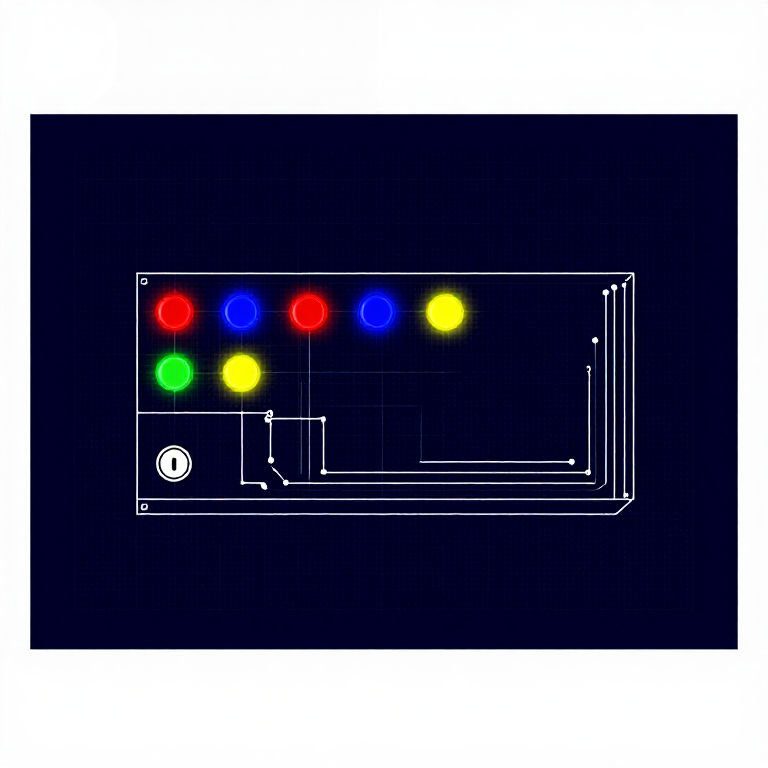


 SparkFun 发明家套件 - V3.21 套件
 装有 Arduino IDE 的电脑
 按钮4 个
按钮4 个 压电蜂鸣器1 个
 面包板1 个
 跳线12 个
 Arduino Uno R31 个