
KUNST
SCHÖNHEIT & WELLNESS
HANDWERK
KULTUR & GESCHICHTE
UNTERHALTUNG
UMFELD
ESSEN & GETRÄNKE
GRÜNE ZUKUNFT
REVERSE ENGINEERING
WISSENSCHAFTEN
SPORT
TECHNOLOGIE
WEARABLES
Driving Multiple LEDs — SIK Circuit 4
Ed

Erstellt von

Ed

17. März 2026FI
41
0
0
0
0

Driving Multiple LEDs — SIK Circuit 4

Make eight LEDs dance! Learn about arrays, for loops, and multiple output patterns including chase, ping-pong, marquee, and random blink effects.

Anweisungen

1

Parts & Introduction

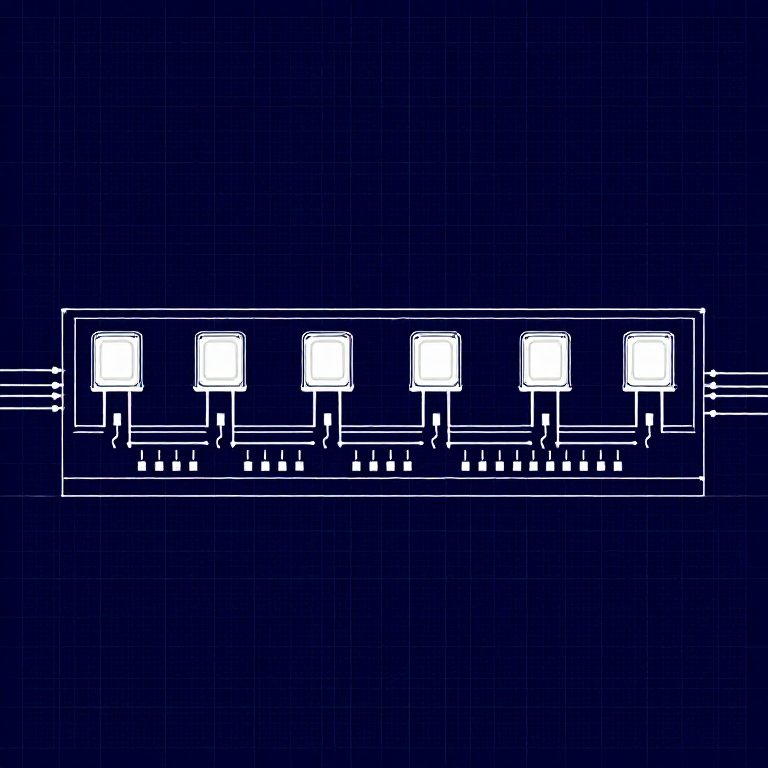
This experiment uses 8 LEDs to create light patterns. You'll learn about arrays (grouping related variables) and for loops (repeating actions efficiently). The sketch includes 6 different animation functions you can try.

Parts Needed

  • 1x Arduino Uno + USB cable
  • 1x Breadboard
  • 8x LEDs (any color)
  • 8x 330Ω Resistors
  • 9x Jumper Wires

Materialien für diesen Schritt:

SparkFun Inventors Kit - V3.2SparkFun Inventors Kit - V3.21 Set
Arduino Uno R3Arduino Uno R31 Stück
BreadboardBreadboard1 Stück
5mm LED5mm LED8 Stück
330 Ohm Resistor330 Ohm Resistor8 Stück
Jumper WiresJumper Wires9 Stück

Benötigte Werkzeuge:

Computer with Arduino IDE
2

Hardware Hookup

Wiring Instructions

  1. Place 8 LEDs in a row on the breadboard.
  2. For each LED, connect the negative leg (shorter) through a 330Ω resistor to GND.
  3. Connect the positive leg (longer) of each LED to Arduino digital pins 2 through 9 (LED 1 = pin 2, LED 2 = pin 3, etc.).
  4. Connect the GND rail on the breadboard to Arduino GND.

Tip: Keep the LEDs neatly spaced for the best visual effect.

Materialien für diesen Schritt:

5mm LED5mm LED8 Stück
330 Ohm Resistor330 Ohm Resistor8 Stück
BreadboardBreadboard1 Stück
Jumper WiresJumper Wires9 Stück
3

Arduino Code

Open the Arduino IDE and upload the following sketch to your Arduino board.

multiple_leds.inoarduino
/*
SparkFun Inventor's Kit
Example sketch 04 — MULTIPLE LEDs

Make eight LEDs dance. Dance LEDs, dance!

Hardware connections:
  8 LEDs with 330 ohm resistors on pins 2-9.
  Negative sides through resistors to GND.

This code is completely free for any use.
*/

int ledPins[] = {2,3,4,5,6,7,8,9};

void setup()
{
  int index;
  for(index = 0; index <= 7; index++)
  {
    pinMode(ledPins[index], OUTPUT);
  }
}

void loop()
{
  oneAfterAnotherNoLoop();

  //oneAfterAnotherLoop();
  //oneOnAtATime();
  //pingPong();
  //marquee();
  //randomLED();
}

void oneAfterAnotherNoLoop()
{
  int delayTime = 100;

  digitalWrite(ledPins[0], HIGH); delay(delayTime);
  digitalWrite(ledPins[1], HIGH); delay(delayTime);
  digitalWrite(ledPins[2], HIGH); delay(delayTime);
  digitalWrite(ledPins[3], HIGH); delay(delayTime);
  digitalWrite(ledPins[4], HIGH); delay(delayTime);
  digitalWrite(ledPins[5], HIGH); delay(delayTime);
  digitalWrite(ledPins[6], HIGH); delay(delayTime);
  digitalWrite(ledPins[7], HIGH); delay(delayTime);

  digitalWrite(ledPins[7], LOW); delay(delayTime);
  digitalWrite(ledPins[6], LOW); delay(delayTime);
  digitalWrite(ledPins[5], LOW); delay(delayTime);
  digitalWrite(ledPins[4], LOW); delay(delayTime);
  digitalWrite(ledPins[3], LOW); delay(delayTime);
  digitalWrite(ledPins[2], LOW); delay(delayTime);
  digitalWrite(ledPins[1], LOW); delay(delayTime);
  digitalWrite(ledPins[0], LOW); delay(delayTime);
}

void oneAfterAnotherLoop()
{
  int index;
  int delayTime = 100;

  for(index = 0; index <= 7; index++)
  {
    digitalWrite(ledPins[index], HIGH);
    delay(delayTime);
  }
  for(index = 7; index >= 0; index--)
  {
    digitalWrite(ledPins[index], LOW);
    delay(delayTime);
  }
}

void oneOnAtATime()
{
  int index;
  int delayTime = 100;

  for(index = 0; index <= 7; index++)
  {
    digitalWrite(ledPins[index], HIGH);
    delay(delayTime);
    digitalWrite(ledPins[index], LOW);
  }
}

void pingPong()
{
  int index;
  int delayTime = 100;

  for(index = 0; index <= 7; index++)
  {
    digitalWrite(ledPins[index], HIGH);
    delay(delayTime);
    digitalWrite(ledPins[index], LOW);
  }
  for(index = 7; index >= 0; index--)
  {
    digitalWrite(ledPins[index], HIGH);
    delay(delayTime);
    digitalWrite(ledPins[index], LOW);
  }
}

void marquee()
{
  int index;
  int delayTime = 200;

  for(index = 0; index <= 3; index++)
  {
    digitalWrite(ledPins[index], HIGH);
    digitalWrite(ledPins[index+4], HIGH);
    delay(delayTime);
    digitalWrite(ledPins[index], LOW);
    digitalWrite(ledPins[index+4], LOW);
  }
}

void randomLED()
{
  int index;
  int delayTime = 100;

  index = random(8);
  digitalWrite(ledPins[index], HIGH);
  delay(delayTime);
  digitalWrite(ledPins[index], LOW);
}

Materialien für diesen Schritt:

Arduino Uno R3Arduino Uno R31 Stück

Benötigte Werkzeuge:

Computer with Arduino IDE
4

Test & Experiment

What You Should See

All 8 LEDs light up one after another, then turn off in reverse order. This repeats continuously.

Troubleshooting

  • Some LEDs don't light: Easy to insert an LED backwards. Check polarity.
  • Out of sequence: With 8 wires, it's easy to cross a couple. Verify LED 1 is on pin 2, then each pin in order.
  • Starting fresh: Sometimes pulling everything out and re-wiring is faster than debugging.

Experiments to Try

  • Uncomment the other functions in loop() to try: oneOnAtATime(), pingPong(), marquee(), randomLED().
  • Create your own animation pattern!
  • Modify the delay times to change the speed.

Materialien

6

Benötigte Werkzeuge

1
  • Computer with Arduino IDE
Geschätzte Gesamtkosten
€150.00

CC0 Gemeinfrei

Dieser Blueprint ist unter CC0 veröffentlicht. Sie dürfen dieses Werk für jeden Zweck frei kopieren, ändern, verbreiten und verwenden, ohne um Erlaubnis zu fragen.

Unterstützen Sie den Maker, indem Sie Produkte über seinen Blueprint kaufen, wo er eine Maker-Provision von Anbietern festgelegt, verdient. Oder erstellen Sie eine neue Iteration dieses Blueprints und verbinden Sie ihn in Ihrem eigenen Blueprint, um Einnahmen zu teilen.

Diskussion

(0)

Anmelden um an der Diskussion teilzunehmen

Kommentare werden geladen...


