ARTE
BELLEZA Y BIENESTAR
ARTESANÍA
CULTURA E HISTORIA
ENTRETENIMIENTO
MEDIO AMBIENTE
COMIDA Y BEBIDAS
INGENIERÍA INVERSA
CIENCIAS
DEPORTES
TECNOLOGÍA
TECNOLOGÍA VESTIBLE


The Synchronous Clock: Telling Time by the Power Station's Cycles
Every electric clock needs something regular to count. Henry E. Warren of Ashland, Massachusetts, saw that an alternating-current supply already carries one: the alternations of the generators. A small motor that turns exactly in step with them, geared down to hands, keeps time — provided the power station keeps its total count of alternations right.
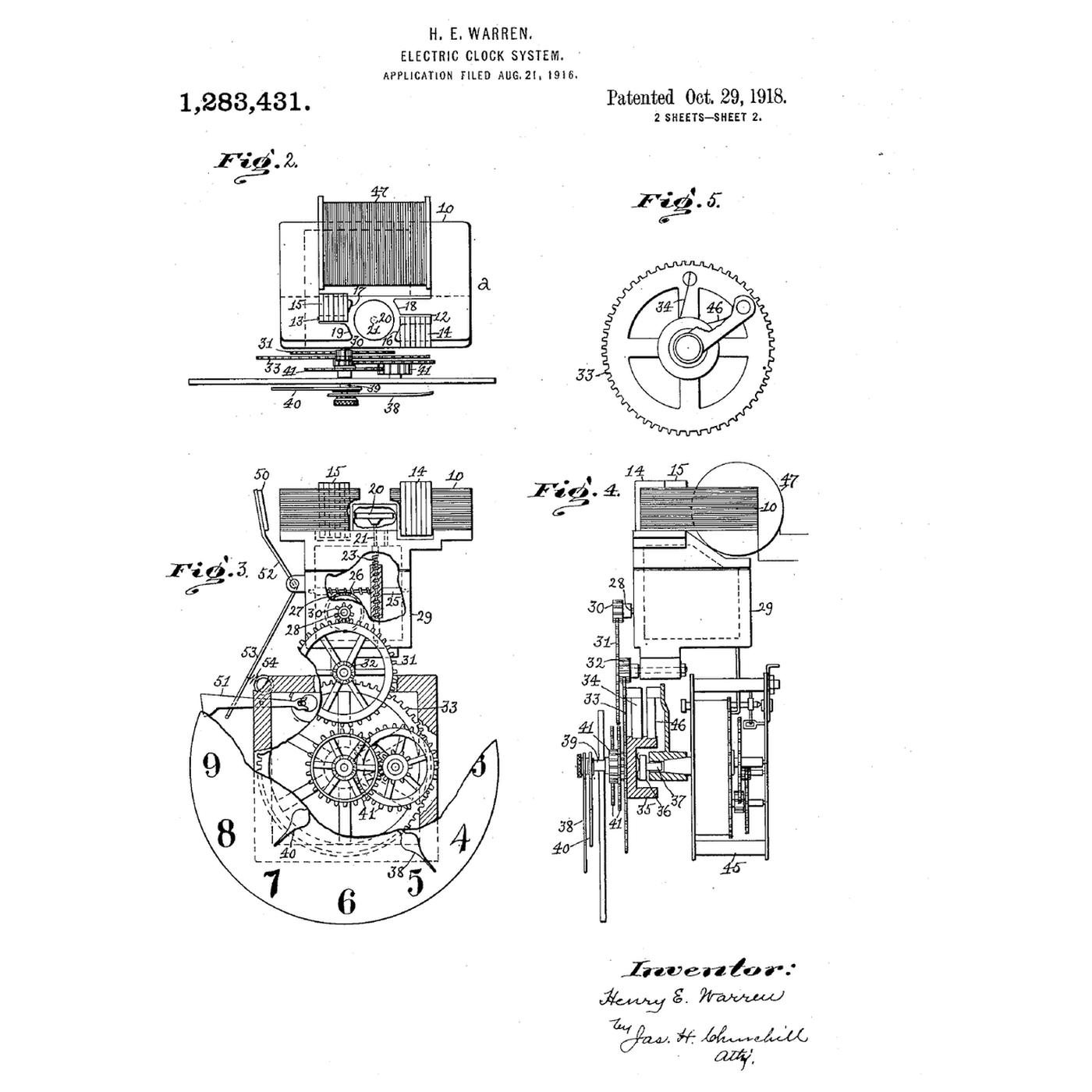
US 1,283,431, *Electric-Clock System*, filed 21 August 1916 and granted 29 October 1918, claims both halves: the self-starting synchronous motor, whose rotor is a plain hardened steel disc; and the system — a standard clock at the station, compared with a clock run from the supply, and the prime mover's speed adjusted to wipe out any excess or deficiency. Grids still correct their time error in the same way.
This rung simulates a wandering frequency with and without correction, and builds an Arduino clock that counts mains cycles through a low-voltage AC adapter.
Intermedio
About 4 hours
Instrucciones
1
1
Synchronous speed and time error
Synchronous speed and time error
Cargando el cuaderno de Jupyter…
2
2
Read Warren's motor and system
Read Warren's motor and system
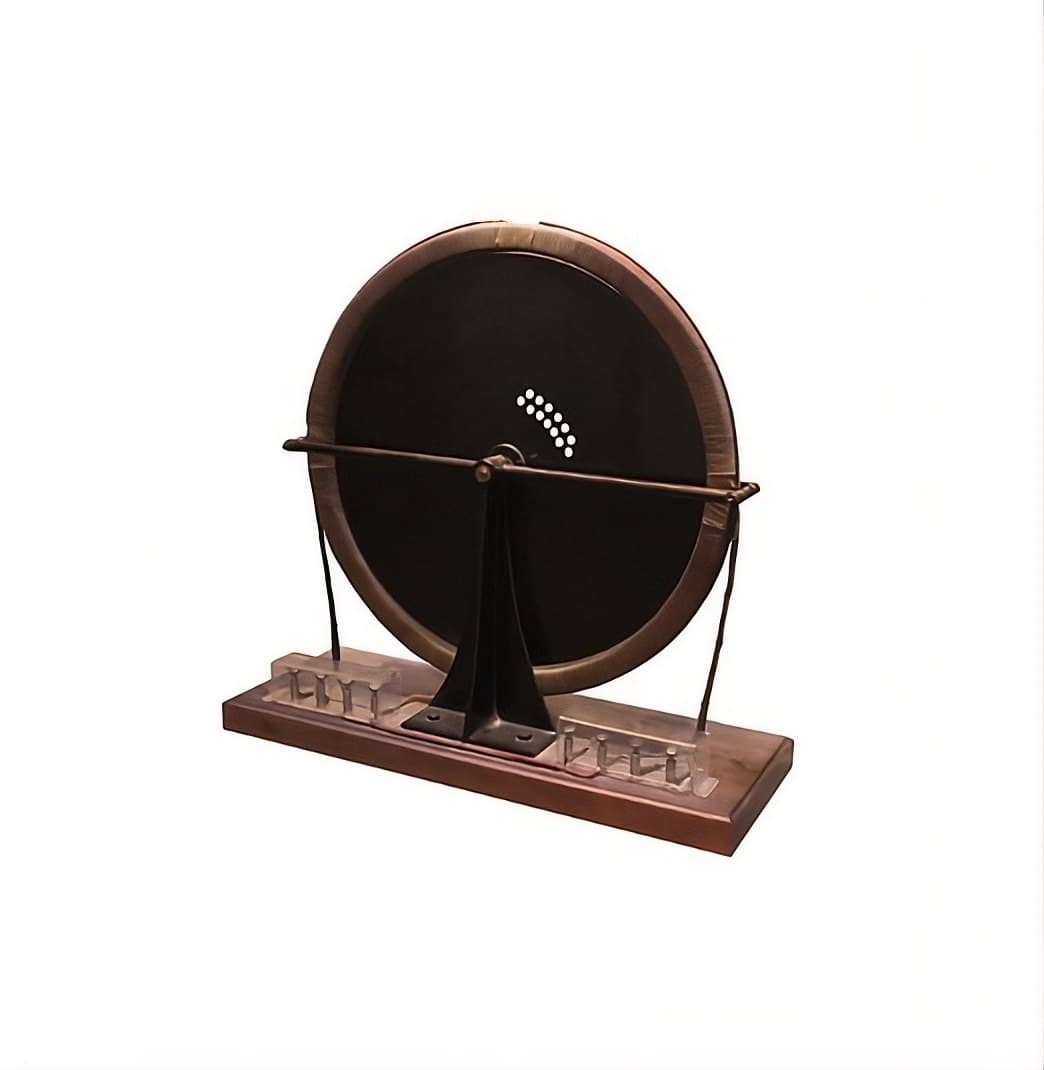
Figs. 2 to 5 of US 1,283,431 show the clock: a coil on a laminated field with two poles 12 and 13, each pole face split by **shading coils** 14 and 15 so the field sweeps round; in the space between the poles, the rotor 20 — "a disk of hardened steel and without windings or slots". It hangs a little below the middle of the pole faces so that, running, it rises and lifts the rotor and shaft off their bearings. A worm on a shaft of the train drives the hands; at 60 cycles the rotor turns 3600 times a minute.
A spring-driven auxiliary movement is held stopped by a lever while current flows, and released to run the clock if the current fails. Fig. 1 shows the system: an alternating-current generator, a standard clock at the station regulated daily by time signals, a comparison clock run from the supply, and the operator adjusting the prime mover until the two agree.
3
3
The sketch that counts the cycles
The sketch that counts the cycles
Counts one pulse per mains cycle through an opto-isolator and prints the grid's time every ten seconds.
grid_clock.inoarduino
Materiales para este paso:
 Arduino Uno R31 pieza
 Adaptador de corriente alterna de baja tensión1 pieza
 Opto-isolator Breakout1 pieza
 Diodo1 pieza
 Juego de resistencias1 pieza
 Placa de pruebas1 pieza
 Cables de puente1 pieza
Herramientas necesarias:
 Ordenador con el IDE de Arduino
 Multímetro
4
4
Run it for a day against a network clock
Run it for a day against a network clock
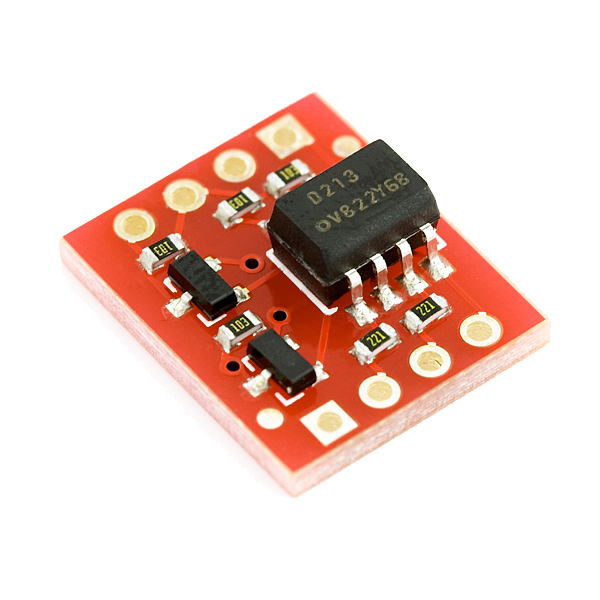
Check the adapter's label says **AC output** and measure it with the multimeter on AC volts before connecting anything. Wire the opto-isolator as the sketch's comment shows, set MAINS_HZ, and upload.
Start the Arduino exactly when a network-synced clock (a phone) reaches a whole minute, and note the time. Leave it running. Every few hours compare the sketch's elapsed time with the phone's: the difference is the grid's accumulated time error since you started. Over a day it moves by seconds and is pulled back — the correction Warren described.
Do not compare against the Arduino's own millis(): its ceramic resonator can drift much more than the grid does.
Herramientas necesarias:
 Cronómetro
5
5
A synchronous clock showing the wrong time
A synchronous clock showing the wrong time
Synchronous clock faults.
Flow
Loading...
6
6
History and honest limits
History and honest limits
**Henry E. Warren** filed **US 1,283,431** on 21 August 1916, assigned to the Warren Clock Company of Ashland; it was granted 29 October 1918. His company's clocks were sold as Telechron, and for synchronous clocks to keep time the power stations had to control their frequency — which Warren's master clocks helped them do.
**Honest limits.** The simulation's frequency wander and correction rate are illustrative. A synchronous clock is only as good as the grid's time-error correction, which differs between grids and has at times been relaxed. Never work on mains voltage: the sketch is designed for a low-voltage AC adapter only.
Materiales
7- Marcador de posición
- Marcador de posición
- Opto-isolator Breakout10% de comisión1 pieza€4.51
- 1 piezaMarcador de posición
- Marcador de posición
- Marcador de posición
- Marcador de posición
Herramientas requeridas
3- Marcador de posición
- Marcador de posición
- Marcador de posición
Total estimado
Lo que compró quien lo hizo. Los materiales sin precio se consiguen donde tú los compres.
Blueprints relacionados
Estos blueprints comparten conocimiento — técnicas, materiales o principios


CC0 Dominio público
Este Blueprint se publica bajo CC0. Eres libre de copiar, modificar, distribuir y usar este trabajo para cualquier propósito, sin pedir permiso.
Apoya al Maker comprando productos a través de su Blueprint, donde gana una Comisión del Maker establecida por los vendedores, o crea una nueva iteración de este Blueprint e inclúyela como conexión en tu propio Blueprint para compartir ingresos.