ART
BEAUTÉ ET BIEN-ÊTRE
ARTISANAT
CULTURE ET HISTOIRE
DIVERTISSEMENT
ENVIRONNEMENT
NOURRITURE ET BOISSONS
INGÉNIERIE INVERSE
SCIENCES
SPORTS
TECHNOLOGIE
TECHNOLOGIE PORTABLE
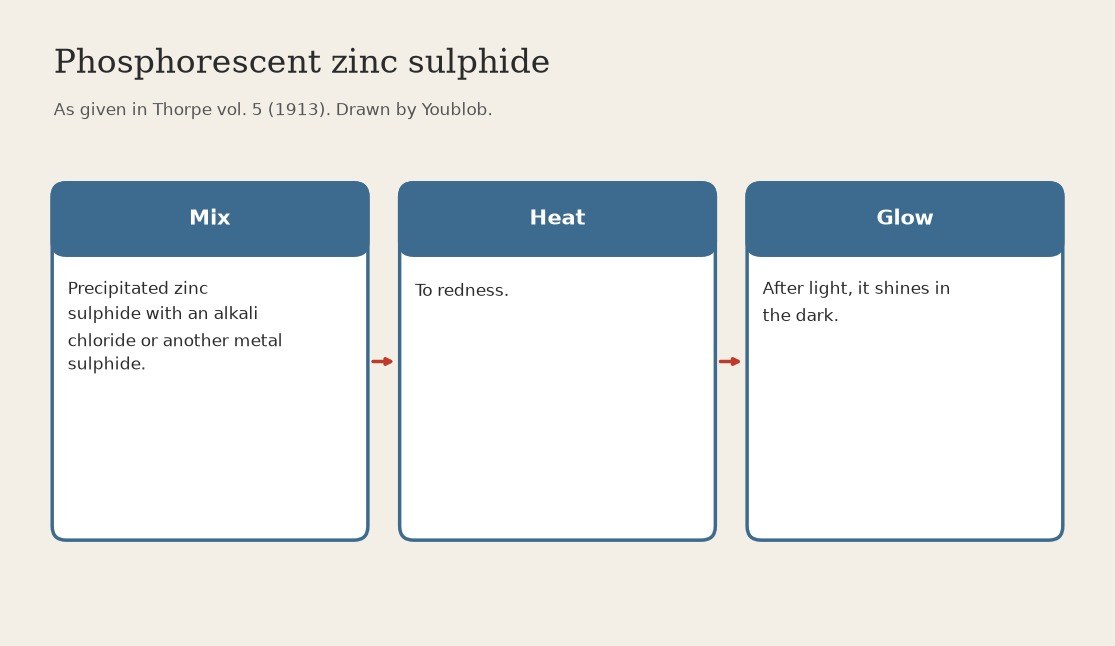


Zinc Sulphide Phosphor: Precipitated Sulphide Heated to Redness with a Flux (Thorpe 1913)
Precipitated zinc sulphide does not glow. Heated to redness together with an alkali chloride or the sulphide of another metal, it turns into the phosphorescent sulphide used for fluorescent screens.
Source: Thorpe, Dictionary of Applied Chemistry vol. 5 (1913), Zinc. Unknown: which chloride or sulphide, how much, and for how long. Thorpe names only the class, so the additive is linked to an unknown head. Crucible and furnace are ours. Picture drawn by Youblob.
Intermédiaire
1 day
Consignes
1
1
Mix the sulphide with the additive
Mix the sulphide with the additive
Grind precipitated zinc sulphide together with an alkali chloride or the sulphide of another metal. Unknown: which one and how much. Thorpe names only the class.
Matériaux pour cette étape :
 Sulfure de zinc1 as required
 Fondant inconnu1 as required
Outils nécessaires :
 Mortier et pilon
2
2
Heat to redness
Heat to redness
Heat the mixture to redness (ours: in a lidded porcelain crucible in a muffle furnace). Unknown: for how long. Let it cool.
Outils nécessaires :
 Creuset avec couvercle (porcelaine)
 Four à moufle
 Pince à creuset
 Gants résistants à la chaleur
3
3
Check the glow
Check the glow
Grind the cooled cake gently. Expose a little to light, then look at it in the dark: the phosphorescent sulphide glows.
Outils nécessaires :
Mortier et pilonMatériaux
2- 1 as requiredEspace réservé
- 1 as requiredEspace réservé
Outils requis
5- Espace réservé
- Espace réservé
- Espace réservé
- Espace réservé
- Espace réservé
Ce plan fabrique

Blueprints liés
Ces blueprints partagent des connaissances — techniques, matériaux ou principes

CC0 Domaine public
Ce blueprint est publié sous CC0. Vous êtes libre de copier, modifier, distribuer et utiliser ce travail pour tout usage, sans demander la permission.
Soutenez le Maker en achetant des produits via son Blueprint où il perçoit une Commission Maker définie par les Vendeurs, ou créez une nouvelle itération de ce Blueprint et incluez-le comme connexion dans votre propre Blueprint pour partager les revenus.