ART
BEAUTÉ ET BIEN-ÊTRE
ARTISANAT
CULTURE ET HISTOIRE
DIVERTISSEMENT
ENVIRONNEMENT
NOURRITURE ET BOISSONS
INGÉNIERIE INVERSE
SCIENCES
SPORTS
TECHNOLOGIE
TECHNOLOGIE PORTABLE
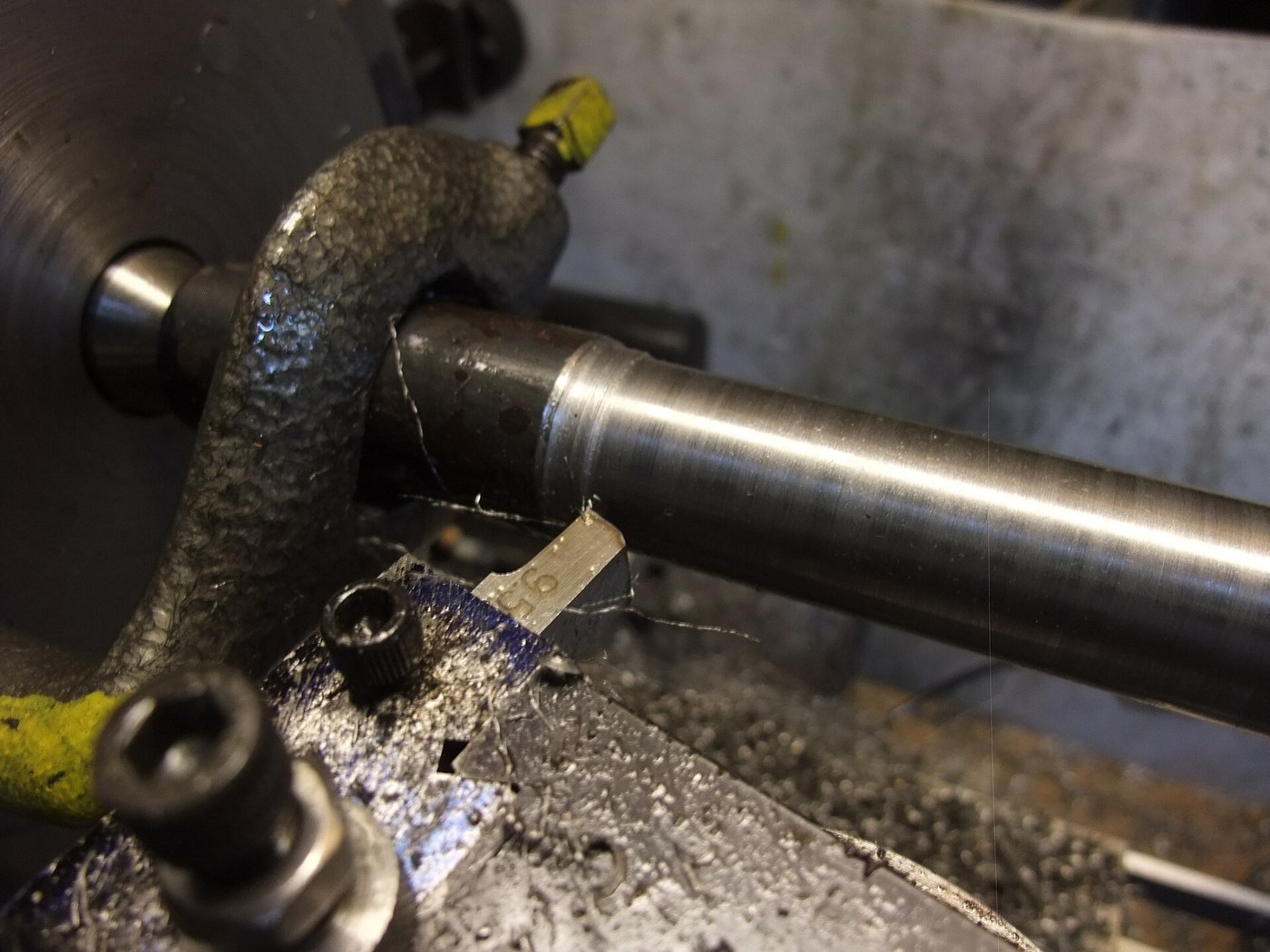


Steel Shaft, 30 mm: Round Bar Turned Between Centres
A shaft carries gears, wheels and bearings, and it has to be straight, round and true to size where they fit. Turned between centres from a forged round bar, it can be taken out, checked and put back without losing its axis.
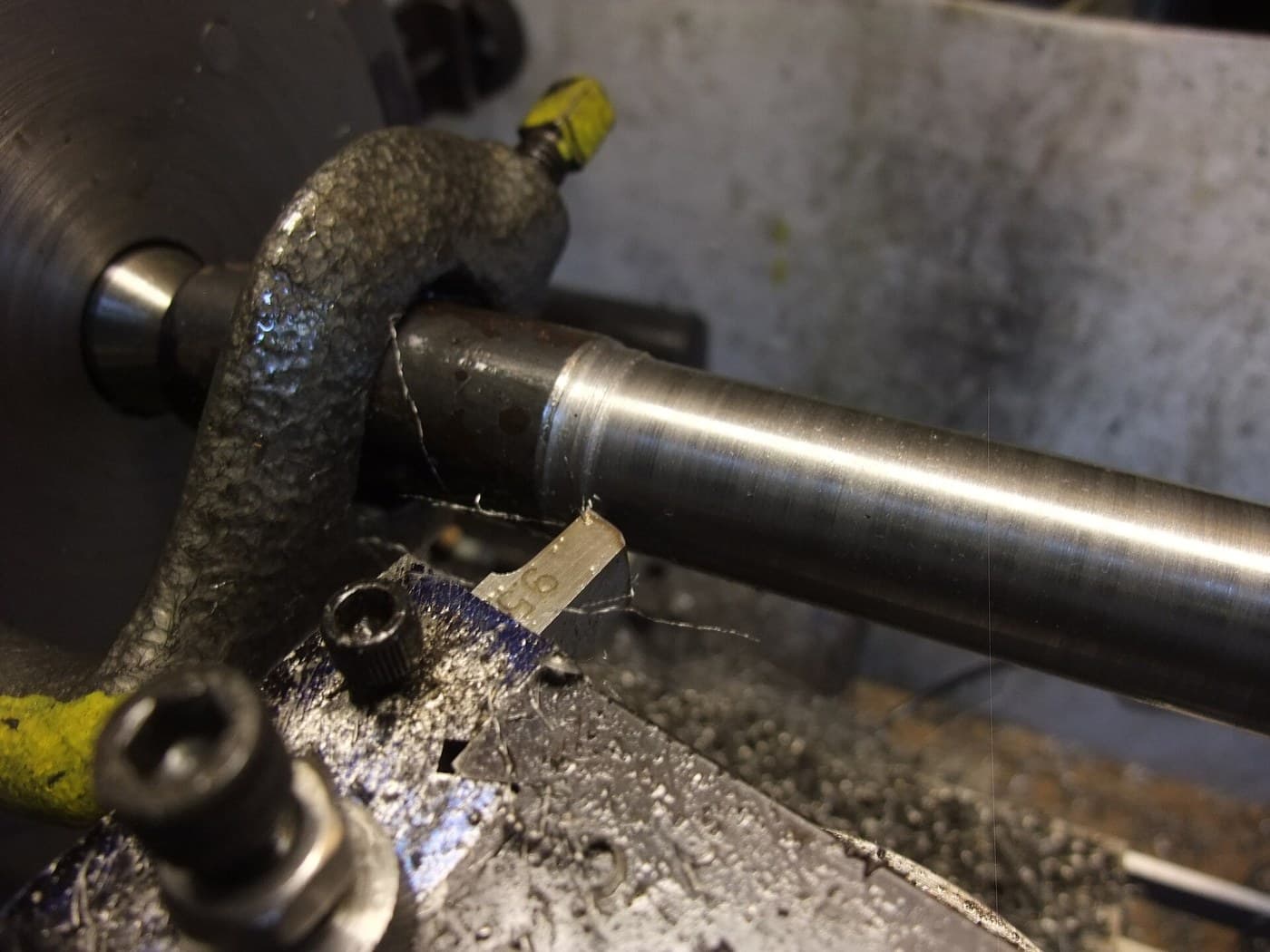
The picture: a steel bar being turned between centres, driven by a lathe dog.
Intermédiaire
An afternoon
Consignes
1
1
Cut the bar
Cut the bar
Saw a length of round bar a few millimetres oversize in diameter (about 33 mm for a 30 mm shaft) and a little longer than the finished shaft.
Matériaux pour cette étape :
 Barre ronde en acier doux1 pièce
Outils nécessaires :
 Scie à métaux
2
2
Mount it between centres
Mount it between centres
Face both ends, centre-drill them and mount the bar between centres, driven by a lathe dog, as in Turning Between Centres.
3
3
Turn to 30 mm
Turn to 30 mm
Rough down to about 30.5 mm with light oiled cuts, then take a fine finishing cut to 30.00 mm, measuring with a micrometer at both ends and the middle. Turn the dog to the other end and finish the length under it.
Outils nécessaires :
 Tour à métaux
 Jeu de gouges de tour en acier rapide
 Huile de coupe
 Micromètre
 Lunettes de sécurité
4
4
Check it runs true
Check it runs true
With the shaft back between centres, run a dial indicator along it. Break the sharp corners at the ends.
Outils nécessaires :
 Comparateur à cadranTour à métaux
Matériaux
1- 1 pièceEspace réservé
Outils requis
7- Espace réservé
- Espace réservé
- Espace réservé
- Espace réservé
- Espace réservé
- Espace réservé
- Espace réservé
Ce plan fabrique

Blueprints liés
Ces blueprints partagent des connaissances — techniques, matériaux ou principes
CC0 Domaine public
Ce blueprint est publié sous CC0. Vous êtes libre de copier, modifier, distribuer et utiliser ce travail pour tout usage, sans demander la permission.
Soutenez le Maker en achetant des produits via son Blueprint où il perçoit une Commission Maker définie par les Vendeurs, ou créez une nouvelle itération de ce Blueprint et incluez-le comme connexion dans votre propre Blueprint pour partager les revenus.