

Driving an RGB LED — SIK Circuit 3
دستورالعملها
Parts & Introduction
Parts & Introduction
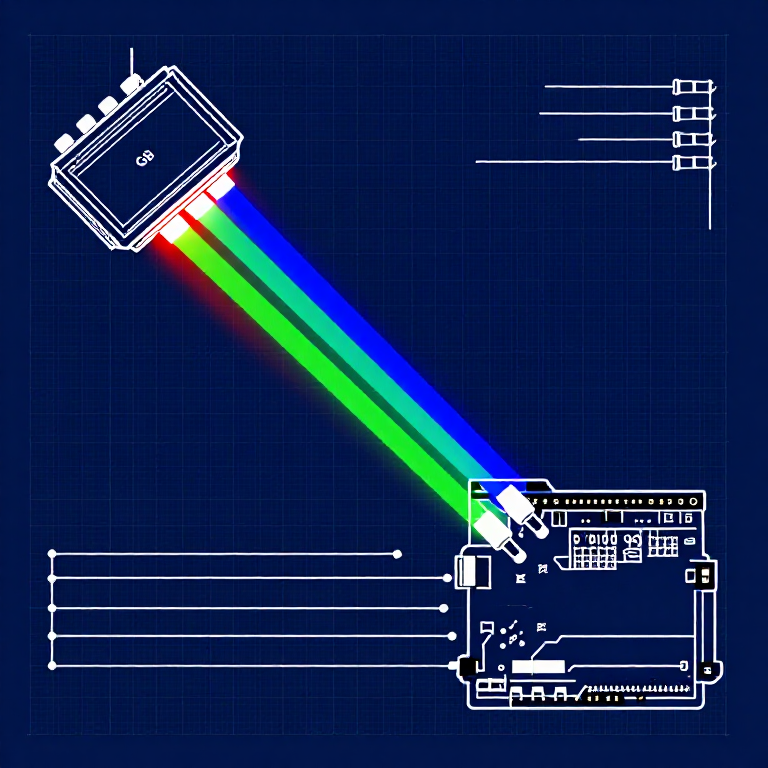
An RGB LED contains three tiny LEDs (red, green, blue) in one package. By mixing different brightness levels of each color, you can create any color in the rainbow. This experiment introduces analogWrite() for PWM output.
Parts Needed
- 1x Arduino Uno + USB cable
- 1x Breadboard
- 1x RGB LED (Common Cathode)
- 3x 330Ω Resistors
- 5x Jumper Wires
RGB LED Pin Order (flat edge facing you): Red, Ground (longest pin), Green, Blue.
مواد مورد نیاز این مرحله:
 کیت مخترع SparkFun - V3.21 کیت
ابزارهای مورد نیاز:
 رایانه با Arduino IDE
Hardware Hookup
Hardware Hookup
Wiring Instructions
- Place the RGB LED in the breadboard. Identify pins from the flattened edge: Red, GND (longest), Green, Blue.
- Connect the GND pin (longest, second from left) to the GND rail.
- Connect the Red pin through a 330Ω resistor to Arduino Pin 9.
- Connect the Green pin through a 330Ω resistor to Arduino Pin 10.
- Connect the Blue pin through a 330Ω resistor to Arduino Pin 11.
Pins 9, 10, and 11 are all PWM-capable (marked with ~ on the board).
مواد مورد نیاز این مرحله:
 نوار LED آرجیبی ۵۰۵۰ (بدون آدرسدهی)1 قطعه
 بردبورد1 قطعه
 سیم رابط5 قطعه
Arduino Code
Arduino Code
Open the Arduino IDE and upload the following sketch to your Arduino board.
مواد مورد نیاز این مرحله:
 Arduino Uno R31 قطعه
ابزارهای مورد نیاز:
رایانه با Arduino IDETest & Experiment
Test & Experiment
What You Should See
The LED cycles through 8 solid colors (off, red, green, blue, yellow, cyan, purple, white) for 1 second each, then smoothly fades through the entire color spectrum.
Troubleshooting
- Incorrect colors: With four pins close together, it's easy to misplace one. Double-check each connection.
- Red too bright: The red diode is often brighter. Try a higher-value resistor on the red pin, or reduce in code:
analogWrite(RED_PIN, redIntensity/3).
Experiments to Try
- Add a potentiometer to control which color is displayed.
- Create your own color sequences — try a "sunrise" effect (dark red → orange → yellow → white).
مواد
6- کیت مخترع SparkFun - V3.210% کمیسیون1 کیت$104.50
- جایگزین
- جایگزین
- جایگزین
- جایگزین
- 3 قطعهجایگزین
ابزارهای لازم
1- جایگزین
CC0 مالکیت عمومی
این نقشه تحت مجوز CC0 منتشر شده است. شما آزاد هستید آن را کپی، ویرایش، توزیع و برای هر هدفی بدون نیاز به اجازه استفاده کنید.
با خرید محصولات از طریق نقشه از سازنده حمایت کنید و او کمیسیون سازنده تعیین شده توسط فروشندگان، دریافت میکند یا یک نسخه جدید از این نقشه ایجاد کنید و آن را به عنوان اتصال در نقشه خود قرار دهید تا درآمد به اشتراک گذاشته شود.