

Reading a Photoresistor — SIK Circuit 6
دستورالعملها
Parts & Introduction
Parts & Introduction
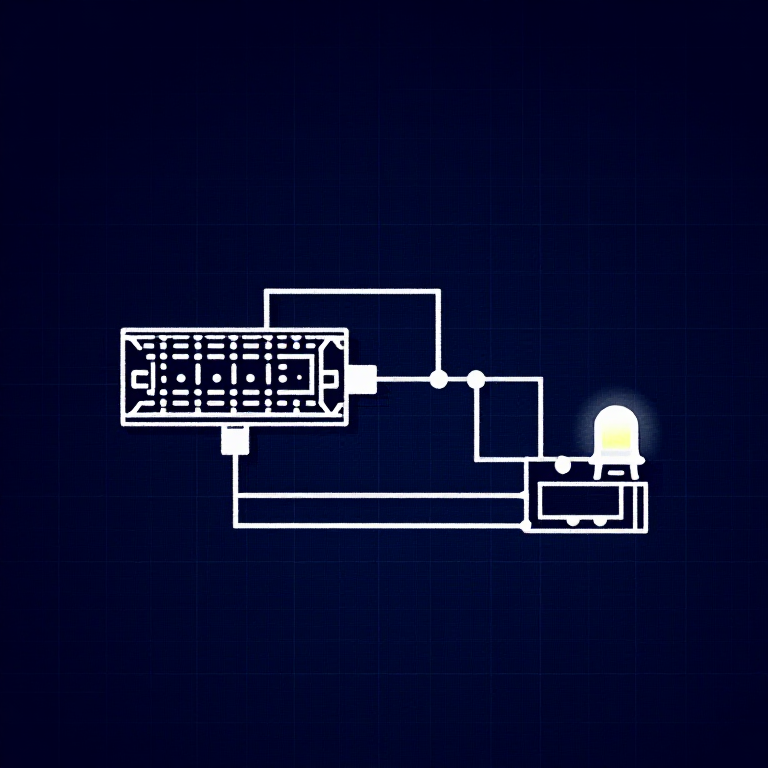
A photoresistor (or LDR — Light Dependent Resistor) changes resistance based on light levels. Combined with a fixed resistor, it forms a voltage divider that the Arduino can read as an analog value. You'll use this to control LED brightness automatically.
Parts Needed
- 1x Arduino Uno + USB cable
- 1x Breadboard
- 1x Photoresistor
- 1x LED (any color)
- 1x 330Ω Resistor
- 1x 10KΩ Resistor (for voltage divider)
- 6x Jumper Wires
مواد مورد نیاز این مرحله:
 کیت مخترع SparkFun - V3.21 کیت
ابزارهای مورد نیاز:
 رایانه با Arduino IDE
Hardware Hookup
Hardware Hookup
Wiring Instructions
- Connect one side of the photoresistor to 5V.
- Connect the other side to Analog Pin A0.
- Connect a 10K resistor from Analog Pin A0 to GND (this completes the voltage divider).
- Connect the LED positive leg to Digital Pin 9 (PWM-capable).
- Connect the LED negative leg through a 330Ω resistor to GND.
The voltage divider produces a voltage proportional to light level, which the Arduino reads as 0-1023.
مواد مورد نیاز این مرحله:
 بردبورد1 قطعه
 سیم رابط5 قطعه
Arduino Code
Arduino Code
Open the Arduino IDE and upload the following sketch to your Arduino board.
مواد مورد نیاز این مرحله:
 Arduino Uno R31 قطعه
ابزارهای مورد نیاز:
رایانه با Arduino IDETest & Experiment
Test & Experiment
What You Should See
The LED brightness changes based on ambient light. Cover the photoresistor to dim or brighten the LED (depending on orientation).
Troubleshooting
- LED stays dark: Check LED polarity. Also verify the photoresistor is in the circuit correctly.
- Not responding to light: The photoresistor spacing is non-standard — make sure both legs are making good contact.
- Subtle changes: Try using a flashlight or covering the sensor completely for more dramatic results.
Experiments to Try
- Uncomment
autoTune()to let the Arduino automatically calibrate to your lighting conditions. - Use the sensor to trigger actions at specific light thresholds (e.g., turn on a "night light" when dark).
مواد
8- کیت مخترع SparkFun - V3.210% کمیسیون1 کیت$104.50
- جایگزین
- جایگزین
- جایگزین
- 1 قطعهجایگزین
- جایگزین
- 1 قطعهجایگزین
- جایگزین
ابزارهای لازم
1- جایگزین
CC0 مالکیت عمومی
این نقشه تحت مجوز CC0 منتشر شده است. شما آزاد هستید آن را کپی، ویرایش، توزیع و برای هر هدفی بدون نیاز به اجازه استفاده کنید.
با خرید محصولات از طریق نقشه از سازنده حمایت کنید و او کمیسیون سازنده تعیین شده توسط فروشندگان، دریافت میکند یا یک نسخه جدید از این نقشه ایجاد کنید و آن را به عنوان اتصال در نقشه خود قرار دهید تا درآمد به اشتراک گذاشته شود.