

Driving an RGB LED — SIK Circuit 3
Leiðbeiningar
Parts & Introduction
Parts & Introduction
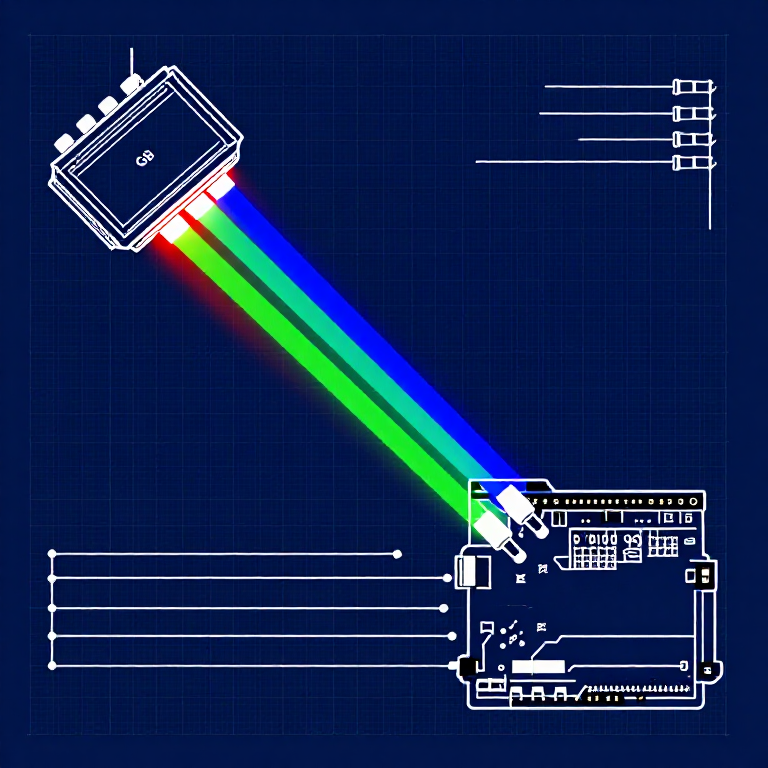
An RGB LED contains three tiny LEDs (red, green, blue) in one package. By mixing different brightness levels of each color, you can create any color in the rainbow. This experiment introduces analogWrite() for PWM output.
Parts Needed
- 1x Arduino Uno + USB cable
- 1x Breadboard
- 1x RGB LED (Common Cathode)
- 3x 330Ω Resistors
- 5x Jumper Wires
RGB LED Pin Order (flat edge facing you): Red, Ground (longest pin), Green, Blue.
Efni fyrir þetta skref:
 SparkFun Inventor's Kit - V3.21 sett
Nauðsynleg verkfæri:
 Tölva með Arduino IDE
Hardware Hookup
Hardware Hookup
Wiring Instructions
- Place the RGB LED in the breadboard. Identify pins from the flattened edge: Red, GND (longest), Green, Blue.
- Connect the GND pin (longest, second from left) to the GND rail.
- Connect the Red pin through a 330Ω resistor to Arduino Pin 9.
- Connect the Green pin through a 330Ω resistor to Arduino Pin 10.
- Connect the Blue pin through a 330Ω resistor to Arduino Pin 11.
Pins 9, 10, and 11 are all PWM-capable (marked with ~ on the board).
Efni fyrir þetta skref:
 RGB LED-ræma 5050 (án staka stýringar)1 stykki
 Tengibretti1 stykki
 Tengivírar5 stykki
Arduino Code
Arduino Code
Open the Arduino IDE and upload the following sketch to your Arduino board.
Efni fyrir þetta skref:
 Arduino Uno R31 stykki
Nauðsynleg verkfæri:
Tölva með Arduino IDETest & Experiment
Test & Experiment
What You Should See
The LED cycles through 8 solid colors (off, red, green, blue, yellow, cyan, purple, white) for 1 second each, then smoothly fades through the entire color spectrum.
Troubleshooting
- Incorrect colors: With four pins close together, it's easy to misplace one. Double-check each connection.
- Red too bright: The red diode is often brighter. Try a higher-value resistor on the red pin, or reduce in code:
analogWrite(RED_PIN, redIntensity/3).
Experiments to Try
- Add a potentiometer to control which color is displayed.
- Create your own color sequences — try a "sunrise" effect (dark red → orange → yellow → white).
Efni
6- SparkFun Inventor's Kit - V3.210% þóknun1 sett$106.86
- Staðgengill
- frá$9.59
- frá$1.63
- frá$27.30
- 3 stykkiStaðgengill
Nauðsynleg verkfæri
1- Staðgengill
CC0 opinbert ríki
Þessi teikning er gefin út undir CC0. Þér er frjálst að afrita, breyta, dreifa og nota þetta verk í hvaða tilgangi sem er, án þess að biðja um leyfi.
Studdu smiðinn með því að kaupa vörur í gegnum teikningu hans þar sem hann fær þóknun smiða sem seljendur ákvarða, eða búðu til nýja endurskoðun á þessari teikningu og tengdu hana sem tengingu í þinni eigin teikningu til að deila tekjum.