Collaborazione
ARTE
BELLEZZA E BENESSERE
MESTIERE
CULTURA E STORIA
DIVERTIMENTO
AMBIENTE
CIBO E BEVANDE
INGEGNERIA INVERSA
SCIENZE
SPORT
TECNOLOGIA
INDOSSABILI
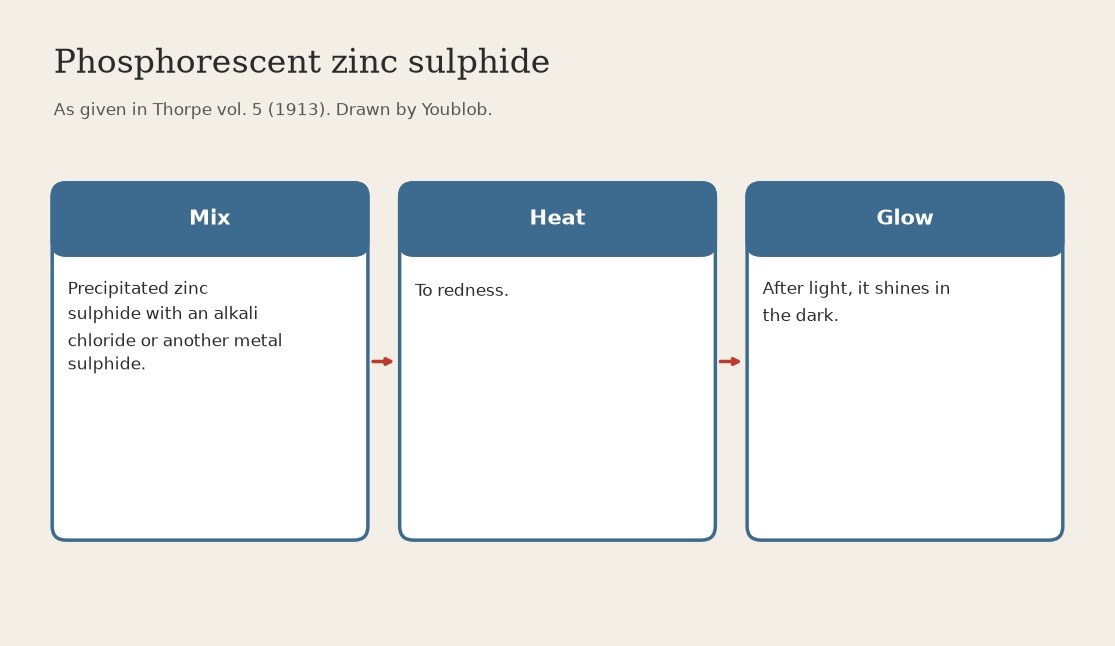


Zinc Sulphide Phosphor: Precipitated Sulphide Heated to Redness with a Flux (Thorpe 1913)
Precipitated zinc sulphide does not glow. Heated to redness together with an alkali chloride or the sulphide of another metal, it turns into the phosphorescent sulphide used for fluorescent screens.
Source: Thorpe, Dictionary of Applied Chemistry vol. 5 (1913), Zinc. Unknown: which chloride or sulphide, how much, and for how long. Thorpe names only the class, so the additive is linked to an unknown head. Crucible and furnace are ours. Picture drawn by Youblob.
Intermedio
1 day
Istruzioni
1
1
Mix the sulphide with the additive
Mix the sulphide with the additive
Grind precipitated zinc sulphide together with an alkali chloride or the sulphide of another metal. Unknown: which one and how much. Thorpe names only the class.
Materiali per questo passaggio:
 Solfuro di zinco1 as required
 Fondente sconosciuto1 as required
Strumenti necessari:
 Mortaio e pestello
2
2
Heat to redness
Heat to redness
Heat the mixture to redness (ours: in a lidded porcelain crucible in a muffle furnace). Unknown: for how long. Let it cool.
Strumenti necessari:
 Crogiolo con coperchio (porcellana)
 Forno a muffola
 Tenaglia per crogiolo
 Guanti resistenti al calore
3
3
Check the glow
Check the glow
Grind the cooled cake gently. Expose a little to light, then look at it in the dark: the phosphorescent sulphide glows.
Strumenti necessari:
Mortaio e pestelloMateriali
2- 1 as requiredSegnaposto
- 1 as requiredSegnaposto
Strumenti richiesti
5- Segnaposto
- Segnaposto
- Segnaposto
- Segnaposto
- Segnaposto
Questo progetto realizza

Blueprint correlati
Questi blueprint condividono conoscenze — tecniche, materiali o principi

CC0 Pubblico dominio
Questo progetto è rilasciato sotto CC0. Sei libero di copiare, modificare, distribuire e utilizzare quest'opera per qualsiasi scopo, senza chiedere permesso.
Supporta il Maker acquistando prodotti tramite il suo progetto dove guadagna una Commissione Maker stabilita dai venditori, oppure crea una nuova iterazione di questo progetto e includilo come collegamento nel tuo progetto per condividere i ricavi.