アート
美容とウェルネス
工芸
文化と歴史
エンターテインメント
環境
食品と飲料
リバースエンジニアリング
科学
スポーツ
テクノロジー
ウェアラブル
Youblob (generated from this blueprint's notebook) · CC0


Counterflow: The Same Area Does More When the Streams Run Opposite
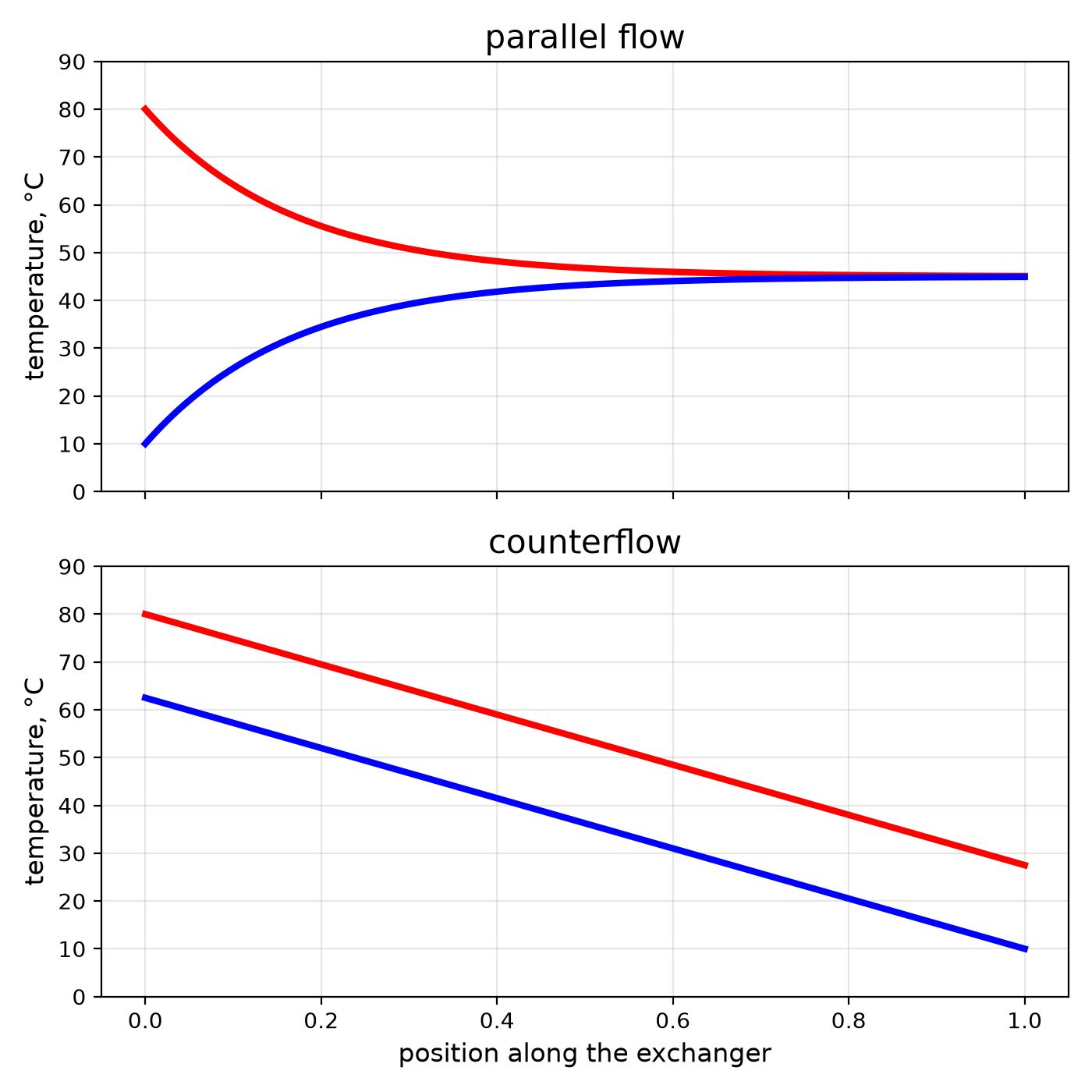
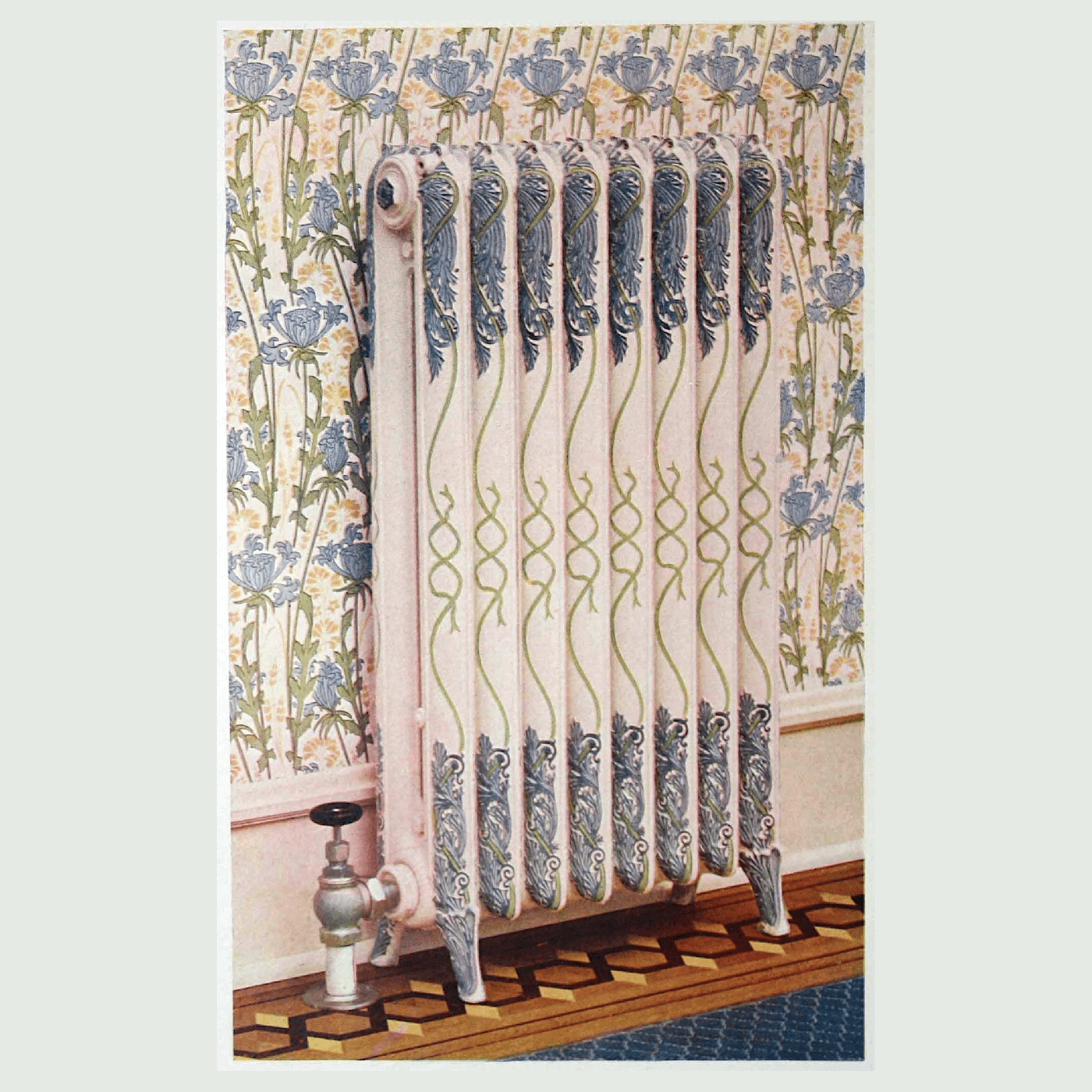
Every heat exchanger in this batch — the economiser, the condenser, the plate exchanger — is built to one rule: make the hot and cold streams run in opposite directions. It is the single cheapest improvement in heat transfer, because it costs no extra metal.
Run the same way, two streams approach a common middle temperature and stop; the cold one can never leave hotter than the hot one does. Run opposite, the cold stream meets the hottest fluid just as it leaves, and can come out warmer than the hot stream exits.
This rung builds a tube-in-tube exchanger from a copper tube inside a hose, logs four temperatures with an Arduino, and runs it both ways to measure the difference.
中級者
About 5 hours
手順
1
1
Parallel against counterflow, in numbers
Parallel against counterflow, in numbers
Jupyter ノートブックを読み込み中…
2
2
Build a tube-in-tube exchanger
Build a tube-in-tube exchanger
Take 2 m of 10 mm copper tube and slide it inside 2 m of clear vinyl tube with a bore comfortably larger — the annulus between them is the second channel. At each end fit a tee from the PVC fittings kit: the copper passes straight through the tee and is sealed where it exits with silicone; the tee's side branch is the jacket connection.
You now have two independent channels: inside the copper, and between copper and vinyl. Coil the whole thing loosely and insulate it with glass wool, leaving the four connections free. Push a waterproof temperature probe into each of the four connections through a hole sealed with silicone.
このステップの材料:
 銅管2 メートル
 透明ビニールチューブ2.5 メートル
 塩ビ管継手セット1 セット
 シリコーンシーラント1 個
 グラスウール断熱材1 sqm
 ホースバンド各種1 セット
 温度センサー4 個
必要な工具:
 パイプカッター
 コードレスドリル
 ドリルビットセット
 革の作業用手袋
3
3
The logger
The logger
Four DS18B20 probes on a single data wire, logging hot in, hot out, cold in and cold out every few seconds as comma-separated lines you can paste into the notebook or a spreadsheet.
hx_logger.inoarduino
このステップの材料:
 Arduino Uno R31 個
 10 キロオーム抵抗器2 個
 ジャンパワイヤ1 セット
必要な工具:
 Arduino IDE を入れたパソコン
4
4
Run it both ways
Run it both ways
Feed the copper with hot water from a bucket on a shelf — about 60 °C from a kettle topped up with cold — and the jacket with cold tap water. Set both flows to the same rate by timing each outlet into a measuring jug (aim for about 1 litre per minute).
**Parallel:** both streams enter at the same end. Let the logger settle for five minutes and note the four temperatures.
**Counterflow:** swap the jacket's hoses so the cold enters at the far end. Keep both flows the same. Settle and note.
Compare the cold outlet in the two runs. In counterflow it comes out noticeably warmer — often warmer than the hot outlet — with no change to the hardware except which way one hose points. Work out the heat each side carried; they should agree within a few per cent.
このステップの材料:
 水40 リットル
必要な工具:
 ガラス電気ケトル
 バケツ
バケツ 計量ジャグ
計量ジャグ ストップウォッチ
 台所用温度計
5
5
Context
Context
A practice rung: no patent anchors counterflow — it is physics that engineers learned and wrote into every exchanger. The effectiveness–NTU method used in the notebook was set out in the mid-twentieth century and is how exchangers are sized today.
Where it shows up in this catalogue: the economiser meets the coolest gas with the coldest water; the Stirling engine's regenerator and a rocket's regenerative cooling both depend on it; the Linde air liquefier works only because its counterflow exchanger lets the cold returning gas pre-cool the incoming gas.
**Honest limits.** Counterflow gains most when you want the streams to approach each other's temperatures; for a small temperature change on one side it matters less. And it cannot beat the laws: with equal flows even a perfect counterflow exchanger only approaches 100 % effectiveness as its area goes to infinity.
材料
11- 2 メートルプレースホルダー
- 2.5 メートルプレースホルダー
- 1 セットプレースホルダー
- 1 個プレースホルダー
- 1 sqmプレースホルダー
- 1 セットプレースホルダー
- プレースホルダー
- プレースホルダー
- プレースホルダー
- プレースホルダー
- 40 リットルプレースホルダー
関連ブループリント
これらのブループリントは知識を共有しています — 技術、材料、原理


CC0 パブリックドメイン
このブループリントはCC0で公開されています。許可を求めずに、自由にコピー、修正、配布、あらゆる目的で使用できます。
メイカーを応援するには、ブループリント経由で製品を購入してください。メイカーには メイカーコミッション がベンダーにより設定されています。または、このブループリントの新しいイテレーションを作成し、自分のブループリントにコネクションとして含めて収益を共有できます。