
アート
美容とウェルネス
工芸
文化と歴史
エンターテインメント
環境
食品と飲料
グリーンフューチャー
リバースエンジニアリング
科学
スポーツ
テクノロジー
ウェアラブル
Driving an RGB LED — SIK Circuit 3
Ed

作成者

Ed

17. March 2026

Driving an RGB LED — SIK Circuit 3

Make an RGB LED display a rainbow of colors! Learn about PWM (analogWrite), color mixing, and how red, green, and blue light combine to create any color.

手順

1

Parts & Introduction

An RGB LED contains three tiny LEDs (red, green, blue) in one package. By mixing different brightness levels of each color, you can create any color in the rainbow. This experiment introduces analogWrite() for PWM output.

Parts Needed

  • 1x Arduino Uno + USB cable
  • 1x Breadboard
  • 1x RGB LED (Common Cathode)
  • 3x 330Ω Resistors
  • 5x Jumper Wires

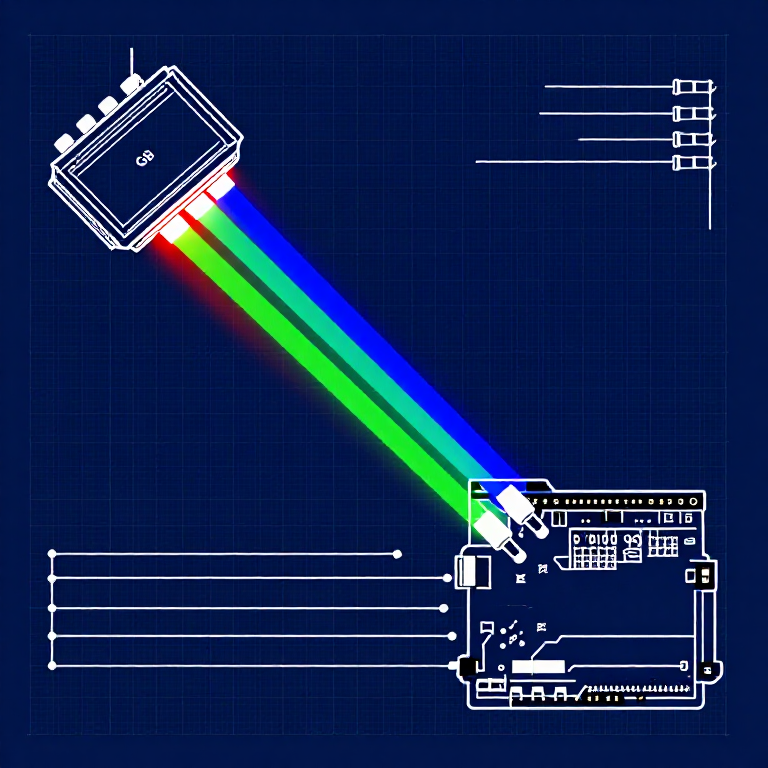
RGB LED Pin Order (flat edge facing you): Red, Ground (longest pin), Green, Blue.

2

Hardware Hookup

Wiring Instructions

  1. Place the RGB LED in the breadboard. Identify pins from the flattened edge: Red, GND (longest), Green, Blue.
  2. Connect the GND pin (longest, second from left) to the GND rail.
  3. Connect the Red pin through a 330Ω resistor to Arduino Pin 9.
  4. Connect the Green pin through a 330Ω resistor to Arduino Pin 10.
  5. Connect the Blue pin through a 330Ω resistor to Arduino Pin 11.

Pins 9, 10, and 11 are all PWM-capable (marked with ~ on the board).

3

Arduino Code

Open the Arduino IDE and upload the following sketch to your Arduino board.

rgb_led.inoarduino
/*
SparkFun Inventor's Kit
Example sketch 03 — RGB LED

Make an RGB LED display a rainbow of colors!

Hardware connections:
  RGB LED pins (from flattened edge): RED, COMMON, GREEN, BLUE
  RED -> 330 ohm resistor -> Pin 9
  COMMON -> GND
  GREEN -> 330 ohm resistor -> Pin 10
  BLUE -> 330 ohm resistor -> Pin 11

This code is completely free for any use.
*/

const int RED_PIN = 9;
const int GREEN_PIN = 10;
const int BLUE_PIN = 11;

int DISPLAY_TIME = 10;  // milliseconds

void setup()
{
  pinMode(RED_PIN, OUTPUT);
  pinMode(GREEN_PIN, OUTPUT);
  pinMode(BLUE_PIN, OUTPUT);
}

void loop()
{
  mainColors();
  showSpectrum();
}

void mainColors()
{
  // Off
  digitalWrite(RED_PIN, LOW);
  digitalWrite(GREEN_PIN, LOW);
  digitalWrite(BLUE_PIN, LOW);
  delay(1000);

  // Red
  digitalWrite(RED_PIN, HIGH);
  digitalWrite(GREEN_PIN, LOW);
  digitalWrite(BLUE_PIN, LOW);
  delay(1000);

  // Green
  digitalWrite(RED_PIN, LOW);
  digitalWrite(GREEN_PIN, HIGH);
  digitalWrite(BLUE_PIN, LOW);
  delay(1000);

  // Blue
  digitalWrite(RED_PIN, LOW);
  digitalWrite(GREEN_PIN, LOW);
  digitalWrite(BLUE_PIN, HIGH);
  delay(1000);

  // Yellow (red + green)
  digitalWrite(RED_PIN, HIGH);
  digitalWrite(GREEN_PIN, HIGH);
  digitalWrite(BLUE_PIN, LOW);
  delay(1000);

  // Cyan (green + blue)
  digitalWrite(RED_PIN, LOW);
  digitalWrite(GREEN_PIN, HIGH);
  digitalWrite(BLUE_PIN, HIGH);
  delay(1000);

  // Purple (red + blue)
  digitalWrite(RED_PIN, HIGH);
  digitalWrite(GREEN_PIN, LOW);
  digitalWrite(BLUE_PIN, HIGH);
  delay(1000);

  // White (all on)
  digitalWrite(RED_PIN, HIGH);
  digitalWrite(GREEN_PIN, HIGH);
  digitalWrite(BLUE_PIN, HIGH);
  delay(1000);
}

void showSpectrum()
{
  int x;
  for (x = 0; x < 768; x++)
  {
    showRGB(x);
    delay(DISPLAY_TIME);
  }
}

void showRGB(int color)
{
  int redIntensity;
  int greenIntensity;
  int blueIntensity;

  if (color <= 255)
  {
    redIntensity = 255 - color;
    greenIntensity = color;
    blueIntensity = 0;
  }
  else if (color <= 511)
  {
    redIntensity = 0;
    greenIntensity = 255 - (color - 256);
    blueIntensity = (color - 256);
  }
  else
  {
    redIntensity = (color - 512);
    greenIntensity = 0;
    blueIntensity = 255 - (color - 512);
  }

  analogWrite(RED_PIN, redIntensity);
  analogWrite(GREEN_PIN, greenIntensity);
  analogWrite(BLUE_PIN, blueIntensity);
}
4

Test & Experiment

What You Should See

The LED cycles through 8 solid colors (off, red, green, blue, yellow, cyan, purple, white) for 1 second each, then smoothly fades through the entire color spectrum.

Troubleshooting

  • Incorrect colors: With four pins close together, it's easy to misplace one. Double-check each connection.
  • Red too bright: The red diode is often brighter. Try a higher-value resistor on the red pin, or reduce in code: analogWrite(RED_PIN, redIntensity/3).

Experiments to Try

  • Add a potentiometer to control which color is displayed.
  • Create your own color sequences — try a "sunrise" effect (dark red → orange → yellow → white).

材料

  • SparkFun Inventor's Kit - V3.2 - 1 kitNOK 999.20
    表示
  • Arduino Uno R3 - 1 pieceプレースホルダー
    表示
  • Breadboard - 1 pieceプレースホルダー
    表示
  • RGB LED (Common Cathode) - 1 pieceプレースホルダー
    表示
  • 330 Ohm Resistor - 3 piecessNOK 24.00
    表示
  • Jumper Wires - 5 piecessNOK 39.20
    表示

必要な工具

  • Computer with Arduino IDE

CC0 パブリックドメイン

このブループリントはCC0で公開されています。許可を求めずに、自由にコピー、修正、配布、あらゆる目的で使用できます。

メイカーを応援するには、ブループリント経由で製品を購入してください。メイカーには メイカーコミッション がベンダーにより設定されています。または、このブループリントの新しいイテレーションを作成し、自分のブループリントにコネクションとして含めて収益を共有できます。

ディスカッション

(0)

ログイン してディスカッションに参加

コメントを読み込み中...