アート
美容とウェルネス
工芸
文化と歴史
エンターテインメント
環境
食品と飲料
リバースエンジニアリング
科学
スポーツ
テクノロジー
ウェアラブル
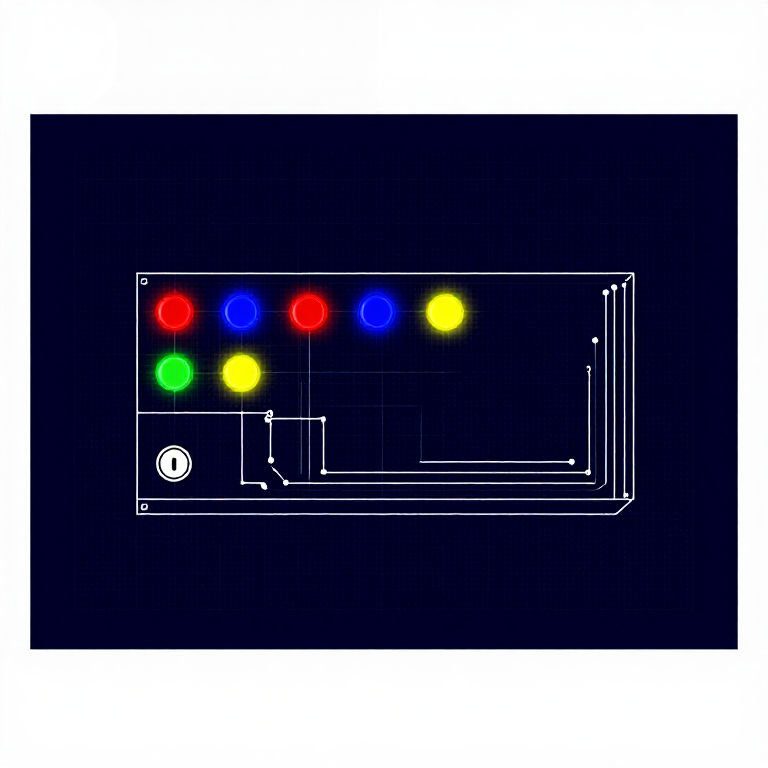


Simon Says — SIK Circuit 16
Build the classic Simon Says memory game! Four colored LEDs, four buttons, and a buzzer combine into a complete interactive game with memory mode, battle mode, and a secret easter egg.
手順
1
1
Parts & Introduction
Parts & Introduction
The grand finale! Simon Says is a memory game where you repeat an ever-growing sequence of colored lights and sounds. This project combines LEDs, buttons, and a buzzer into a complete game with multiple modes. It's the most complex circuit in the SIK — a great capstone project.
Parts Needed
- 1x Arduino Uno + USB cable
- 1x Breadboard
- 4x LEDs (red, green, blue, yellow if possible)
- 4x Push Buttons
- 1x Piezo Buzzer
- 4x 330Ω Resistors
- 17x Jumper Wires
Game Modes
- Memory Mode (default) — Follow the growing pattern. Win after 13 rounds.
- Battle Mode (hold green at startup) — Two-player mode, each player extends the sequence.
- Easter Egg (hold yellow at startup) — Plays "Stayin' Alive" with flashing LEDs!
このステップの材料:
 SparkFun Inventor's Kit - V3.21 キット
必要な工具:
 Arduino IDE を入れたパソコン
2
2
Hardware Hookup
Hardware Hookup
Wiring Instructions
Pin Assignments
| Component | Arduino Pin |
|---|---|
| Red LED | 10 |
| Green LED | 3 |
| Blue LED | 13 |
| Yellow LED | 5 |
| Red Button | 9 |
| Green Button | 2 |
| Blue Button | 12 |
| Yellow Button | 6 |
| Buzzer pin 1 | 4 |
| Buzzer pin 2 | 7 |
- Each LED needs a 330Ω resistor between its negative leg and GND.
- Buttons use
INPUT_PULLUPmode — connect one side to the pin, other side to GND. No external resistors needed. - The buzzer uses two pins for push-pull drive (louder sound).
- Important: Make sure both GND rails on the breadboard are connected together!
このステップの材料:
 押しボタン4 個
 圧電ブザー1 個
 ブレッドボード1 個
 ジャンパワイヤ12 個
3
3
Arduino Code
Arduino Code
Open the Arduino IDE and upload the following sketch to your Arduino board.
simon_says.inoarduino
このステップの材料:
 Arduino Uno R31 個
必要な工具:
Arduino IDE を入れたパソコン4
4
Test & Experiment
Test & Experiment
What You Should See
The game starts with a victory sound, then LEDs cycle in an "attract mode" pattern. Press any button to start playing:
- A random LED lights up with a tone — press the matching button.
- The sequence grows by one each round.
- Win after 13 correct rounds! Lose if you press wrong or take too long (3 seconds).
Troubleshooting
- Only half the circuit works: Make sure both GND rails on the breadboard are connected together!
- No sound: Check that both buzzer pins are in the correct rows.
- Buttons not responding: Pay close attention to which pin connects to each button. The
INPUT_PULLUPmode means buttons read LOW when pressed.
Experiments to Try
- Hold the green button during power-up for Battle Mode (2 players).
- Hold the yellow button during power-up for the Bee Gees easter egg!
- Modify
ROUNDS_TO_WINto make the game easier or harder. - Change
ENTRY_TIME_LIMITto give more or less time per button press.
材料
8- SparkFun Inventor's Kit - V3.210%コミッション1 キット¥168
- プレースホルダー
- プレースホルダー
- プレースホルダー
- プレースホルダー
- プレースホルダー
- 1 個プレースホルダー
- 4 個プレースホルダー
必要な工具
1- プレースホルダー
見積もり合計
作った人が買ったもの。価格のない材料は、購入する店で入手します。
CC0 パブリックドメイン
このブループリントはCC0で公開されています。許可を求めずに、自由にコピー、修正、配布、あらゆる目的で使用できます。
メイカーを応援するには、ブループリント経由で製品を購入してください。メイカーには メイカーコミッション がベンダーにより設定されています。または、このブループリントの新しいイテレーションを作成し、自分のブループリントにコネクションとして含めて収益を共有できます。