예술
뷰티 및 웰니스
공예
문화 및 역사
엔터테인먼트
환경
음식 및 음료
역공학
과학
스포츠
기술
웨어러블
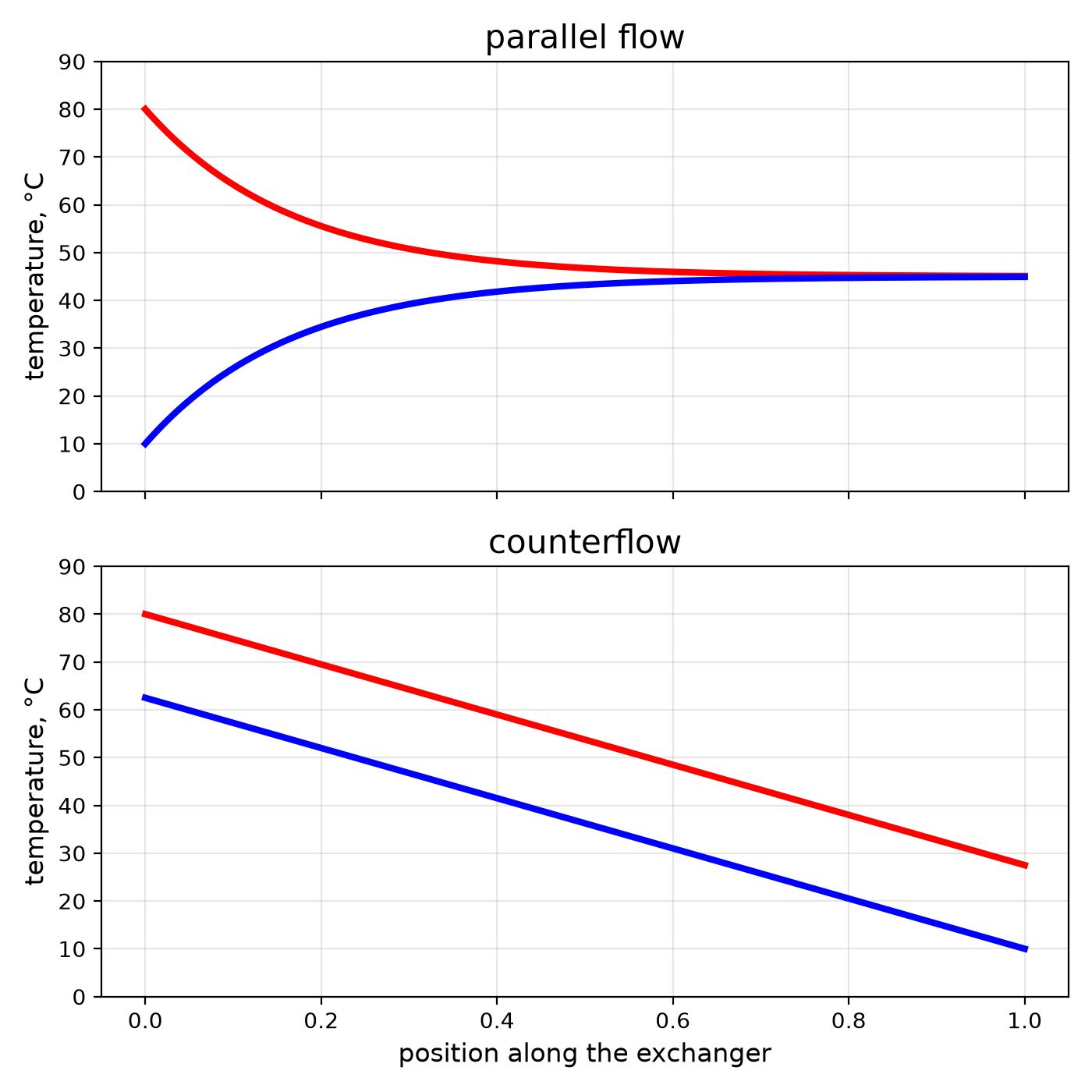
Youblob (generated from this blueprint's notebook) · CC0


Counterflow: The Same Area Does More When the Streams Run Opposite
Every heat exchanger in this batch — the economiser, the condenser, the plate exchanger — is built to one rule: make the hot and cold streams run in opposite directions. It is the single cheapest improvement in heat transfer, because it costs no extra metal.
Run the same way, two streams approach a common middle temperature and stop; the cold one can never leave hotter than the hot one does. Run opposite, the cold stream meets the hottest fluid just as it leaves, and can come out warmer than the hot stream exits.
This rung builds a tube-in-tube exchanger from a copper tube inside a hose, logs four temperatures with an Arduino, and runs it both ways to measure the difference.
중급
About 5 hours
안내
1
1
Parallel against counterflow, in numbers
Parallel against counterflow, in numbers
Jupyter 노트북 불러오는 중…
2
2
Build a tube-in-tube exchanger
Build a tube-in-tube exchanger
Take 2 m of 10 mm copper tube and slide it inside 2 m of clear vinyl tube with a bore comfortably larger — the annulus between them is the second channel. At each end fit a tee from the PVC fittings kit: the copper passes straight through the tee and is sealed where it exits with silicone; the tee's side branch is the jacket connection.
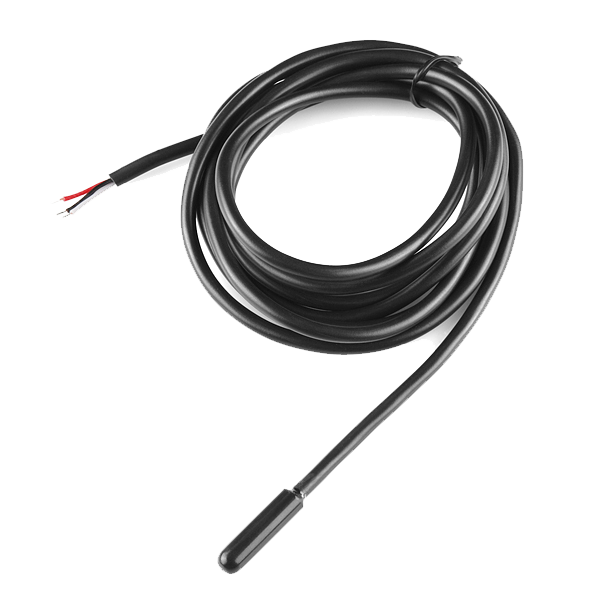
You now have two independent channels: inside the copper, and between copper and vinyl. Coil the whole thing loosely and insulate it with glass wool, leaving the four connections free. Push a waterproof temperature probe into each of the four connections through a hole sealed with silicone.
이 단계의 재료:
 구리관 10 mm2 미터
 투명 비닐 튜브2.5 미터
 PVC 배관 부속 모음1 세트
 실리콘 실런트1 개
 글라스울 단열재1 sqm
 호스 밴드 모음1 세트
 Temperature Sensor - Waterproof (DS18B20)4 개
필요한 도구:
 튜브 커터
튜브 커터 무선 드릴
무선 드릴 드릴 비트 세트
 가죽 작업 장갑
3
3
The logger
The logger
Four DS18B20 probes on a single data wire, logging hot in, hot out, cold in and cold out every few seconds as comma-separated lines you can paste into the notebook or a spreadsheet.
hx_logger.inoarduino
이 단계의 재료:
 Arduino Uno R31 개
 10 킬로옴 저항기2 개
 점퍼 와이어1 세트
필요한 도구:
 Arduino IDE가 설치된 컴퓨터
4
4
Run it both ways
Run it both ways
Feed the copper with hot water from a bucket on a shelf — about 60 °C from a kettle topped up with cold — and the jacket with cold tap water. Set both flows to the same rate by timing each outlet into a measuring jug (aim for about 1 litre per minute).
**Parallel:** both streams enter at the same end. Let the logger settle for five minutes and note the four temperatures.
**Counterflow:** swap the jacket's hoses so the cold enters at the far end. Keep both flows the same. Settle and note.
Compare the cold outlet in the two runs. In counterflow it comes out noticeably warmer — often warmer than the hot outlet — with no change to the hardware except which way one hose points. Work out the heat each side carried; they should agree within a few per cent.
이 단계의 재료:
 물40 리터
필요한 도구:
 유리 전기 주전자
 양동이
양동이 계량 저그
계량 저그 스톱워치
스톱워치 주방용 온도계
5
5
Context
Context
A practice rung: no patent anchors counterflow — it is physics that engineers learned and wrote into every exchanger. The effectiveness–NTU method used in the notebook was set out in the mid-twentieth century and is how exchangers are sized today.
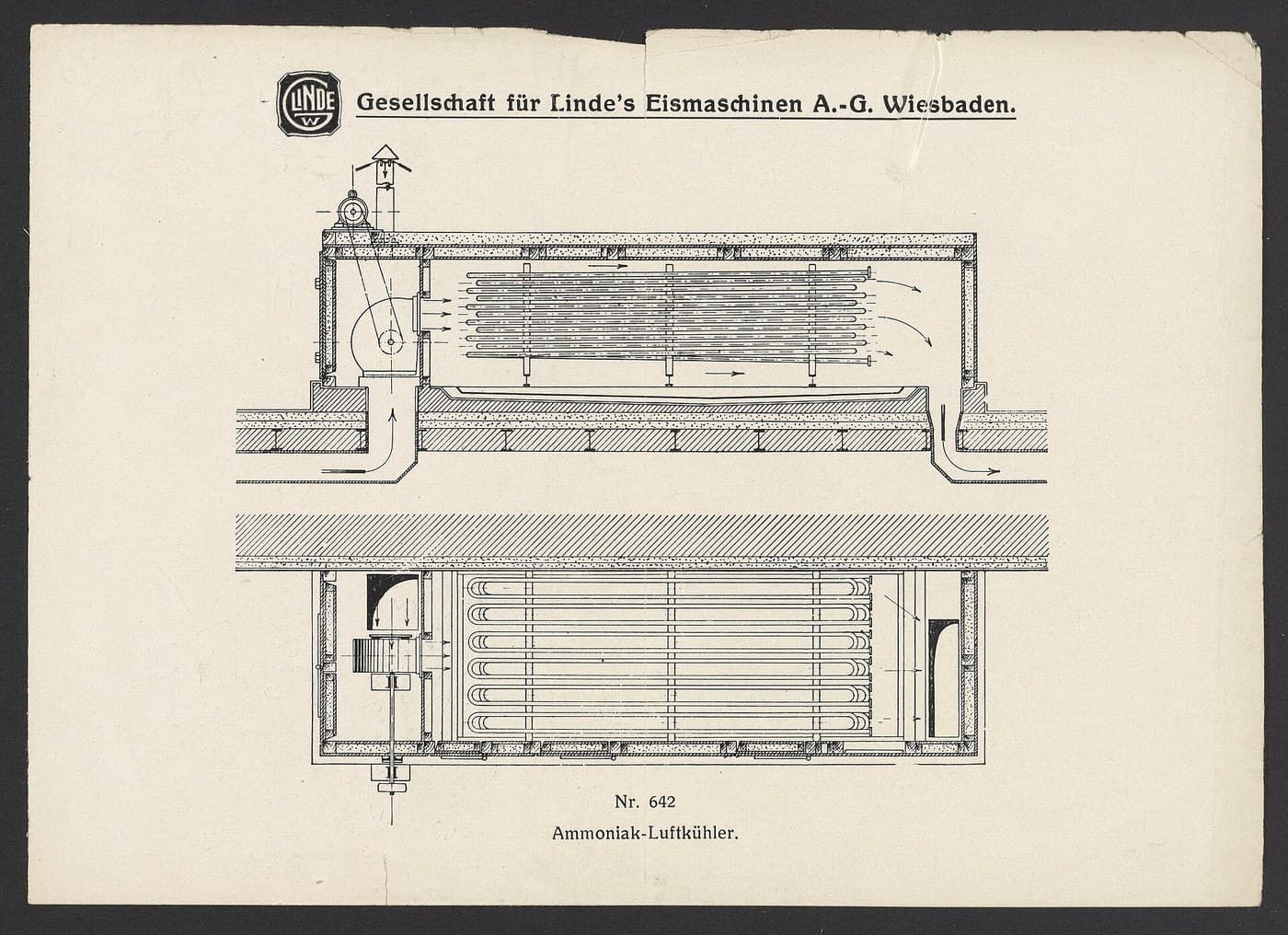
Where it shows up in this catalogue: the economiser meets the coolest gas with the coldest water; the Stirling engine's regenerator and a rocket's regenerative cooling both depend on it; the Linde air liquefier works only because its counterflow exchanger lets the cold returning gas pre-cool the incoming gas.
**Honest limits.** Counterflow gains most when you want the streams to approach each other's temperatures; for a small temperature change on one side it matters less. And it cannot beat the laws: with equal flows even a perfect counterflow exchanger only approaches 100 % effectiveness as its area goes to infinity.
재료
11- 2 미터플레이스홀더
- 2.5 미터플레이스홀더
- 1 세트플레이스홀더
- 1 개플레이스홀더
- 1 sqm플레이스홀더
- 1 세트플레이스홀더
- ₩128
- 부터₩365
- 부터₩16
- 40 리터플레이스홀더
필요 도구
10- 플레이스홀더
- 1 vendor sell this, none ship to you yet플레이스홀더
- 플레이스홀더
- 플레이스홀더
- 플레이스홀더
- 플레이스홀더
- 플레이스홀더
- 플레이스홀더
- 플레이스홀더
- 플레이스홀더
예상 총액
만든 사람이 산 것. 가격이 없는 재료는 구매하는 곳에서 구하면 됩니다.
관련 블루프린트
이 블루프린트들은 지식을 공유합니다 — 기술, 재료 또는 원리


CC0 퍼블릭 도메인
이 블루프린트는 CC0로 공개되었습니다. 어떤 목적으로든 자유롭게 복사, 수정, 배포 및 사용할 수 있습니다.
제품 구매를 통해 메이커를 지원하세요. 판매자가 설정한 메이커 커미션 을 받거나, 이 블루프린트의 새로운 반복을 만들어 연결로 포함시킬 수 있습니다.