
예술
뷰티 및 웰니스
공예
문화 및 역사
엔터테인먼트
환경
음식 및 음료
그린 퓨처
역공학
과학
스포츠
기술
웨어러블
Driving an RGB LED — SIK Circuit 3
Ed

작성자

Ed

17. March 2026

Driving an RGB LED — SIK Circuit 3

Make an RGB LED display a rainbow of colors! Learn about PWM (analogWrite), color mixing, and how red, green, and blue light combine to create any color.

안내

1

Parts & Introduction

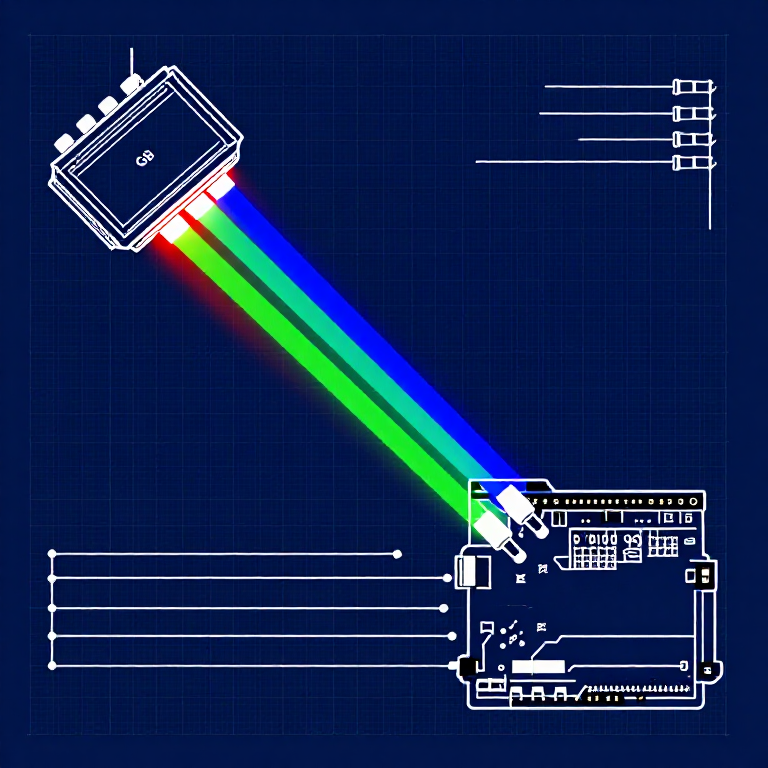
An RGB LED contains three tiny LEDs (red, green, blue) in one package. By mixing different brightness levels of each color, you can create any color in the rainbow. This experiment introduces analogWrite() for PWM output.

Parts Needed

  • 1x Arduino Uno + USB cable
  • 1x Breadboard
  • 1x RGB LED (Common Cathode)
  • 3x 330Ω Resistors
  • 5x Jumper Wires

RGB LED Pin Order (flat edge facing you): Red, Ground (longest pin), Green, Blue.

2

Hardware Hookup

Wiring Instructions

  1. Place the RGB LED in the breadboard. Identify pins from the flattened edge: Red, GND (longest), Green, Blue.
  2. Connect the GND pin (longest, second from left) to the GND rail.
  3. Connect the Red pin through a 330Ω resistor to Arduino Pin 9.
  4. Connect the Green pin through a 330Ω resistor to Arduino Pin 10.
  5. Connect the Blue pin through a 330Ω resistor to Arduino Pin 11.

Pins 9, 10, and 11 are all PWM-capable (marked with ~ on the board).

3

Arduino Code

Open the Arduino IDE and upload the following sketch to your Arduino board.

rgb_led.inoarduino
/*
SparkFun Inventor's Kit
Example sketch 03 — RGB LED

Make an RGB LED display a rainbow of colors!

Hardware connections:
  RGB LED pins (from flattened edge): RED, COMMON, GREEN, BLUE
  RED -> 330 ohm resistor -> Pin 9
  COMMON -> GND
  GREEN -> 330 ohm resistor -> Pin 10
  BLUE -> 330 ohm resistor -> Pin 11

This code is completely free for any use.
*/

const int RED_PIN = 9;
const int GREEN_PIN = 10;
const int BLUE_PIN = 11;

int DISPLAY_TIME = 10;  // milliseconds

void setup()
{
  pinMode(RED_PIN, OUTPUT);
  pinMode(GREEN_PIN, OUTPUT);
  pinMode(BLUE_PIN, OUTPUT);
}

void loop()
{
  mainColors();
  showSpectrum();
}

void mainColors()
{
  // Off
  digitalWrite(RED_PIN, LOW);
  digitalWrite(GREEN_PIN, LOW);
  digitalWrite(BLUE_PIN, LOW);
  delay(1000);

  // Red
  digitalWrite(RED_PIN, HIGH);
  digitalWrite(GREEN_PIN, LOW);
  digitalWrite(BLUE_PIN, LOW);
  delay(1000);

  // Green
  digitalWrite(RED_PIN, LOW);
  digitalWrite(GREEN_PIN, HIGH);
  digitalWrite(BLUE_PIN, LOW);
  delay(1000);

  // Blue
  digitalWrite(RED_PIN, LOW);
  digitalWrite(GREEN_PIN, LOW);
  digitalWrite(BLUE_PIN, HIGH);
  delay(1000);

  // Yellow (red + green)
  digitalWrite(RED_PIN, HIGH);
  digitalWrite(GREEN_PIN, HIGH);
  digitalWrite(BLUE_PIN, LOW);
  delay(1000);

  // Cyan (green + blue)
  digitalWrite(RED_PIN, LOW);
  digitalWrite(GREEN_PIN, HIGH);
  digitalWrite(BLUE_PIN, HIGH);
  delay(1000);

  // Purple (red + blue)
  digitalWrite(RED_PIN, HIGH);
  digitalWrite(GREEN_PIN, LOW);
  digitalWrite(BLUE_PIN, HIGH);
  delay(1000);

  // White (all on)
  digitalWrite(RED_PIN, HIGH);
  digitalWrite(GREEN_PIN, HIGH);
  digitalWrite(BLUE_PIN, HIGH);
  delay(1000);
}

void showSpectrum()
{
  int x;
  for (x = 0; x < 768; x++)
  {
    showRGB(x);
    delay(DISPLAY_TIME);
  }
}

void showRGB(int color)
{
  int redIntensity;
  int greenIntensity;
  int blueIntensity;

  if (color <= 255)
  {
    redIntensity = 255 - color;
    greenIntensity = color;
    blueIntensity = 0;
  }
  else if (color <= 511)
  {
    redIntensity = 0;
    greenIntensity = 255 - (color - 256);
    blueIntensity = (color - 256);
  }
  else
  {
    redIntensity = (color - 512);
    greenIntensity = 0;
    blueIntensity = 255 - (color - 512);
  }

  analogWrite(RED_PIN, redIntensity);
  analogWrite(GREEN_PIN, greenIntensity);
  analogWrite(BLUE_PIN, blueIntensity);
}
4

Test & Experiment

What You Should See

The LED cycles through 8 solid colors (off, red, green, blue, yellow, cyan, purple, white) for 1 second each, then smoothly fades through the entire color spectrum.

Troubleshooting

  • Incorrect colors: With four pins close together, it's easy to misplace one. Double-check each connection.
  • Red too bright: The red diode is often brighter. Try a higher-value resistor on the red pin, or reduce in code: analogWrite(RED_PIN, redIntensity/3).

Experiments to Try

  • Add a potentiometer to control which color is displayed.
  • Create your own color sequences — try a "sunrise" effect (dark red → orange → yellow → white).

재료

  • SparkFun Inventor's Kit - V3.2 - 1 kitNOK 999.20
    보기
  • Arduino Uno R3 - 1 piece플레이스홀더
    보기
  • Breadboard - 1 piece플레이스홀더
    보기
  • RGB LED (Common Cathode) - 1 piece플레이스홀더
    보기
  • 330 Ohm Resistor - 3 piecessNOK 24.00
    보기
  • Jumper Wires - 5 piecessNOK 39.20
    보기

필요 도구

  • Computer with Arduino IDE

CC0 퍼블릭 도메인

이 블루프린트는 CC0로 공개되었습니다. 어떤 목적으로든 자유롭게 복사, 수정, 배포 및 사용할 수 있습니다.

제품 구매를 통해 메이커를 지원하세요. 판매자가 설정한 메이커 커미션 을 받거나, 이 블루프린트의 새로운 반복을 만들어 연결로 포함시킬 수 있습니다.

토론

(0)

로그인 하여 토론에 참여하세요

댓글 로딩 중...