

Reading a Photoresistor — SIK Circuit 6
උපදෙස්
Parts & Introduction
Parts & Introduction
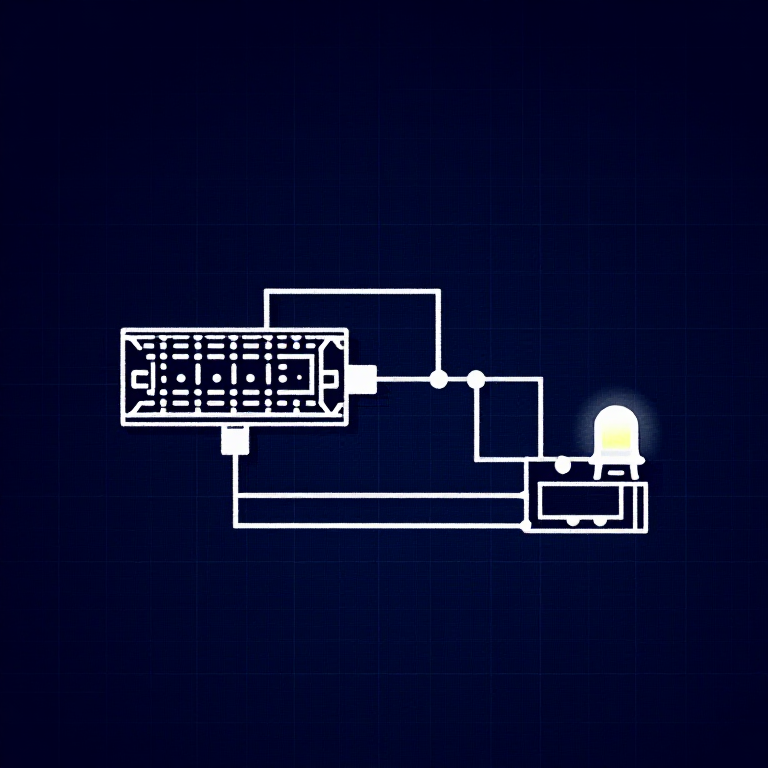
A photoresistor (or LDR — Light Dependent Resistor) changes resistance based on light levels. Combined with a fixed resistor, it forms a voltage divider that the Arduino can read as an analog value. You'll use this to control LED brightness automatically.
Parts Needed
- 1x Arduino Uno + USB cable
- 1x Breadboard
- 1x Photoresistor
- 1x LED (any color)
- 1x 330Ω Resistor
- 1x 10KΩ Resistor (for voltage divider)
- 6x Jumper Wires
මෙම පියවර සඳහා ද්රව්ය:
 SparkFun Inventor's Kit - V3.21 කට්ටලය
අවශ්ය මෙවලම්:
 Arduino IDE සහිත පරිගණකය
Hardware Hookup
Hardware Hookup
Wiring Instructions
- Connect one side of the photoresistor to 5V.
- Connect the other side to Analog Pin A0.
- Connect a 10K resistor from Analog Pin A0 to GND (this completes the voltage divider).
- Connect the LED positive leg to Digital Pin 9 (PWM-capable).
- Connect the LED negative leg through a 330Ω resistor to GND.
The voltage divider produces a voltage proportional to light level, which the Arduino reads as 0-1023.
මෙම පියවර සඳහා ද්රව්ය:
 බ්රෙඩ්බෝඩ්1 කැබැල්ල
 සම්බන්ධක කම්බි5 කැබලි
Arduino Code
Arduino Code
Open the Arduino IDE and upload the following sketch to your Arduino board.
මෙම පියවර සඳහා ද්රව්ය:
 Arduino Uno R31 කැබැල්ල
අවශ්ය මෙවලම්:
Arduino IDE සහිත පරිගණකයTest & Experiment
Test & Experiment
What You Should See
The LED brightness changes based on ambient light. Cover the photoresistor to dim or brighten the LED (depending on orientation).
Troubleshooting
- LED stays dark: Check LED polarity. Also verify the photoresistor is in the circuit correctly.
- Not responding to light: The photoresistor spacing is non-standard — make sure both legs are making good contact.
- Subtle changes: Try using a flashlight or covering the sensor completely for more dramatic results.
Experiments to Try
- Uncomment
autoTune()to let the Arduino automatically calibrate to your lighting conditions. - Use the sensor to trigger actions at specific light thresholds (e.g., turn on a "night light" when dark).
ද්රව්ය
8- SparkFun Inventor's Kit - V3.210% කොමිස්1 කට්ටලය$104.79
- ස්ථානගත
- ස්ථානගත
- ස්ථානගත
- 1 කැබැල්ලස්ථානගත
- ස්ථානගත
- 1 කැබැල්ලස්ථානගත
- ස්ථානගත
අවශ්ය මෙවලම්
1- ස්ථානගත
CC0 පොදු වසම
මෙම බ්ලූප්රින්ට් CC0 යටතේ නිකුත් කර ඇත. ඔබට අවසර නොමැතිව පිටපත් කිරීම, වෙනස් කිරීම, බෙදා හැරීම සහ භාවිතා කිරීම කළ හැක.
බ්ලූප්රින්ට් හරහා නිෂ්පාදන මිලදී ගැනීමෙන් නිර්මාතෘට සහාය වන්න නිර්මාතෘ කොමිසම විකුණුම්කරුවන් විසින් නියම කළ, හෝ මෙම බ්ලූප්රින්ට්හි නව අනුවාදයක් සාදා ආදායම බෙදා ගැනීමට ඔබේ බ්ලූප්රින්ට්හි සම්බන්ධතාවයක් ලෙස ඇතුළත් කරන්න.