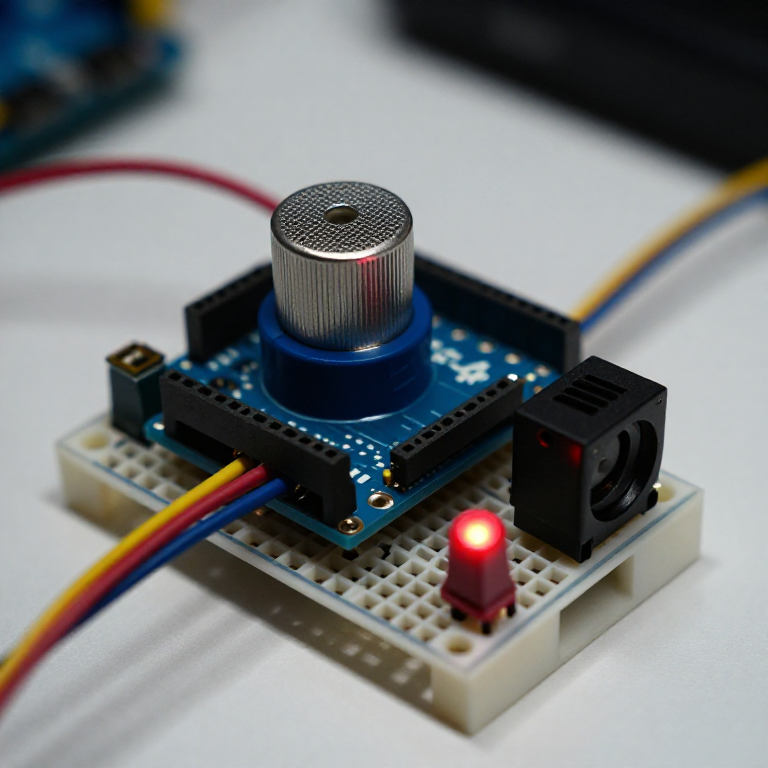


Building a Methane Gas Leak Detector
Build a circuit that sniffs out methane — the main component of natural gas — and alarms when it rises. An MQ-4 sensor's reading climbs when combustible gas is present; the Arduino compares it to clean air and triggers a buzzer and red LED. A great combustible-gas sensing project — with two honest notes: methane is flammable, and this is a demonstration, NOT a certified gas-leak detector.
Instrukcje
Wire the sensor, buzzer and LED
Wire the sensor, buzzer and LED
On the breadboard: MQ-4 VCC to Arduino 5V, GND to GND, and its analog output (AOUT) to A0. Active buzzer + to pin 8, - to GND. Red LED anode to pin 7 through a 330 Ω resistor, cathode to GND.
Materiały do tego kroku:
 Arduino Uno R31 sztuka
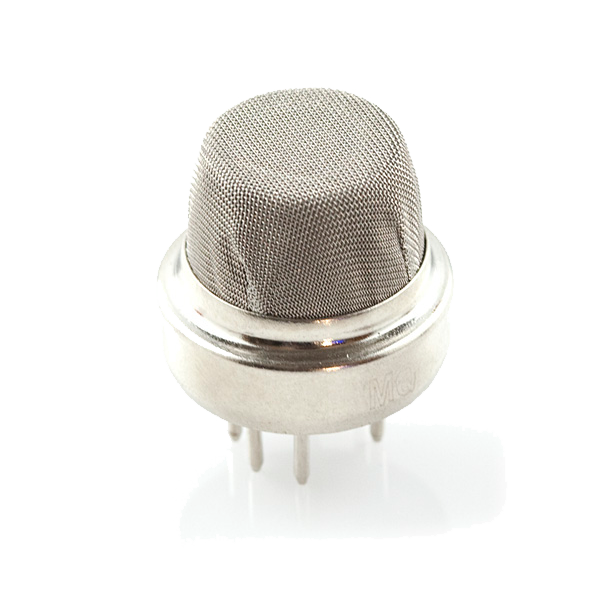 Methane CNG Gas Sensor - MQ-41 sztuka
 Moduł buzzera aktywnego1 sztuka
 Dioda LED 5 mm1 sztuka
 Rezystor 330 omów1 opakowanie
 Płytka stykowa1 sztuka
 Przewody połączeniowe1 opakowanie
Connect and open the IDE
Connect and open the IDE
Plug the Arduino into your computer with the USB cable, open the Arduino IDE, and select Arduino Uno and its serial port.
Potrzebne narzędzia:
 Komputer z Arduino IDE
 Kabel USB-B
Upload the detector sketch
Upload the detector sketch
Paste this sketch and upload. It warms the sensor, records a clean-air baseline, then sounds the buzzer and lights the LED whenever the reading rises above that baseline.
Warm up, baseline and test SAFELY
Warm up, baseline and test SAFELY
Power it in fresh air and let the 2-minute warm-up set the baseline (a new MQ-4 also needs a 24–48 h burn-in). Test with only a TINY controlled source in a well-ventilated room — a brief puff of gas from an UNLIT lighter held near the sensor. NEVER test with a real gas leak, a large amount of gas, or anywhere near a flame or spark. Adjust ALARM_MARGIN for sensitivity.
Safety limits
Safety limits
Methane is highly flammable and, in enough concentration, explosive. This circuit is a LEARNING project and at best a supplementary indicator — it is NOT a certified gas-leak detector: the hobby MQ-4 gives a relative reading, not calibrated ppm, drifts, and needs re-baselining. For real protection use a certified natural-gas detector, and if you ever smell gas, do not switch anything on or off — leave and call your gas utility.
Materiały
7- Zastępnik
- Methane CNG Gas Sensor - MQ-410% prowizji1 sztuka$5.08
- 1 sztukaZastępnik
- Zastępnik
- 1 opakowanieZastępnik
- Zastępnik
- Zastępnik
Wymagane narzędzia
3- Zastępnik
- 1 vendor sell this, none ship to you yetZastępnik
- 1 vendor sell this, none ship to you yetZastępnik
Powiązane blueprinty
Te blueprinty dzielą się wiedzą — technikami, materiałami lub zasadami
CC0 Domena publiczna
Ten plan jest udostępniany na licencji CC0. Możesz go swobodnie kopiować, modyfikować, rozpowszechniać i wykorzystywać do dowolnych celów, bez konieczności uzyskiwania zgody.
Wesprzyj Makera kupując produkty przez jego plan, za co zarabia Prowizja Makera ustalony przez sprzedawców, lub stwórz nową iterację tego planu i dołącz go jako połączenie w swoim własnym planie, aby dzielić się przychodami.