

Reading a Photoresistor — SIK Circuit 6
Talimatlar
Parts & Introduction
Parts & Introduction
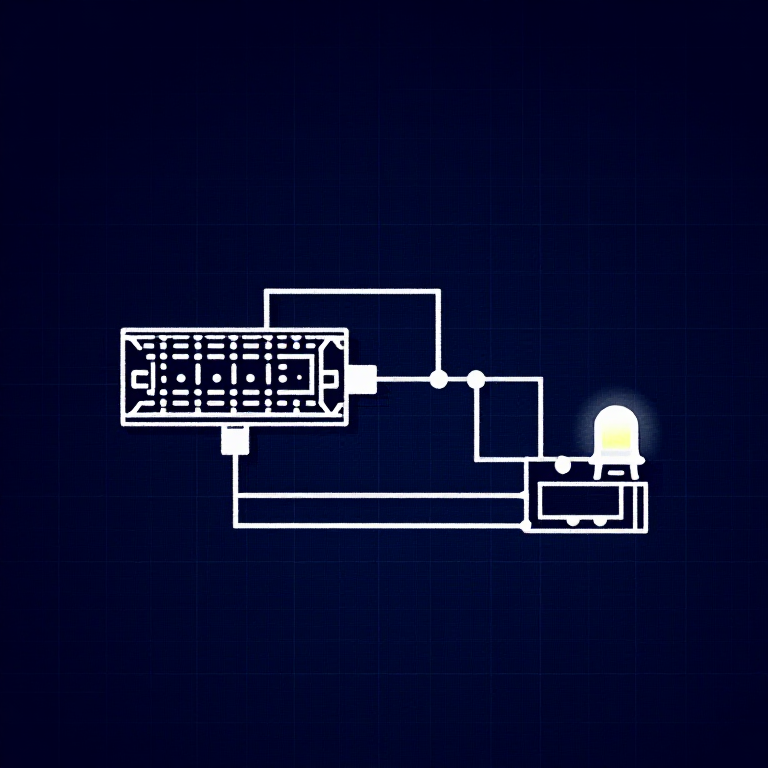
A photoresistor (or LDR — Light Dependent Resistor) changes resistance based on light levels. Combined with a fixed resistor, it forms a voltage divider that the Arduino can read as an analog value. You'll use this to control LED brightness automatically.
Parts Needed
- 1x Arduino Uno + USB cable
- 1x Breadboard
- 1x Photoresistor
- 1x LED (any color)
- 1x 330Ω Resistor
- 1x 10KΩ Resistor (for voltage divider)
- 6x Jumper Wires
Bu adım için malzemeler:
 SparkFun Mucitler Kiti - V3.21 takım
Gerekli aletler:
 Arduino IDE Kurulu Bilgisayar
Hardware Hookup
Hardware Hookup
Wiring Instructions
- Connect one side of the photoresistor to 5V.
- Connect the other side to Analog Pin A0.
- Connect a 10K resistor from Analog Pin A0 to GND (this completes the voltage divider).
- Connect the LED positive leg to Digital Pin 9 (PWM-capable).
- Connect the LED negative leg through a 330Ω resistor to GND.
The voltage divider produces a voltage proportional to light level, which the Arduino reads as 0-1023.
Bu adım için malzemeler:
 Devre Tahtası1 adet
 Jumper Kablolar5 adet
Arduino Code
Arduino Code
Open the Arduino IDE and upload the following sketch to your Arduino board.
Bu adım için malzemeler:
 Arduino Uno R31 adet
Gerekli aletler:
Arduino IDE Kurulu BilgisayarTest & Experiment
Test & Experiment
What You Should See
The LED brightness changes based on ambient light. Cover the photoresistor to dim or brighten the LED (depending on orientation).
Troubleshooting
- LED stays dark: Check LED polarity. Also verify the photoresistor is in the circuit correctly.
- Not responding to light: The photoresistor spacing is non-standard — make sure both legs are making good contact.
- Subtle changes: Try using a flashlight or covering the sensor completely for more dramatic results.
Experiments to Try
- Uncomment
autoTune()to let the Arduino automatically calibrate to your lighting conditions. - Use the sensor to trigger actions at specific light thresholds (e.g., turn on a "night light" when dark).
Malzemeler
8- SparkFun Mucitler Kiti - V3.2%10 komisyon1 takım$104.50
- Yer Tutucu
- Yer Tutucu
- Yer Tutucu
- 1 adetYer Tutucu
- Yer Tutucu
- 1 adetYer Tutucu
- Yer Tutucu
Gerekli Aletler
1- Yer Tutucu
CC0 Kamu Malı
Bu plan CC0 lisansıyla yayınlanmıştır. İzin almadan kopyalayabilir, değiştirebilir, dağıtabilir ve herhangi bir amaçla kullanabilirsiniz.
Planı üzerinden ürün satın alarak Maker'ı destekleyin, böylece Maker Komisyonu Satıcılar tarafından belirlenen komisyonu kazanırlar veya bu Planın yeni bir versiyonunu oluşturun ve gelir paylaşımı için kendi Planınıza bağlantı olarak ekleyin.