

Using a Shift Register — SIK Circuit 14
Talimatlar
Parts & Introduction
Parts & Introduction
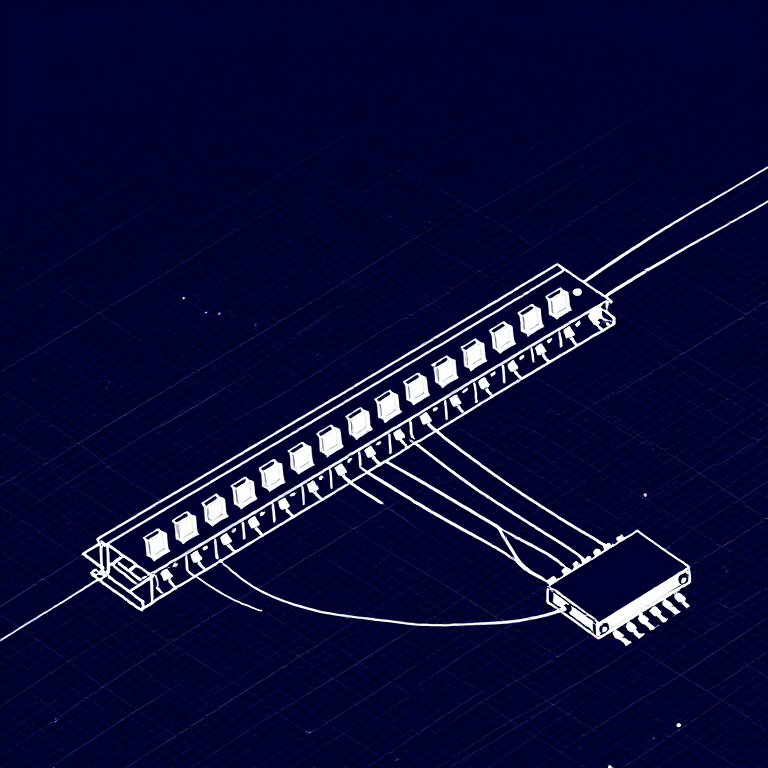
What if you need more outputs than the Arduino has pins? A shift register (74HC595) converts serial data into 8 parallel outputs — you send data on 3 pins and control 8 LEDs. You can chain multiple shift registers for even more outputs! This introduces SPI-style communication and bit manipulation.
Parts Needed
- 1x Arduino Uno + USB cable
- 1x Breadboard
- 1x 74HC595 Shift Register IC
- 8x LEDs (any color)
- 8x 330Ω Resistors
- 19x Jumper Wires
Bu adım için malzemeler:
 SparkFun Mucitler Kiti - V3.21 takım
Gerekli aletler:
 Arduino IDE Kurulu Bilgisayar
Hardware Hookup
Hardware Hookup
Wiring Instructions
Place the 74HC595 chip so it bridges the center canyon. The notch indicates pin 1.
74HC595 Pin Connections
| Pin | Name | Connection |
|---|---|---|
| 1 (QB) | Output B | LED 2 positive |
| 2 (QC) | Output C | LED 3 positive |
| 3 (QD) | Output D | LED 4 positive |
| 4 (QE) | Output E | LED 5 positive |
| 5 (QF) | Output F | LED 6 positive |
| 6 (QG) | Output G | LED 7 positive |
| 7 (QH) | Output H | LED 8 positive |
| 8 (GND) | Ground | GND |
| 10 (SRCLR*) | Clear | 5V (active low, keep high) |
| 11 (SRCLK) | Clock | Arduino Pin 3 |
| 12 (RCLK) | Latch | Arduino Pin 4 |
| 13 (OE*) | Output Enable | GND (active low) |
| 14 (SER) | Data | Arduino Pin 2 |
| 15 (QA) | Output A | LED 1 positive |
| 16 (VCC) | Power | 5V |
Connect each LED's negative leg through a 330Ω resistor to GND.
Bu adım için malzemeler:
 Devre Tahtası1 adet
 Jumper Kablolar10 adet
Arduino Code
Arduino Code
Open the Arduino IDE and upload the following sketch to your Arduino board.
Bu adım için malzemeler:
 Arduino Uno R31 adet
Gerekli aletler:
Arduino IDE Kurulu BilgisayarTest & Experiment
Test & Experiment
What You Should See
The same LED patterns as Circuit 4 (chase, ping-pong, etc.) but using only 3 Arduino pins instead of 8! The shift register does the heavy lifting.
Troubleshooting
- Arduino power LED goes out: The chip is inserted backwards. Fix it quickly — no permanent damage if caught fast.
- Not working: With 19 wires, a crossed connection is likely. Double-check systematically.
Experiments to Try
- Uncomment
binaryCount()to see binary counting from 0-255 displayed on the LEDs. - Chain two 74HC595s together for 16 outputs from just 3 pins.
- Combine with a potentiometer to control the animation speed.
Malzemeler
7- SparkFun Mucitler Kiti - V3.2%10 komisyon1 takım$104.50
- Yer Tutucu
- Yer Tutucu
- Yer Tutucu
- Yer Tutucu
- Yer Tutucu
- 8 adetYer Tutucu
Gerekli Aletler
1- Yer Tutucu
CC0 Kamu Malı
Bu plan CC0 lisansıyla yayınlanmıştır. İzin almadan kopyalayabilir, değiştirebilir, dağıtabilir ve herhangi bir amaçla kullanabilirsiniz.
Planı üzerinden ürün satın alarak Maker'ı destekleyin, böylece Maker Komisyonu Satıcılar tarafından belirlenen komisyonu kazanırlar veya bu Planın yeni bir versiyonunu oluşturun ve gelir paylaşımı için kendi Planınıza bağlantı olarak ekleyin.