Співпраця
МИСТЕЦТВО
КРАСА ТА ЗДОРОВ'Я
РЕМЕСЛО
КУЛЬТУРА ТА ІСТОРІЯ
РОЗВАГИ
СЕРЕДОВИЩЕ
ЇЖА ТА НАПІЇ
ЗБОРНА ІНЖЕНЕРІЯ
НАУК
СПОРТ
ТЕХНОЛОГІЯ
НОСИМО
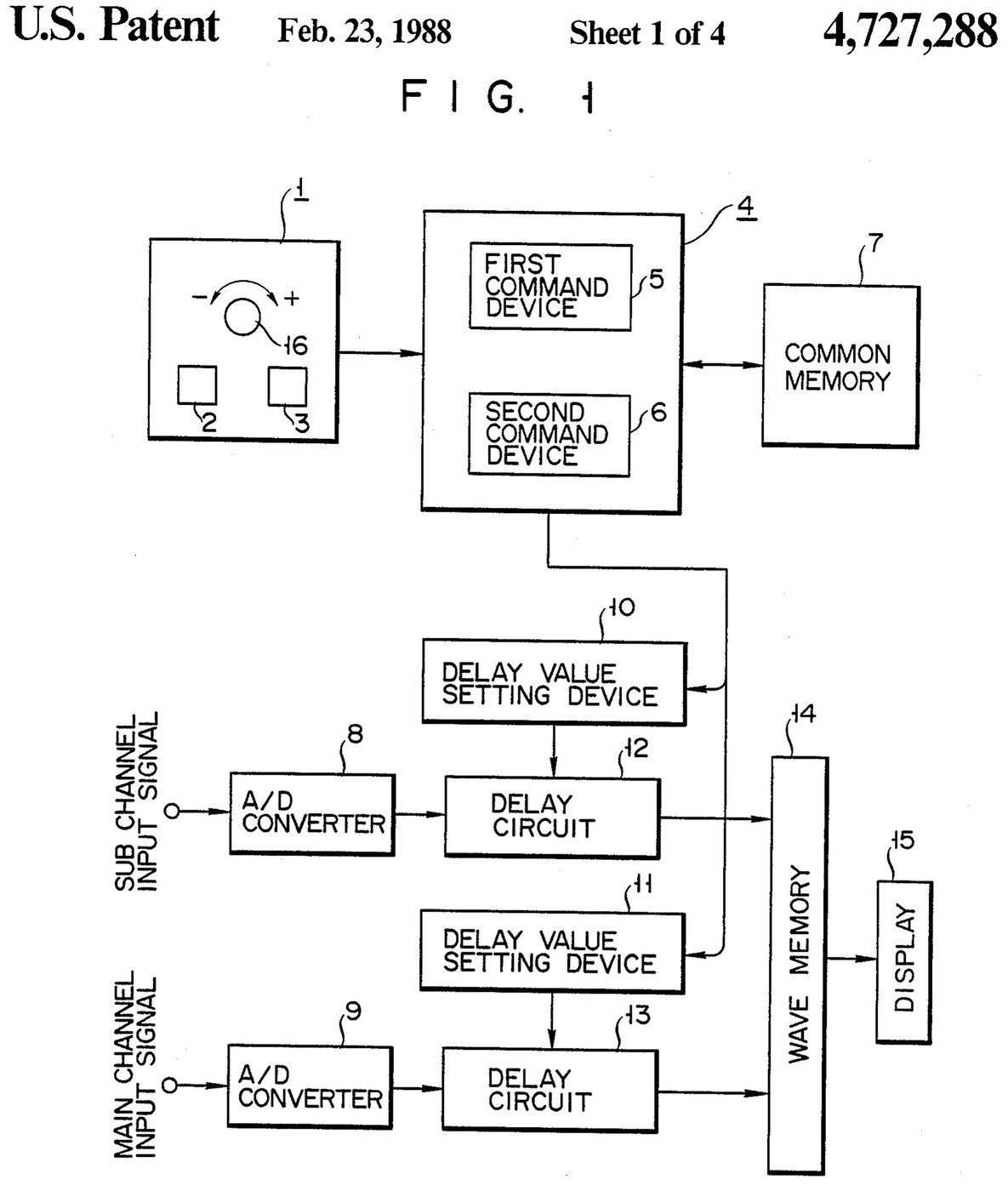

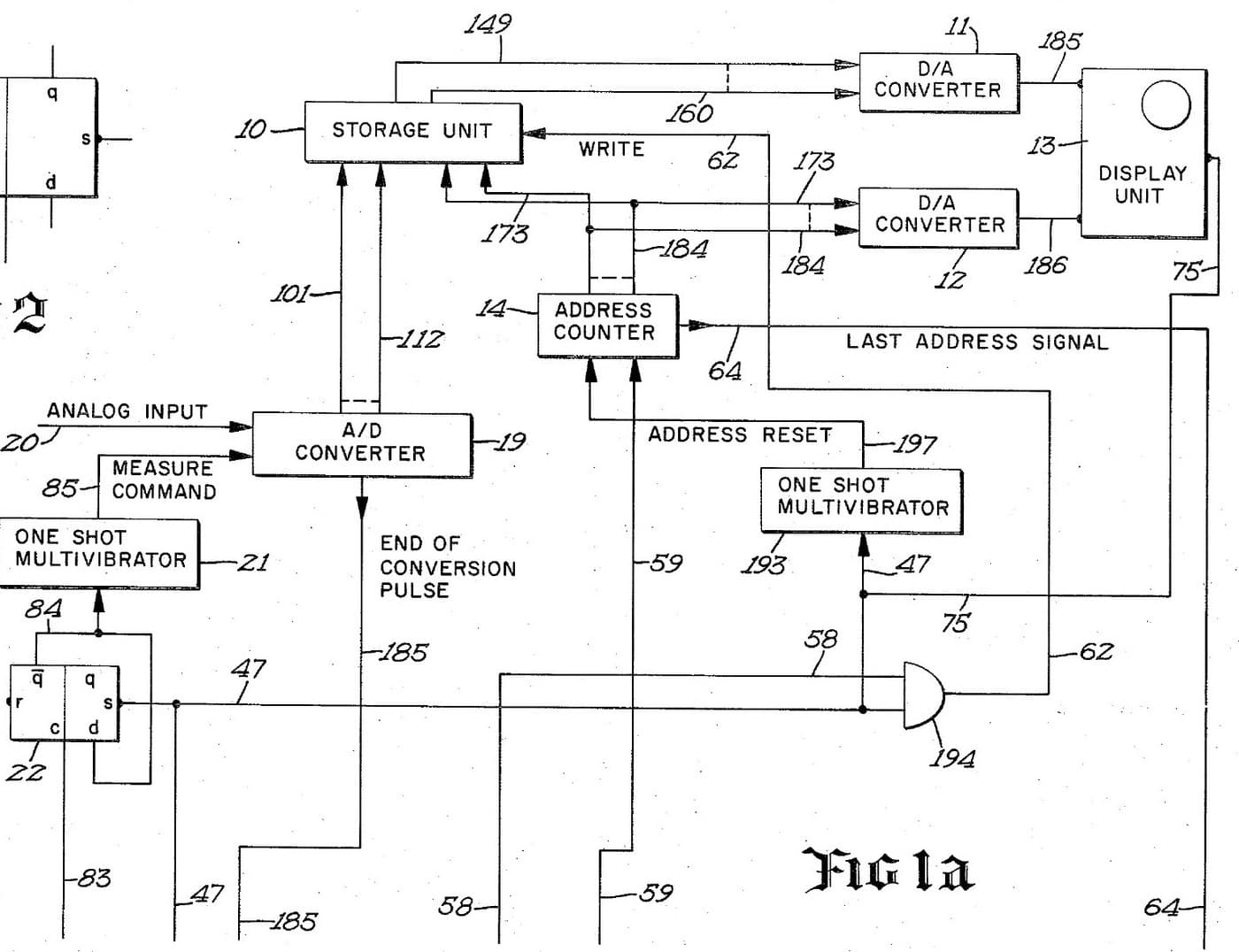
Oscilloscope: Two-Channel Digital, with a Delay per Channel and a Common Delay (Anritsu, US 4,727,288, 1988)
A two-channel digital oscilloscope. Each channel has its own converter and delay circuit. One knob, with a main and a sub button, sets the delays. The sub button shifts only the sub channel's wave, so you can line it up against the main one. The main button shifts both waves together and keeps the gap between them.
Result: a 2-channel digital oscilloscope that can move both traces along the time base without losing their phase difference.
Source: K. Nakatsugawa et al. (Anritsu), US 4,727,288 (1988). Unknown: sample rate, bandwidth, memory size and the display. Picture: the patent drawing.
Експерт
Unknown
Інструкції
1
1
Convert the two channels
Convert the two channels
Bring the main channel and the sub channel each to its own analog-to-digital converter. Ours: BNC sockets. Not given: the sample rate, the bandwidth.
Матеріали для цього кроку:
 Аналого-цифровий перетворювач2 main and sub converters
 Набір коаксіальних роз'ємів (BNC / SO-239)1 input sockets
Необхідні інструменти ({count})
 Паяльник
 Інструмент для знімання ізоляції
2
2
Delay, store and display
Delay, store and display
Pass each channel's digital signal through its own delay circuit, whose delay is set by its own delay value setting device. Store both delayed signals in a wave memory and show them on the display. Ours: logic ICs for the delay circuits and setting devices, IC memory, and a CRT driven through D/A converters. Not given: how the delay circuits are built, the memory size, the display.
Матеріали для цього кроку:
 Набір логічних мікросхем1 delay circuits and setting devices
 Напівпровідникова пам’ять1 wave memory
 Цифро-аналоговий перетворювач2 display drive
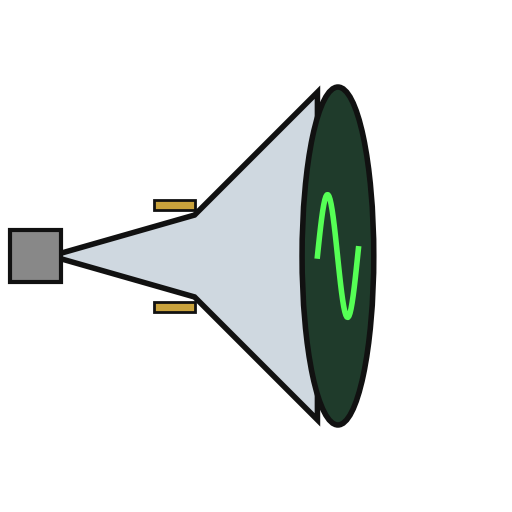 Електронно-променева трубка1 display
Необхідні інструменти ({count})
ПаяльникІнструмент для знімання ізоляції3
3
Build the delay panel and processor
Build the delay panel and processor
Make a delay operation panel with a main switch, a sub switch and one dial, with an encoder on the dial so each turn is read as a change in its output. Connect the panel to a microprocessor with a common memory that holds the sub channel's delay S in one area and the main channel's delay M in another. Mount it all in a case with its supply. Ours: push buttons, an aluminium case, a DC supply.
Матеріали для цього кроку:
 Кнопка2 main and sub switches
 Поворотний енкодер1 delay dial
 Мікропроцесор1 command devicesНапівпровідникова пам’ять1 common memory
 Алюмінієвий корпус1 case
Необхідні інструменти ({count})
 Джерело живлення постійного струму
 Свердлильний верстатПаяльник
4
4
Program the two commands
Program the two commands
When the dial turns, read the encoder change e and which switch is held. Sub switch: add e to S, set the sum in the sub channel's setting device and store it back as the new S. Main switch: add e to both M and S, set M + e in the main channel's device and S + e in the sub channel's, and store both back. The main command so moves both channels by the same amount and keeps their relative delay.
Необхідні інструменти ({count})
Паяльник5
5
Compare two waves
Compare two waves
Feed two signals in. Hold the sub switch and turn the dial to slide the sub channel's wave against the main one. Then hold the main switch and turn the dial: both waves move along the time base together, with the phase difference between them unchanged. Test it with a known signal.
Необхідні інструменти ({count})
 Генератор сигналів
Матеріали
10- 2 main and sub convertersЗаповнювач
- 1 input socketsЗаповнювач
- 1 delay circuits and setting devicesЗаповнювач
- 1 common memoryЗаповнювач
- 2 display driveЗаповнювач
- 1 displayЗаповнювач
- Заповнювач
- Заповнювач
- 1 command devicesЗаповнювач
- 1 caseЗаповнювач
За цим кресленням виготовляють

Пов'язані креслення
Ці креслення діляться знаннями — техніки, матеріали або принципи
CC0 Суспільне надбання
Це креслення випущено під ліцензією CC0. Ви можете вільно копіювати, змінювати, поширювати та використовувати цю роботу для будь-яких цілей без запиту дозволу.
Підтримайте мейкера, купуючи продукти через його креслення, де він отримує Комісію мейкера встановлену вендорами, або створіть нову ітерацію цього креслення та включіть його як зв'язок у власне креслення для розподілу доходу.