NGHỆ THUẬT
LÀM ĐẸP VÀ SỨC KHỎE
THỦ CÔNG
VĂN HÓA VÀ LỊCH SỬ
GIẢI TRÍ
MÔI TRƯỜNG
THỰC PHẨM VÀ ĐỒ UỐNG
KỸ THUẬT NGƯỢC
KHOA HỌC
THỂ THAO
CÔNG NGHỆ
THIẾT BỊ ĐEO
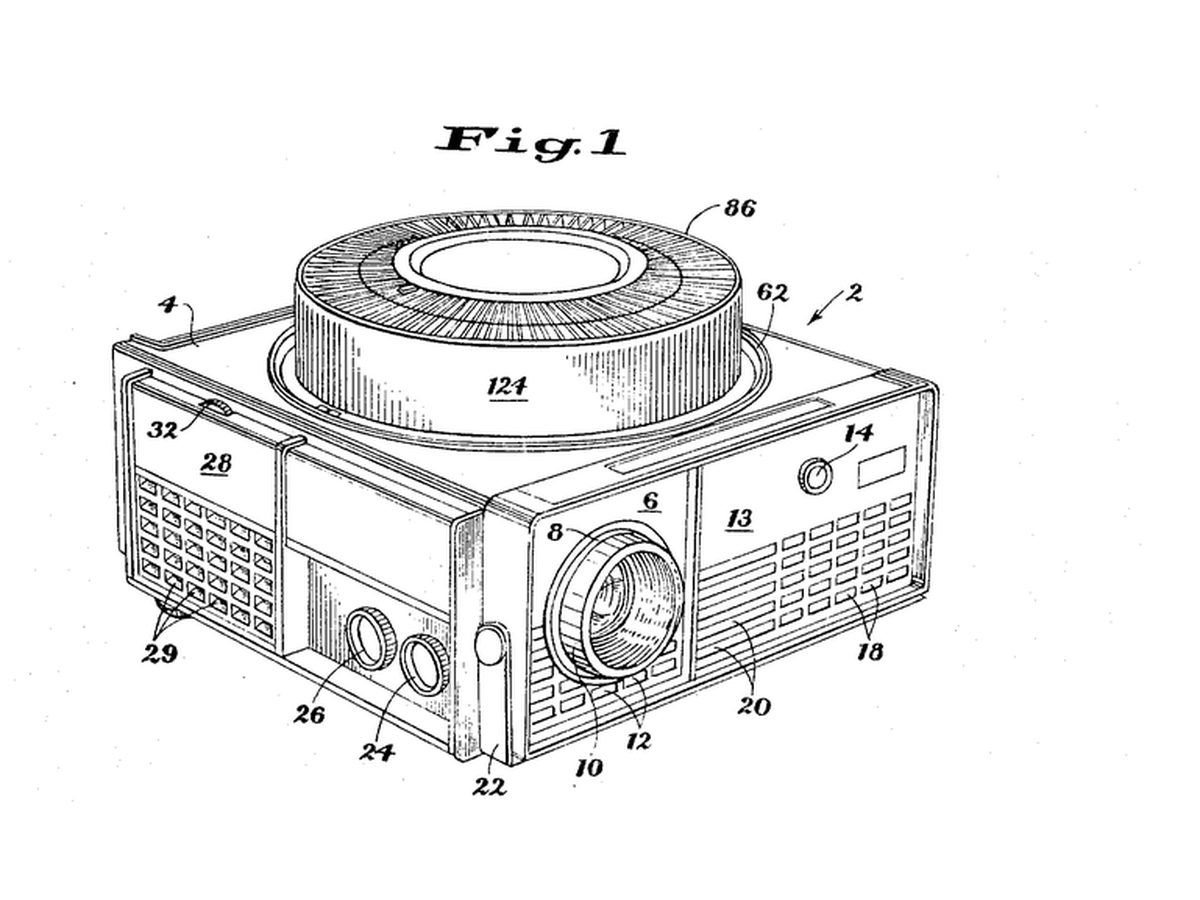


Rotary Gravity Slide Projector
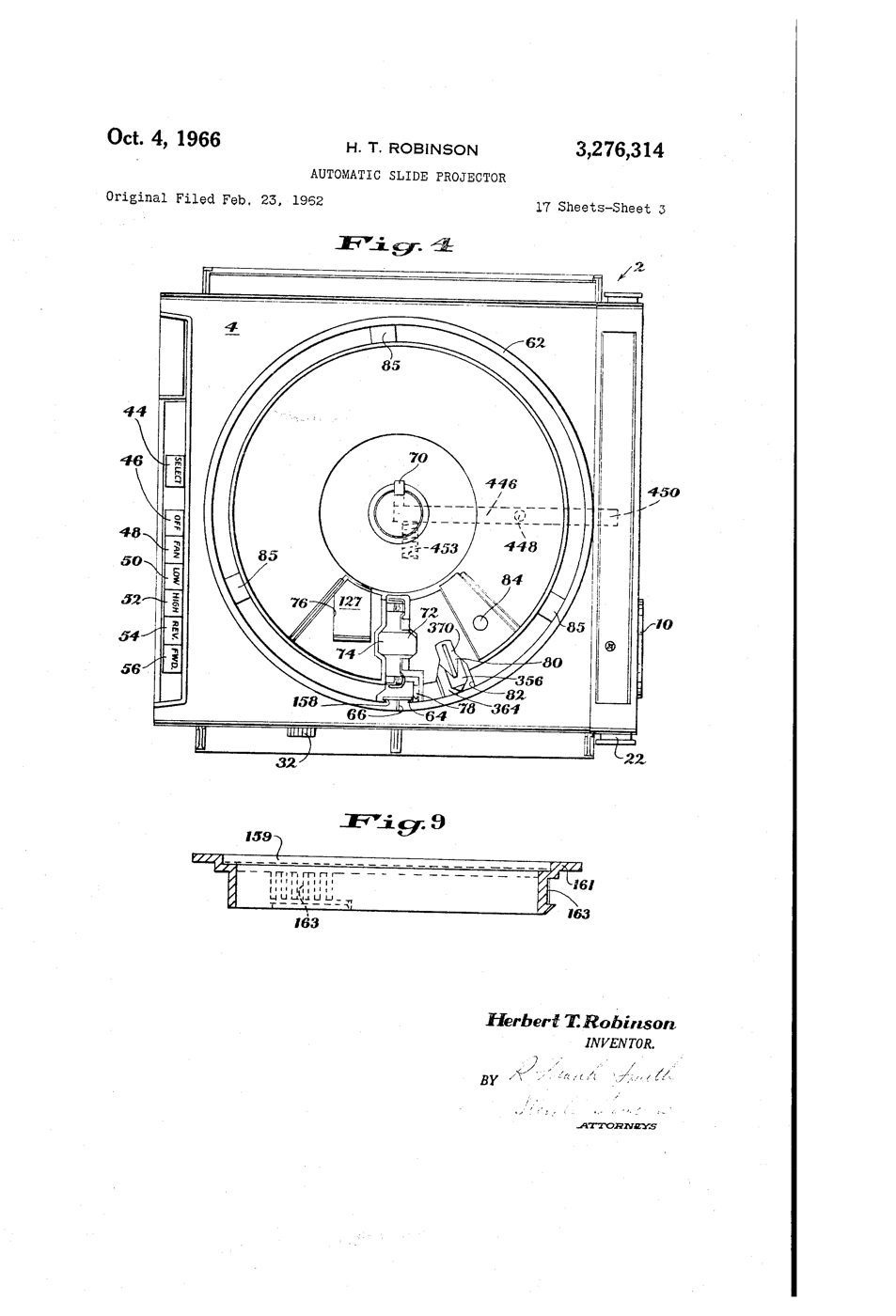
Straight slide magazines pushed slides sideways and jammed. Kodak's round tray, designed by David E. Hansen, stood the slides on edge in a ring above the projector: each one fell into the gate by gravity when it reached the drop point and was lifted back when the tray moved on, so nothing had to push a slide sideways.
**US 3,276,314**, "Automatic slide projector", Herbert T. Robinson, assigned to Eastman Kodak, filed 1. June 1965 (continuing an application of 23. February 1962), granted 4. October 1966: a tray of two relatively movable portions with a passageway "through which the slides are adapted to pass substantially vertically, one at a time, in coordination with relative movement of the portions".
**You build the mechanism**: a 12-slot tray turned by a stepper, a servo that lifts each slide back, a torch and a lens to project it.
Nâng cao
6 hours
Hướng dẫn
1
1
Make twelve slides
Make twelve slides
Cut 50 x 50 mm frames from black card with a 36 x 24 mm window. Draw or print images on transparency film and tape one behind each window. Number them 0 to 11.
Vật liệu cho bước này:
 Bìa đen2 tờ
 Phim trong in phun2 tờ
Công cụ cần thiết:
 Dao rọc thủ công
 Bút dạ không xoá
 Thước kẻ
2
2
Build the tray
Build the tray
Glue two 240 mm foam-board discs together. Cut 12 radial slots 4 mm wide and 55 mm long, 30 degrees apart, open underneath so a slide can fall through. Glue a hub on the motor shaft and the tray on the hub.
Vật liệu cho bước này:
 Bìa xốp làm mô hình2 tờ
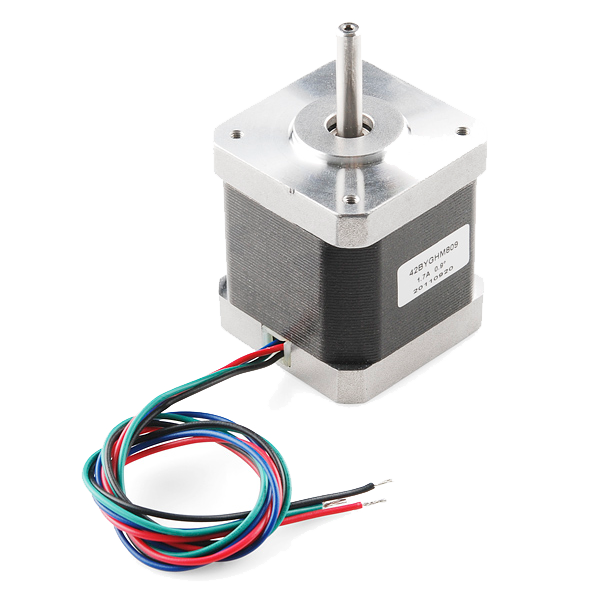 Stepper Motor - 68 oz.in (400 steps/rev)1 cái
Công cụ cần thiết:
Dao rọc thủ công Súng bắn keo nóng
3
3
Base, gate and lift
Base, gate and lift
On a plywood base cut one drop slot under the tray. Below it, build a foam-board gate channel that holds a dropped slide upright between the torch and a 100 mm convex lens. Mount the servo so its arm, raised, pushes the slide back up into the tray.
Vật liệu cho bước này:
 Tấm gỗ dán1 cái
 Động cơ servo mini SG90 (5 cái)1 gói
 Bộ thấu kính hội tụ1 bộ
Công cụ cần thiết:
 Cưa taySúng bắn keo nóng
 Đèn pin LED soi kiểm tra
4
4
Wire and flash
Wire and flash
EasyDriver STEP to D3, DIR to D4, motor coils to A and B, 12 V supply to its power input, GND shared with the Uno. Servo signal D9. Button between D2 and GND. Set the EasyDriver current adjuster low - the tray is light. Turn the tray by hand so slot 0 is over the gate before powering up.
rotary_slide_tray.inocpp
Vật liệu cho bước này:
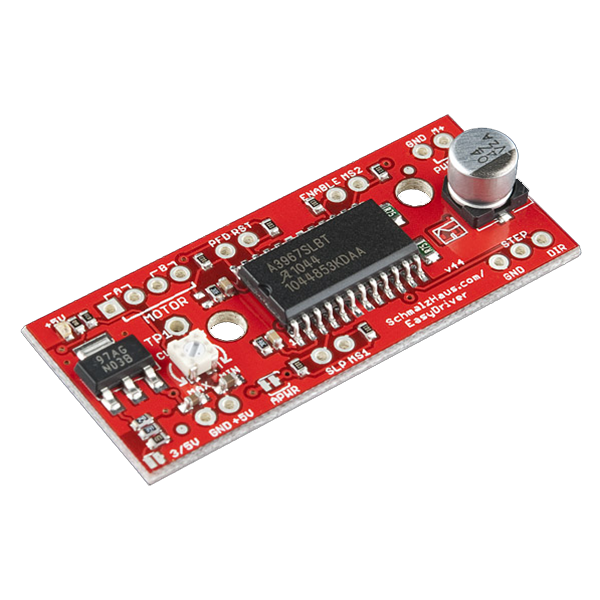 EasyDriver Stepper Motor Driver1 cái
 Vi công tắc (cần gạt)1 cái
 Bộ dây Dupont (đực-cái)1 bộ
Công cụ cần thiết:
 Arduino Uno R3
 Nguồn điện một chiều
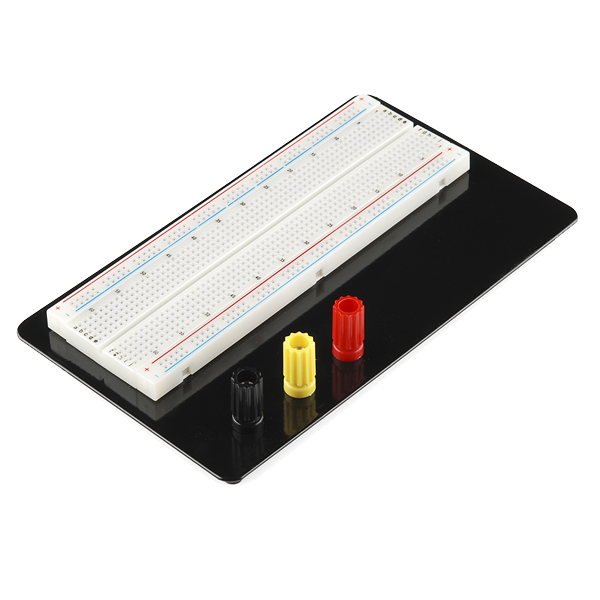 Breadboard - Classic
 SparkFun Cerberus USB Cable - 1.8 meter
5
5
Why the steps must not drift
Why the steps must not drift
Đang tải sổ tay Jupyter…
6
6
Show
Show
Load the slides upside down and reversed (a projector inverts the image). Darken the room, focus the lens on a wall, and press to advance. Count misfeeds over two full turns.
Công cụ cần thiết:
 Thước dây cuộn
7
7
History & Context
History & Context
**What the patent specifies:** a projector for a tray of two relatively movable portions, slides passing substantially vertically through a passageway one at a time in step with the tray's movement. **Modern build (derived):** foam-board tray, stepper, servo lift and a torch.
Kodak made Carousel projectors from 1961 until 2004; a round tray held 80 slides. The limits: bent or thick mounts jam the gate, and the gravity drop needs the projector level.
Vật liệu
10- 2 tờTạm thời
- Tạm thời
- Tạm thời
- Stepper Motor - 68 oz.in (400 steps/rev)Hoa hồng 10%1 cái$15.61
- 1 cáiTạm thời
- Tạm thời
- Tạm thời
- EasyDriver Stepper Motor DriverHoa hồng 10%1 cái$14.10
- Tạm thời
- Tạm thời
Công cụ yêu cầu
11- Tạm thời
- Tạm thời
- Tạm thời
- Tạm thời
- Tạm thời
- Tạm thời
- 1 vendor sell this, none ship to you yetTạm thời
- Tạm thời
- Breadboard - ClassicHoa hồng 10%$9.40
- SparkFun Cerberus USB Cable - 1.8 meterHoa hồng 10%$5.63
- 1 vendor sell this, none ship to you yetTạm thời
Tổng ước tính
Những gì người làm đã mua. Vật liệu không hiện giá thì bạn mua ở đâu tuỳ bạn.
Blueprint liên quan
Các blueprint này chia sẻ kiến thức — kỹ thuật, vật liệu hoặc nguyên tắc

CC0 Phạm vi công cộng
Bản thiết kế này được phát hành theo CC0. Bạn tự do sao chép, sửa đổi, phân phối và sử dụng cho bất kỳ mục đích nào mà không cần xin phép.
Hỗ trợ nhà sáng tạo bằng cách mua sản phẩm qua bản thiết kế, nơi họ nhận Hoa hồng nhà sáng tạo do nhà bán hàng đặt, hoặc tạo phiên bản mới và kết nối trong bản thiết kế riêng để chia sẻ doanh thu.