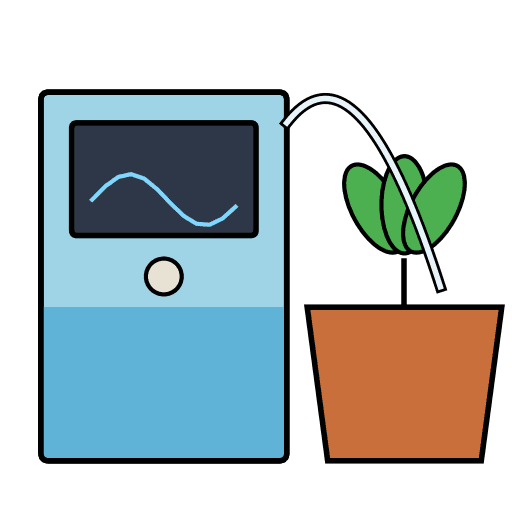
// Self-watering pot controller - ESP32 DevKit (38-pin) carrier board
// Soil: capacitive v1.2 on GPIO34 (ADC1). Tank: HC-SR04 TRIG=GPIO5, ECHO=GPIO18 (via 1k/2k divider).
// OLED SSD1306 128x64 I2C @0x3C on SDA=21 SCL=22. Pump MOSFET gate GPIO25. Button GPIO27 to GND.
// Button: short press = force a watering cycle, hold 3 s = calibrate soil sensor (dry / wet).
#include <Arduino.h>
#include <Wire.h>
#include <Preferences.h>

// ---------------- pins ----------------
const int PIN_SOIL = 34;
const int PIN_TRIG = 5;
const int PIN_ECHO = 18;
const int PIN_PUMP = 25;
const int PIN_BTN  = 27;
const int PIN_SDA  = 21;
const int PIN_SCL  = 22;

// ---------------- settings (adjust for your pot / tank) ----------------
const float TANK_EMPTY_CM   = 20.0;  // sensor-to-water distance when tank is empty
const float TANK_FULL_CM    = 4.0;   // sensor-to-water distance when tank is full
const int   SOIL_DRY_PCT    = 35;    // start watering below this moisture %
const int   TANK_MIN_PCT    = 10;    // never pump below this tank level %
const uint32_t PUMP_RUN_MS  = 5000;  // one watering shot
const uint32_t SOAK_MS      = 10UL * 60UL * 1000UL; // wait for water to soak in before next automatic shot
const uint32_t MEASURE_MS   = 1000;

Preferences prefs;
int calDry = 3000;   // raw ADC in air (dry)
int calWet = 1300;   // raw ADC in water (wet)

// ---------------- minimal SSD1306 driver ----------------
const uint8_t OLED_ADDR = 0x3C;
uint8_t fb[1024];
bool oledOk = false;

static const uint8_t FONT[] PROGMEM = {
0x00,0x00,0x00,0x00,0x00, 0x00,0x00,0x5F,0x00,0x00, 0x00,0x07,0x00,0x07,0x00, 0x14,0x7F,0x14,0x7F,0x14,
0x24,0x2A,0x7F,0x2A,0x12, 0x23,0x13,0x08,0x64,0x62, 0x36,0x49,0x56,0x20,0x50, 0x00,0x08,0x07,0x03,0x00,
0x00,0x1C,0x22,0x41,0x00, 0x00,0x41,0x22,0x1C,0x00, 0x2A,0x1C,0x7F,0x1C,0x2A, 0x08,0x08,0x3E,0x08,0x08,
0x00,0x80,0x70,0x30,0x00, 0x08,0x08,0x08,0x08,0x08, 0x00,0x00,0x60,0x60,0x00, 0x20,0x10,0x08,0x04,0x02,
0x3E,0x51,0x49,0x45,0x3E, 0x00,0x42,0x7F,0x40,0x00, 0x72,0x49,0x49,0x49,0x46, 0x21,0x41,0x49,0x4D,0x33,
0x18,0x14,0x12,0x7F,0x10, 0x27,0x45,0x45,0x45,0x39, 0x3C,0x4A,0x49,0x49,0x31, 0x41,0x21,0x11,0x09,0x07,
0x36,0x49,0x49,0x49,0x36, 0x46,0x49,0x49,0x29,0x1E, 0x00,0x00,0x14,0x00,0x00, 0x00,0x40,0x34,0x00,0x00,
0x00,0x08,0x14,0x22,0x41, 0x14,0x14,0x14,0x14,0x14, 0x00,0x41,0x22,0x14,0x08, 0x02,0x01,0x59,0x09,0x06,
0x3E,0x41,0x5D,0x59,0x4E, 0x7C,0x12,0x11,0x12,0x7C, 0x7F,0x49,0x49,0x49,0x36, 0x3E,0x41,0x41,0x41,0x22,
0x7F,0x41,0x41,0x41,0x3E, 0x7F,0x49,0x49,0x49,0x41, 0x7F,0x09,0x09,0x09,0x01, 0x3E,0x41,0x41,0x51,0x73,
0x7F,0x08,0x08,0x08,0x7F, 0x00,0x41,0x7F,0x41,0x00, 0x20,0x40,0x41,0x3F,0x01, 0x7F,0x08,0x14,0x22,0x41,
0x7F,0x40,0x40,0x40,0x40, 0x7F,0x02,0x1C,0x02,0x7F, 0x7F,0x04,0x08,0x10,0x7F, 0x3E,0x41,0x41,0x41,0x3E,
0x7F,0x09,0x09,0x09,0x06, 0x3E,0x41,0x51,0x21,0x5E, 0x7F,0x09,0x19,0x29,0x46, 0x26,0x49,0x49,0x49,0x32,
0x03,0x01,0x7F,0x01,0x03, 0x3F,0x40,0x40,0x40,0x3F, 0x1F,0x20,0x40,0x20,0x1F, 0x3F,0x40,0x38,0x40,0x3F,
0x63,0x14,0x08,0x14,0x63, 0x03,0x04,0x78,0x04,0x03, 0x61,0x59,0x49,0x4D,0x43, 0x00,0x7F,0x41,0x41,0x41,
0x02,0x04,0x08,0x10,0x20, 0x00,0x41,0x41,0x41,0x7F, 0x04,0x02,0x01,0x02,0x04, 0x40,0x40,0x40,0x40,0x40,
0x00,0x03,0x07,0x08,0x00, 0x20,0x54,0x54,0x78,0x40, 0x7F,0x28,0x44,0x44,0x38, 0x38,0x44,0x44,0x44,0x28,
0x38,0x44,0x44,0x28,0x7F, 0x38,0x54,0x54,0x54,0x18, 0x00,0x08,0x7E,0x09,0x02, 0x18,0xA4,0xA4,0x9C,0x78,
0x7F,0x08,0x04,0x04,0x78, 0x00,0x44,0x7D,0x40,0x00, 0x20,0x40,0x40,0x3D,0x00, 0x7F,0x10,0x28,0x44,0x00,
0x00,0x41,0x7F,0x40,0x00, 0x7C,0x04,0x78,0x04,0x78, 0x7C,0x08,0x04,0x04,0x78, 0x38,0x44,0x44,0x44,0x38,
0xFC,0x18,0x24,0x24,0x18, 0x18,0x24,0x24,0x18,0xFC, 0x7C,0x08,0x04,0x04,0x08, 0x48,0x54,0x54,0x54,0x24,
0x04,0x04,0x3F,0x44,0x24, 0x3C,0x40,0x40,0x20,0x7C, 0x1C,0x20,0x40,0x20,0x1C, 0x3C,0x40,0x30,0x40,0x3C,
0x44,0x28,0x10,0x28,0x44, 0x4C,0x90,0x90,0x90,0x7C, 0x44,0x64,0x54,0x4C,0x44, 0x00,0x08,0x36,0x41,0x00,
0x00,0x00,0x77,0x00,0x00, 0x00,0x41,0x36,0x08,0x00, 0x02,0x01,0x02,0x04,0x02
};

void oledCmd(uint8_t c) {
  Wire.beginTransmission(OLED_ADDR); Wire.write(0x00); Wire.write(c); Wire.endTransmission();
}

bool oledInit() {
  Wire.beginTransmission(OLED_ADDR);
  if (Wire.endTransmission() != 0) return false;
  const uint8_t init[] = {0xAE,0xD5,0x80,0xA8,0x3F,0xD3,0x00,0x40,0x8D,0x14,0x20,0x00,
                          0xA1,0xC8,0xDA,0x12,0x81,0xCF,0xD9,0xF1,0xDB,0x40,0xA4,0xA6,0x2E,0xAF};
  for (uint8_t c : init) oledCmd(c);
  return true;
}

void oledShow() {
  if (!oledOk) return;
  oledCmd(0x21); oledCmd(0); oledCmd(127);
  oledCmd(0x22); oledCmd(0); oledCmd(7);
  for (int i = 0; i < 1024; i += 16) {
    Wire.beginTransmission(OLED_ADDR);
    Wire.write(0x40);
    Wire.write(&fb[i], 16);
    Wire.endTransmission();
  }
}

void clearFb() { memset(fb, 0, sizeof(fb)); }

void setPixel(int x, int y) {
  if (x < 0 || x > 127 || y < 0 || y > 63) return;
  fb[x + (y / 8) * 128] |= (1 << (y & 7));
}

void drawChar(int x, int y, char c, int s) {
  if (c < 32 || c > 126) c = '?';
  for (int col = 0; col < 5; col++) {
    uint8_t bits = pgm_read_byte(&FONT[(c - 32) * 5 + col]);
    for (int row = 0; row < 8; row++)
      if (bits & (1 << row))
        for (int dx = 0; dx < s; dx++)
          for (int dy = 0; dy < s; dy++) setPixel(x + col * s + dx, y + row * s + dy);
  }
}

void drawText(int x, int y, const char *t, int s = 1) {
  while (*t) { drawChar(x, y, *t++, s); x += 6 * s; }
}

void drawBar(int x, int y, int w, int h, int pct) {
  for (int i = 0; i < w; i++) { setPixel(x + i, y); setPixel(x + i, y + h - 1); }
  for (int j = 0; j < h; j++) { setPixel(x, y + j); setPixel(x + w - 1, y + j); }
  int fill = (w - 4) * constrain(pct, 0, 100) / 100;
  for (int i = 0; i < fill; i++)
    for (int j = 2; j < h - 2; j++) setPixel(x + 2 + i, y + j);
}

// ---------------- sensors ----------------
int readSoilRaw() {
  long sum = 0;
  for (int i = 0; i < 16; i++) { sum += analogRead(PIN_SOIL); delay(2); }
  return sum / 16;
}

int soilPercent(int raw) {
  if (calDry == calWet) return 0;
  long p = (long)(calDry - raw) * 100 / (calDry - calWet);
  return constrain((int)p, 0, 100);
}

float readDistanceCm() {
  float best[5]; int n = 0;
  for (int i = 0; i < 5; i++) {
    digitalWrite(PIN_TRIG, LOW); delayMicroseconds(4);
    digitalWrite(PIN_TRIG, HIGH); delayMicroseconds(10);
    digitalWrite(PIN_TRIG, LOW);
    unsigned long us = pulseIn(PIN_ECHO, HIGH, 30000UL);
    if (us > 0) best[n++] = us / 58.0f;
    delay(30);
  }
  if (n == 0) return -1;
  for (int i = 0; i < n; i++)            // median
    for (int j = i + 1; j < n; j++)
      if (best[j] < best[i]) { float t = best[i]; best[i] = best[j]; best[j] = t; }
  return best[n / 2];
}

int tankPercent(float cm) {
  if (cm < 0) return -1;
  float p = (TANK_EMPTY_CM - cm) * 100.0f / (TANK_EMPTY_CM - TANK_FULL_CM);
  return constrain((int)p, 0, 100);
}

// ---------------- pump ----------------
bool pumpOn = false;
uint32_t pumpStart = 0, lastWater = 0;
bool everWatered = false;

void pump(bool on) {
  pumpOn = on;
  digitalWrite(PIN_PUMP, on ? HIGH : LOW);
  if (on) pumpStart = millis();
  else { lastWater = millis(); everWatered = true; }
}

// ---------------- button ----------------
// returns 0 = nothing, 1 = short press, 2 = long press (>3 s)
int readButton() {
  static bool was = false; static uint32_t t0 = 0; static bool longDone = false;
  bool down = digitalRead(PIN_BTN) == LOW;
  int ev = 0;
  if (down && !was) { t0 = millis(); longDone = false; }
  if (down && !longDone && millis() - t0 > 3000) { ev = 2; longDone = true; }
  if (!down && was && !longDone && millis() - t0 > 40) ev = 1;
  was = down;
  return ev;
}

void waitPress() {
  while (digitalRead(PIN_BTN) == LOW) delay(10);
  delay(50);
  while (digitalRead(PIN_BTN) == HIGH) delay(10);
  delay(50);
  while (digitalRead(PIN_BTN) == LOW) delay(10);
}

void calibrate() {
  pump(false);
  clearFb(); drawText(0, 0, "CALIBRATE SOIL", 1);
  drawText(0, 16, "1) Sensor in DRY air"); drawText(0, 28, "   then press button");
  oledShow(); waitPress();
  int dry = readSoilRaw();
  clearFb(); drawText(0, 0, "CALIBRATE SOIL", 1);
  drawText(0, 16, "2) Sensor in WATER"); drawText(0, 28, "   (up to the line)"); drawText(0, 40, "   then press button");
  oledShow(); waitPress();
  int wet = readSoilRaw();
  clearFb();
  if (dry - wet > 200) {
    calDry = dry; calWet = wet;
    prefs.putInt("dry", calDry); prefs.putInt("wet", calWet);
    drawText(0, 16, "Saved.");
  } else {
    drawText(0, 16, "Bad readings,"); drawText(0, 28, "not saved.");
  }
  char b[32]; snprintf(b, sizeof(b), "dry=%d wet=%d", dry, wet); drawText(0, 44, b);
  oledShow(); delay(2500);
}

void setup() {
  pinMode(PIN_PUMP, OUTPUT); digitalWrite(PIN_PUMP, LOW);
  pinMode(PIN_TRIG, OUTPUT); digitalWrite(PIN_TRIG, LOW);
  pinMode(PIN_ECHO, INPUT);
  pinMode(PIN_BTN, INPUT_PULLUP);
  Serial.begin(115200);
  analogReadResolution(12);
  analogSetPinAttenuation(PIN_SOIL, ADC_11db);
  prefs.begin("plantpot", false);
  calDry = prefs.getInt("dry", calDry);
  calWet = prefs.getInt("wet", calWet);
  Wire.begin(PIN_SDA, PIN_SCL, 400000);
  oledOk = oledInit();
  clearFb(); drawText(10, 24, "PlantPot", 2); oledShow();
  delay(1000);
}

void loop() {
  static uint32_t lastMeas = 0;
  static int soil = 0, tank = -1, raw = 0;
  static float dist = -1;
  static bool forceRequest = false;

  int ev = readButton();
  if (ev == 2) { calibrate(); lastMeas = 0; }
  if (ev == 1) forceRequest = true;

  // pump safety timeout
  if (pumpOn && millis() - pumpStart >= PUMP_RUN_MS) pump(false);

  if (millis() - lastMeas >= MEASURE_MS || lastMeas == 0) {
    lastMeas = millis();
    raw = readSoilRaw();
    soil = soilPercent(raw);
    dist = readDistanceCm();
    tank = tankPercent(dist);
    bool tankOk = tank >= TANK_MIN_PCT;          // unknown (-1) counts as empty
    if (pumpOn && !tankOk) pump(false);

    if (!pumpOn && tankOk) {
      bool soaked = !everWatered || millis() - lastWater >= SOAK_MS;
      if (forceRequest || (soil < SOIL_DRY_PCT && soaked)) pump(true);
    }
    forceRequest = false;

    Serial.printf("soil raw=%d %d%%  dist=%.1fcm tank=%d%%  pump=%d\n", raw, soil, dist, tank, pumpOn);

    clearFb();
    char b[24];
    drawText(0, 0, "SOIL");
    snprintf(b, sizeof(b), "%3d%%", soil); drawText(70, 0, b, 2);
    drawBar(0, 18, 128, 8, soil);
    drawText(0, 32, "TANK");
    if (tank < 0) snprintf(b, sizeof(b), " ?? "); else snprintf(b, sizeof(b), "%3d%%", tank);
    drawText(70, 32, b, 2);
    drawBar(0, 48, 128, 8, tank < 0 ? 0 : tank);
    if (pumpOn) drawText(30, 0, "PUMP");
    else if (!tankOk) drawText(30, 0, "FILL!");
    oledShow();
  }
  delay(10);
}

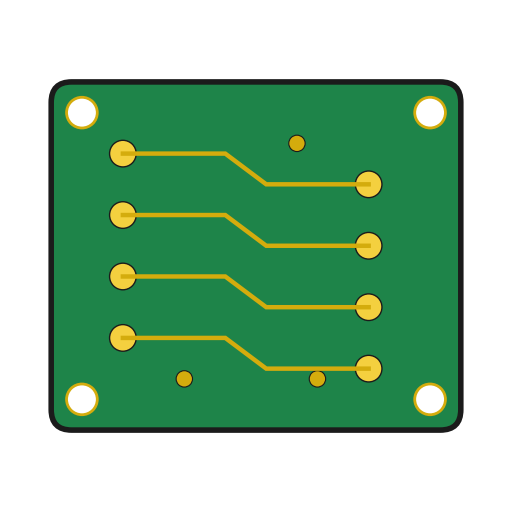 Bảng mạch in1 pcs
 Đồng hồ vạn năng
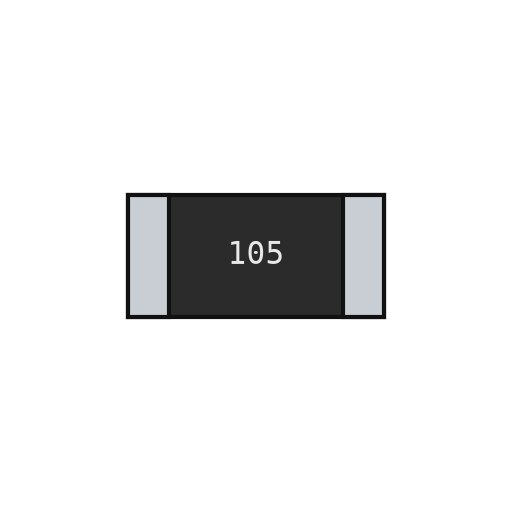 Điện trở dán6 pcs
 Tụ gốm dán1 pcs
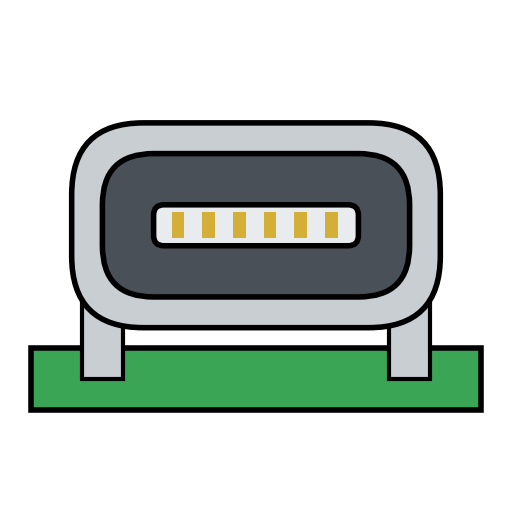 Cổng cắm USB-C hàn bo1 pcs
 Dây thiếc hàn5 g
 Mỏ hàn
 Điốt1 pcs
 MOSFET mức lôgic IRLZ44N1 pcs
 Tụ điện hóa1 pcs
 Cầu đấu vít1 pcs
 Hàng chân cắm JST-XH cho bo mạch2 pcs
 Hàng chân cắm3 pcs
 Nút nhấn1 pcs
 Bo mạch phát triển ESP321 pcs
 Nguồn điện một chiều
 Vít tự ren4 pcs
 Bộ tua vít
 Màn hình OLED1 pcs
 Dây nối4 pcs
 Bơm nước chìm1 pcs
 Ống silicon1 m
 Cảm biến khoảng cách siêu âm1 pcs
 Thanh keo nóng chảy1 pcs
 Súng bắn keo nóng
 Dây đấu nối1 m
 Ống co nhiệt10 cm
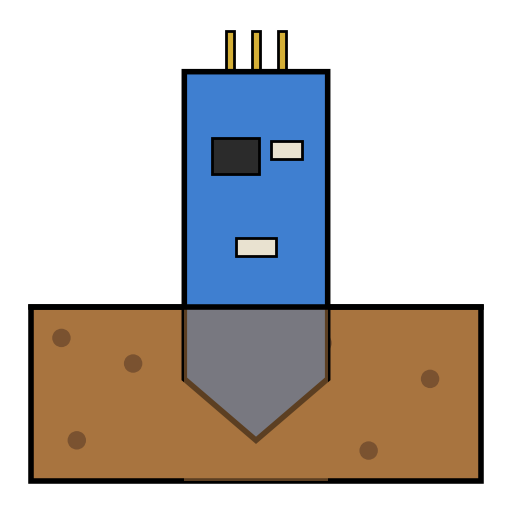 Cảm biến độ ẩm đất điện dung1 pcs
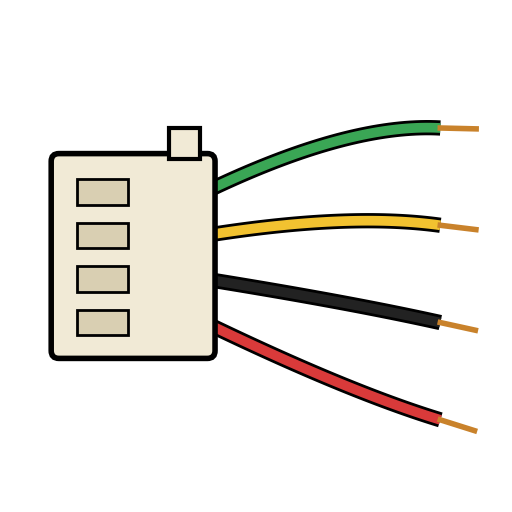 Cáp JST-XH2 pcs
 Kìm tuốt dây
 Máy tính cài Arduino IDE
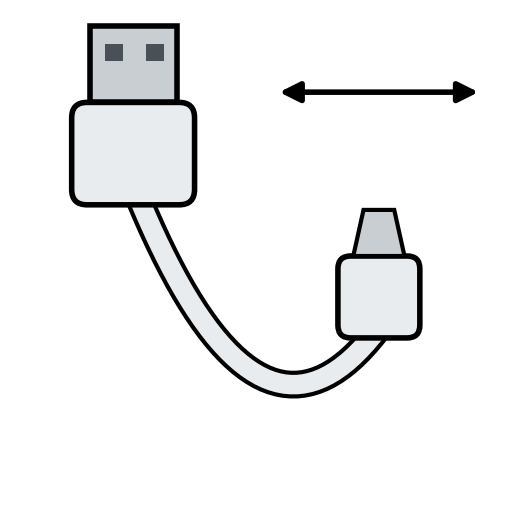 Cáp dữ liệu USB
 Ca đong
 Khăn giấy
 Nước
 Bộ đổi nguồn USB-C1 pcs
 Cáp USB-C1 pcs
 Chậu hoa