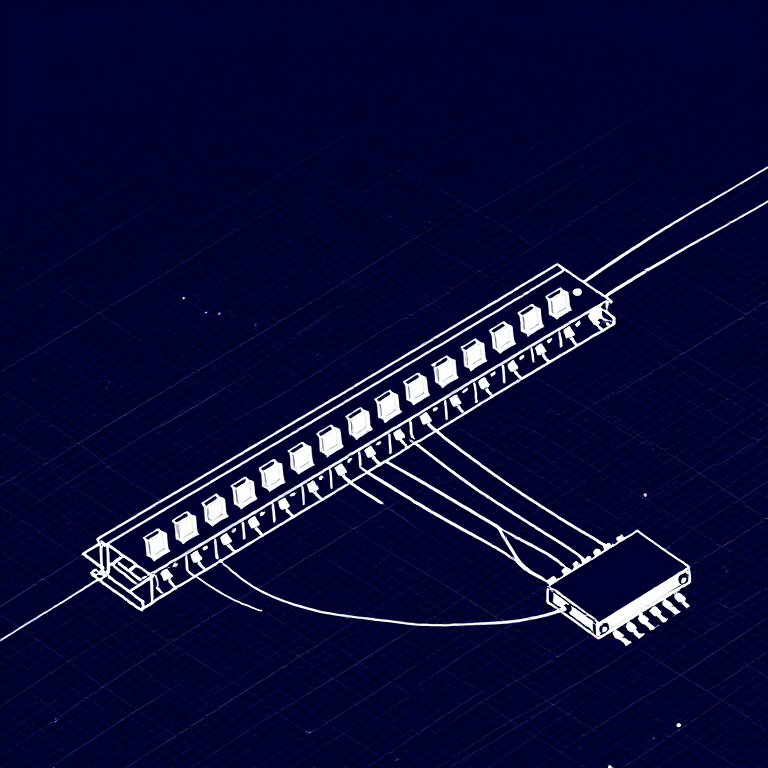


Using a Shift Register — SIK Circuit 14
Hướng dẫn
Parts & Introduction
Parts & Introduction
What if you need more outputs than the Arduino has pins? A shift register (74HC595) converts serial data into 8 parallel outputs — you send data on 3 pins and control 8 LEDs. You can chain multiple shift registers for even more outputs! This introduces SPI-style communication and bit manipulation.
Parts Needed
- 1x Arduino Uno + USB cable
- 1x Breadboard
- 1x 74HC595 Shift Register IC
- 8x LEDs (any color)
- 8x 330Ω Resistors
- 19x Jumper Wires
Vật liệu cho bước này:
 SparkFun Inventor's Kit - V3.21 bộ
Công cụ cần thiết:
 Máy tính cài Arduino IDE
Hardware Hookup
Hardware Hookup
Wiring Instructions
Place the 74HC595 chip so it bridges the center canyon. The notch indicates pin 1.
74HC595 Pin Connections
| Pin | Name | Connection |
|---|---|---|
| 1 (QB) | Output B | LED 2 positive |
| 2 (QC) | Output C | LED 3 positive |
| 3 (QD) | Output D | LED 4 positive |
| 4 (QE) | Output E | LED 5 positive |
| 5 (QF) | Output F | LED 6 positive |
| 6 (QG) | Output G | LED 7 positive |
| 7 (QH) | Output H | LED 8 positive |
| 8 (GND) | Ground | GND |
| 10 (SRCLR*) | Clear | 5V (active low, keep high) |
| 11 (SRCLK) | Clock | Arduino Pin 3 |
| 12 (RCLK) | Latch | Arduino Pin 4 |
| 13 (OE*) | Output Enable | GND (active low) |
| 14 (SER) | Data | Arduino Pin 2 |
| 15 (QA) | Output A | LED 1 positive |
| 16 (VCC) | Power | 5V |
Connect each LED's negative leg through a 330Ω resistor to GND.
Vật liệu cho bước này:
 Bảng cắm mạch1 cái
 Dây nối10 cái
Arduino Code
Arduino Code
Open the Arduino IDE and upload the following sketch to your Arduino board.
Vật liệu cho bước này:
 Arduino Uno R31 cái
Công cụ cần thiết:
Máy tính cài Arduino IDETest & Experiment
Test & Experiment
What You Should See
The same LED patterns as Circuit 4 (chase, ping-pong, etc.) but using only 3 Arduino pins instead of 8! The shift register does the heavy lifting.
Troubleshooting
- Arduino power LED goes out: The chip is inserted backwards. Fix it quickly — no permanent damage if caught fast.
- Not working: With 19 wires, a crossed connection is likely. Double-check systematically.
Experiments to Try
- Uncomment
binaryCount()to see binary counting from 0-255 displayed on the LEDs. - Chain two 74HC595s together for 16 outputs from just 3 pins.
- Combine with a potentiometer to control the animation speed.
Vật liệu
7- SparkFun Inventor's Kit - V3.2Hoa hồng 10%1 bộ$104.79
- Tạm thời
- Tạm thời
- Tạm thời
- Tạm thời
- Tạm thời
- 8 cáiTạm thời
Công cụ yêu cầu
1- Tạm thời
CC0 Phạm vi công cộng
Bản thiết kế này được phát hành theo CC0. Bạn tự do sao chép, sửa đổi, phân phối và sử dụng cho bất kỳ mục đích nào mà không cần xin phép.
Hỗ trợ nhà sáng tạo bằng cách mua sản phẩm qua bản thiết kế, nơi họ nhận Hoa hồng nhà sáng tạo do nhà bán hàng đặt, hoặc tạo phiên bản mới và kết nối trong bản thiết kế riêng để chia sẻ doanh thu.