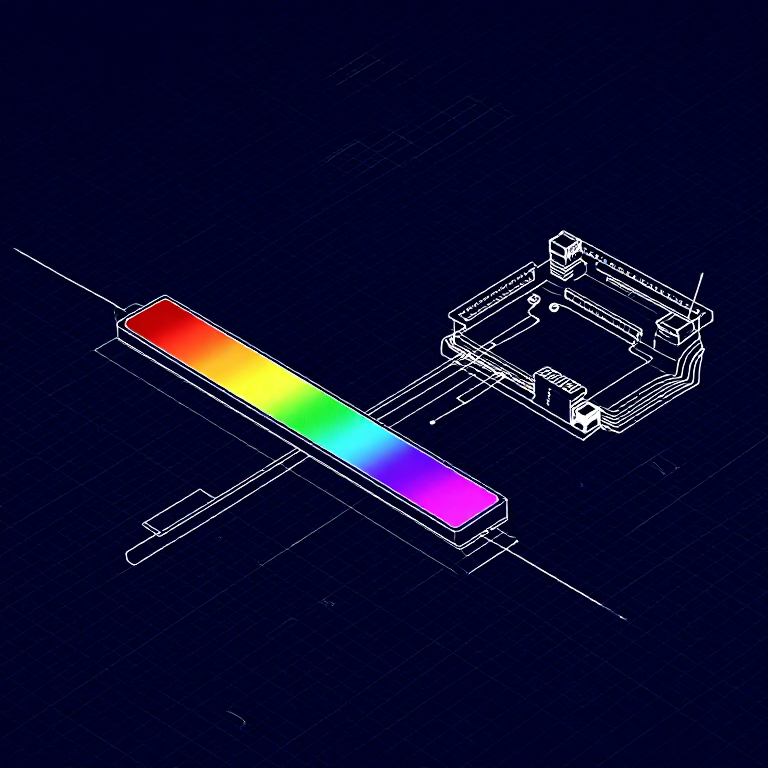


Reading a Soft Potentiometer — SIK Circuit 10
Imiyalelo
Parts & Introduction
Parts & Introduction
A soft potentiometer is a thin, flexible strip that acts as a variable resistor based on where you press. Combined with an RGB LED, you can create an intuitive color picker — slide your finger to change colors!
Parts Needed
- 1x Arduino Uno + USB cable
- 1x Breadboard
- 1x Soft Potentiometer
- 1x RGB LED (Common Cathode)
- 3x 330Ω Resistors
- 1x 10KΩ Resistor (pull-down)
- 9x Jumper Wires
Izinto zokwakha zalesi sinyathelo:
 SparkFun Inventor's Kit - V3.21 ikhithi
Amathuluzi adingekayo:
 Ikhompyutha Ene-Arduino IDE
Hardware Hookup
Hardware Hookup
Wiring Instructions
Soft Potentiometer
- Connect the middle pin to Analog Pin A0.
- Connect one side pin to 5V.
- Connect the other side pin to GND.
- Add a 10K pull-down resistor from Analog Pin A0 to GND.
RGB LED (pin order from flat edge: Red, GND, Green, Blue)
- Connect Red through 330Ω resistor to Pin 9.
- Connect GND (longest pin) to GND rail.
- Connect Green through 330Ω resistor to Pin 10.
- Connect Blue through 330Ω resistor to Pin 11.
Izinto zokwakha zalesi sinyathelo:
 Umucu we-LED we-RGB 5050 (ongenakhelo)1 ucezu
 Ibhodi Lokuhlola1 ucezu
 Izintambo Zokuxhuma8 izicucu
Arduino Code
Arduino Code
Open the Arduino IDE and upload the following sketch to your Arduino board.
Izinto zokwakha zalesi sinyathelo:
 Arduino Uno R31 ucezu
Amathuluzi adingekayo:
Ikhompyutha Ene-Arduino IDETest & Experiment
Test & Experiment
What You Should See
The RGB LED changes color as you slide your finger along the soft potentiometer strip. The color smoothly transitions through the spectrum: red → green → blue → red.
Troubleshooting
- LED dark or wrong color: Four pins close together are easy to misplace. Verify each RGB LED connection.
- Bizarre color jumps: Pressing the soft pot in multiple spots simultaneously gives unpredictable results. Use one finger.
Experiments to Try
- Add Serial output to see the raw sensor values as you slide.
- Map the soft pot to servo position instead of color.
Izinto
8- SparkFun Inventor's Kit - V3.2ikhomishini engu-10%1 ikhithi$103.56
- Isibambeli
- Isibambeli
- Isibambeli
- Isibambeli
- 1 ucezuIsibambeli
- 3 izicucuIsibambeli
- Isibambeli
Amathuluzi Adingekayo
1- Isibambeli
CC0 Isizinda Somphakathi
Le blueprint ikhishwe ngaphansi kwe-CC0. Ukhululekile ukukopisha, ukuguqula, ukusabalalisa, nokusebenzisa ngaphandle kwemvume.
Sekela uMenzi ngokuthenga imikhiqizo nge-Blueprint yabo IKhomishane Yomenzi kumiswe ngabathengisi, noma dala inguqulo entsha yale Blueprint bese uyifaka njengoxhumaniso ku-Blueprint yakho ukuze wabelane ngemali engenayo.