艺术
美容与健康
工艺
文化与历史
娱乐
环境
食品与饮料
逆向工程
科学
体育
技术
可穿戴设备
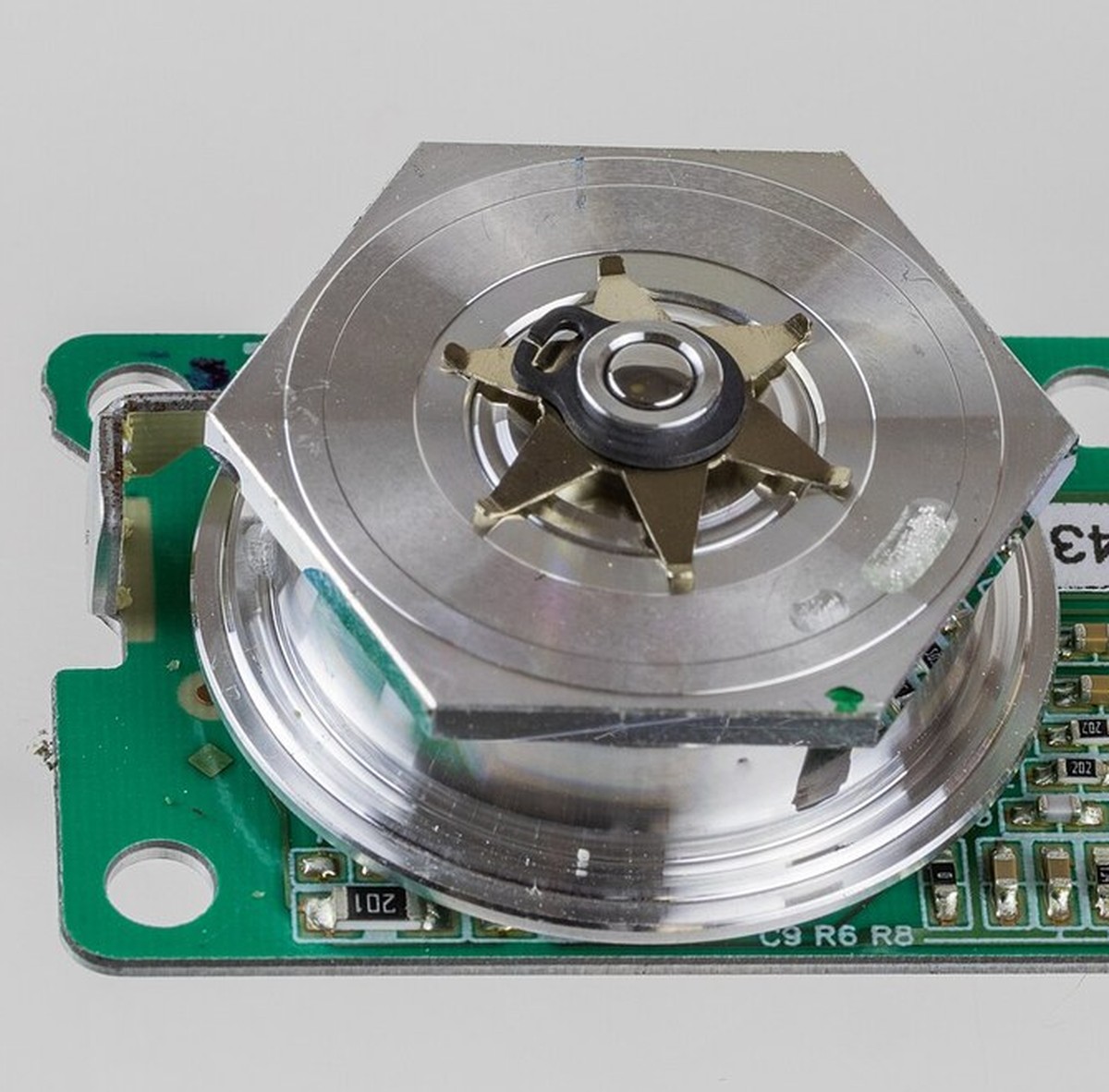


The Laser Printer
Carlson's xerography could already turn a pattern of light on a charged drum into fused toner on paper. What it could not do was invent the pattern: it needed an original, lit and imaged through a lens. A copier copies.
Gary Starkweather's argument at Xerox from 1969 was that the lens and the original could both be thrown away and the latent image DRAWN, one dot at a time, by a single laser beam swept across the drum by a spinning polygon mirror. He had a working scanner on a Xerox 7000 engine by 1971. The page no longer had to exist before it was printed.
The design is then pure arithmetic. Eight and a half inches at 300 dots per inch is 2550 dots a line; eleven inches of them, eight times a minute, is 440 lines a second; multiply and the laser must switch at over a megahertz while the mirror holds a facet on the page. Push to 1200 dpi and 20 pages a minute and it is 200 megahertz and 22,000 rpm on air bearings - which is why the idea had to wait for the semiconductor laser.
Two subtleties decide whether it works. The spot must be about one dot pitch across, and diffraction ties that to how wide the beam is on the mirror, so higher resolution forces a bigger facet on a faster-spinning mirror. And a mirror turning at a constant rate sweeps at a constant ANGULAR rate, so an ordinary lens would place the spot at f-tan-theta and stretch the dots apart towards the margins. The scan lens is deliberately barrel-distorted to give f-theta instead. Its aberration is the feature.
高级
4 hours
说明
1
1
Spin a mirror and sweep a line
Spin a mirror and sweep a line
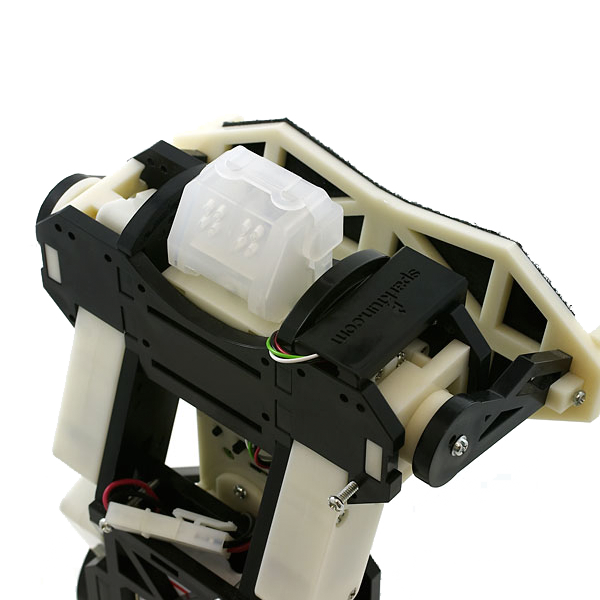
Glue the front-surface mirror flat across the shaft of the geared motor so it turns in its own plane, and aim the laser module at it from the side. On a wall three metres away you get a bright horizontal line.
Run the motor from the bench supply and watch the line brighten and steady as the speed comes up. Goggles on, and keep the beam below eye level.
此步骤所需材料:
 前表面反射镜1 个
 激光二极管模块套装1 个
所需工具:
 直流减速电机
 台式电源
台式电源 密闭式护目镜
 Laser Module Mount
 卷尺
卷尺2
2
Measure f-tan-theta, and add a beam detector
Measure f-tan-theta, and add a beam detector
Chop the laser at a steady rate from the function generator and photograph the wall: the flashes mark equal ANGLES. Measure their spacing on paper taped to the wall. The gaps grow towards the ends, and that growth is the error the f-theta lens exists to remove.
Now put the photodiode just before the start of the sweep and trigger the scope from it. Every line now starts from the beam, not from the motor.
此步骤所需材料:
 纸4 张
纸4 张 光电二极管(BPW34)1 个
所需工具:
 函数发生器
函数发生器 数字示波器卷尺
 直尺
直尺3
3
Pixel clock, spot size, scan error, and four exposures
Pixel clock, spot size, scan error, and four exposures
正在加载 Jupyter 笔记本…
所需工具:
 台式电脑
台式电脑4
4
Compendium: the jitter, and what the polygon must not do
Compendium: the jitter, and what the polygon must not do
Twelve facets are twelve slightly different mirrors. A facet tilted by a few arcseconds out of the plane throws its whole scan line up or down the page, so the lines bunch and open in a repeating pattern of twelve - banding, and the eye finds it instantly in a grey fill. The cure is optical, not mechanical: a cylindrical lens makes the drum surface conjugate to the facet, so a tilt of the facet moves the beam angle but not its landing point. Along the scan the cure is electronic - a start-of-scan photodiode fires before the page begins and restarts the pixel clock, so timing errors never accumulate across a line.
The 1971 machine drew its beam from a helium-neon tube, which cannot be switched at a megahertz, so the beam was modulated externally with an acousto-optic cell. The Xerox 9700 of 1977 still worked this way. Only once the semiconductor laser could be turned on and off by its own drive current did the scanner shrink from a room to a plastic box, and the same polygon-and-f-theta geometry went into desktop printers, supermarket barcode scanners and laser light shows unchanged.
相关蓝图
这些蓝图共享知识——技术、材料或原理



CC0 公共领域
此蓝图以 CC0 协议发布。你可以自由复制、修改、分发和使用此作品,无需征得许可。
通过购买蓝图中的产品支持创客,他们将获得 创客佣金 (由供应商设定),或创建此蓝图的新版本并将其作为连接包含在你自己的蓝图中以分享收入。