ART
BEAUTÉ ET BIEN-ÊTRE
ARTISANAT
CULTURE ET HISTOIRE
DIVERTISSEMENT
ENVIRONNEMENT
NOURRITURE ET BOISSONS
INGÉNIERIE INVERSE
SCIENCES
SPORTS
TECHNOLOGIE
TECHNOLOGIE PORTABLE
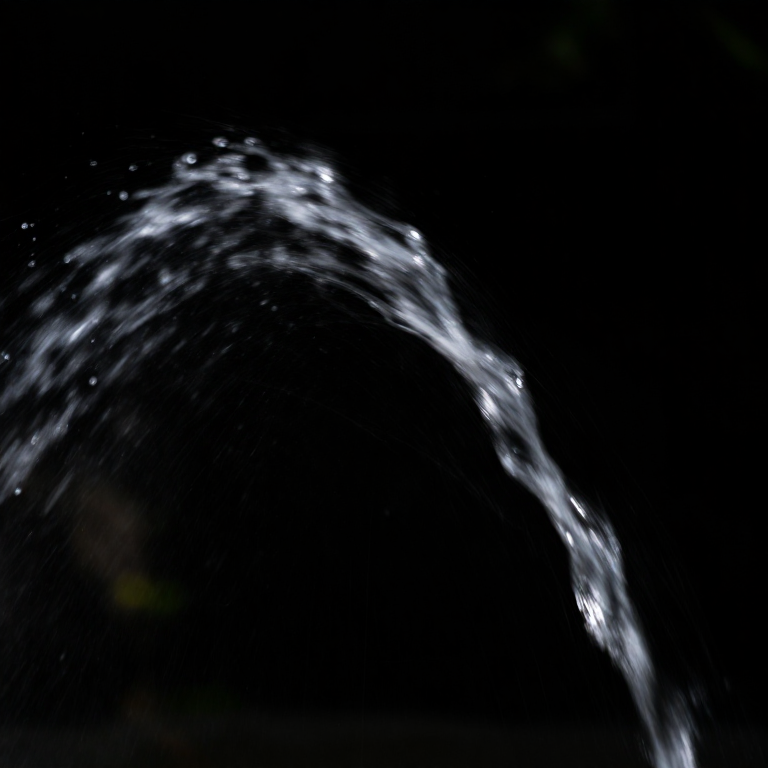


Projectile Motion — Launch a Ball and Measure Its Flight
A hands-on school project: roll a ball off a table or launch it at an angle, measure where it lands, and discover that its path is a parabola made of two independent motions — steady sideways and falling. A Python cell turns your landing distance into the launch speed, and a compendium explains why 45 degrees flies farthest.
Débutant
30 minutes
Consignes
1
1
Two motions at once
Two motions at once
Throw a ball and it does two things together: it moves steadily sideways and it falls under gravity. Galileo realised these two motions are independent and simply add up, and the result is always a curved path called a parabola. You will launch a ball and measure it.
2
2
Set up a launch
Set up a launch
Simplest version: let a ball roll off the edge of a table so it leaves flat and horizontal. Measure the table height with a tape measure, and tape a sheet of paper on the floor where you think it will land to mark the spot. For an angled launch, prop a ramp at a measured angle (use a protractor) and note the angle.
Matériaux pour cette étape :
 Roulements à billes en acier1 pièce
Outils nécessaires :
 Mètre ruban
 Rapporteur / mesureur d'angle
3
3
Launch and measure where it lands
Launch and measure where it lands
Send the ball off the edge the same way several times and mark each landing spot — carbon paper or flour on the floor records the exact points. Measure the horizontal distance from directly below the launch to the landing marks and average them. Try launching faster and slower and watch the distance change while the drop stays the same.
Matériaux pour cette étape :
 Papier1 feuille
4
4
Work out the launch speed
Work out the launch speed
Chargement du notebook Jupyter…
Outils nécessaires :
 Ordinateur de bureau
 Calculatrice
5
5
Compendium: the arc of everything thrown
Compendium: the arc of everything thrown
What your launches show. (1) The sideways and downward motions are INDEPENDENT — a ball that dribbles slowly off the table and one that rockets off fast hit the floor at the same moment, because their sideways speed does nothing to their falling. (2) For a launch at an angle, the range is largest at 45 degrees, and any two angles that add to 90 (like 30 and 60) land in exactly the same place. (3) Air resistance bends real trajectories away from a perfect parabola, which is why a golf ball is dimpled and a cannonball is not a bad approximation. (4) The same physics governs a basketball's arc, a fountain's spray, a long-jumper's flight — and, pushed to orbital speed, the parabola curves right around the planet and becomes an orbit.
Outils requis
5- 1 vendor sell this, none ship to you yetEspace réservé
- Espace réservé
- Espace réservé
- Espace réservé
- Espace réservé
Blueprints liés
Ces blueprints partagent des connaissances — techniques, matériaux ou principes



CC0 Domaine public
Ce blueprint est publié sous CC0. Vous êtes libre de copier, modifier, distribuer et utiliser ce travail pour tout usage, sans demander la permission.
Soutenez le Maker en achetant des produits via son Blueprint où il perçoit une Commission Maker définie par les Vendeurs, ou créez une nouvelle itération de ce Blueprint et incluez-le comme connexion dans votre propre Blueprint pour partager les revenus.