

Driving a Servo Motor — SIK Circuit 8
ការណែនាំ
Parts & Introduction
Parts & Introduction
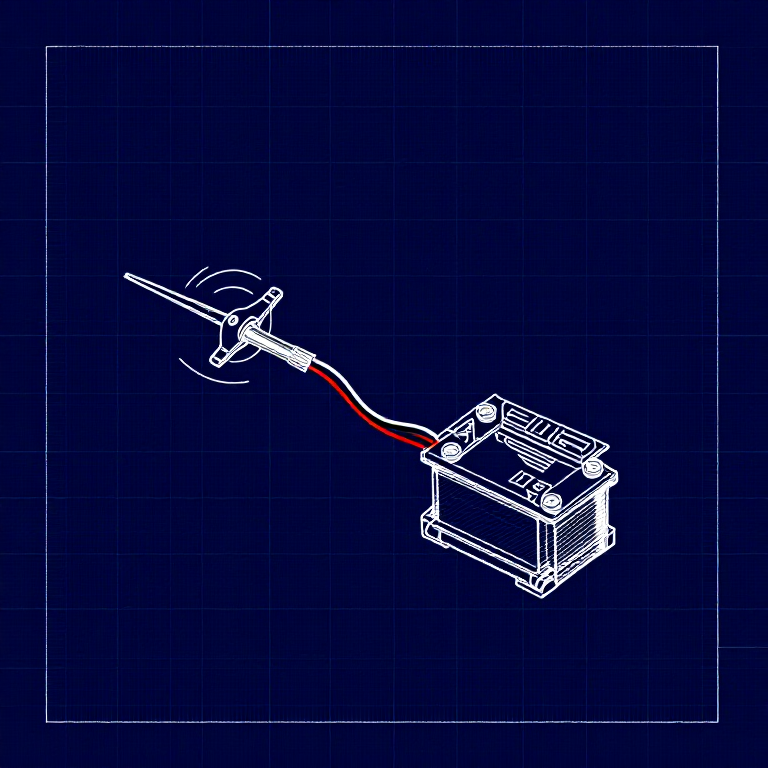
A servo motor can be precisely positioned between 0 and 180 degrees. Unlike a regular motor that just spins, servos hold their position — making them perfect for robotics, pan/tilt mechanisms, and control surfaces. This experiment introduces the Servo library.
Parts Needed
- 1x Arduino Uno + USB cable
- 1x Breadboard
- 1x Servo Motor (with 3-pin header)
- 8x Jumper Wires
The servo has three wires: Red (power), Black (ground), White (signal).
សម្ភារៈសម្រាប់ជំហាននេះ៖
 SparkFun Inventor's Kit - V3.21 ឈុត
ឧបករណ៍ដែលត្រូវការ៖
 កុំព្យូទ័រមាន Arduino IDE
Hardware Hookup
Hardware Hookup
Wiring Instructions
- Connect 3 jumper wires to the servo's female 3-pin header for breadboarding.
- Connect the Red wire to 5V.
- Connect the Black wire to GND.
- Connect the White wire (signal) to Digital Pin 9.
Power Note: Servos draw significant current. If the servo twitches and the Arduino resets, use a wall adapter instead of USB power, or power the servo from a separate 5V supply.
សម្ភារៈសម្រាប់ជំហាននេះ៖
 ខ្សែភ្ជាប់3 ដុំ
Arduino Code
Arduino Code
Open the Arduino IDE and upload the following sketch to your Arduino board.
សម្ភារៈសម្រាប់ជំហាននេះ៖
 Arduino Uno R31 ដុំ
ឧបករណ៍ដែលត្រូវការ៖
កុំព្យូទ័រមាន Arduino IDETest & Experiment
Test & Experiment
What You Should See
The servo quickly moves to 90°, 180°, and 0° (1 second each), then slowly sweeps from 0° to 180° and back.
Troubleshooting
- Servo not moving: Even with colored wires, it's easy to plug a servo in backwards. Check connections.
- Twitching/resetting: The servo draws too much power from USB. Use a wall adapter or separate power supply.
Experiments to Try
- Add a potentiometer (from Circuit 2) to control servo position with a knob.
- Change the step size and delay to experiment with speed and smoothness.
- Build a simple pan/tilt mechanism with two servos.
សម្ភារៈ
4- SparkFun Inventor's Kit - V3.2កម្រៃ 10%1 ឈុត$107.65
- កន្លែងទុក
- កន្លែងទុក
- 1 ដុំកន្លែងទុក
ឧបករណ៍ចាំបាច់
2- កន្លែងទុក
- 1 vendor sell this, none ship to you yetកន្លែងទុក
CC0 សាធារណៈ
ប្លង់នេះត្រូវបានចេញផ្សាយក្រោម CC0។ អ្នកមានសិទ្ធិចម្លង កែប្រែ ចែកចាយ និងប្រើប្រាស់ដោយមិនចាំបាច់សុំអនុញ្ញាត។
គាំទ្រអ្នកបង្កើតដោយទិញផលិតផលតាមរយៈប្លង់របស់ពួកគេ ដែលពួកគេទទួលបាន កម្រៃជើងសារអ្នកបង្កើត កំណត់ដោយអ្នកលក់ ឬបង្កើតកំណែថ្មីនៃប្លង់នេះ ហើយបញ្ចូលជាការតភ្ជាប់ក្នុងប្លង់របស់អ្នកដើម្បីចែករំលែកចំណូល។