УРЛАГ
ГОО САЙХАН БА ЭРҮҮЛ МЭНД
ГАРААР ХИЙСЭН
СОЁЛ БА ТҮҮХ
ҮЗВЭР НААДАМ
БАЙГАЛЬ ОРЧИН
ХООЛ БА УНДАА
УРВУУ ИНЖЕНЕРЧЛЭЛ
ШИНЖЛЭХ УХААН
СПОРТ
ТЕХНОЛОГИ
ӨМСДӨГ ХЭРЭГСЭЛ



Reading a Failed Print: The Fault Names Itself If You Look
A failed print is evidence. Where it went wrong, what the surface looks like, and at which layer it stopped all point at a cause — and there are only about a dozen causes.
The useful discipline is to look BEFORE changing anything. A print that failed halfway up failed for a different reason than one that never stuck, and a print with holes in the top surface has a different problem again from one that is stringy all over.
Then change ONE setting and print again. Changing four settings because a forum post listed four possibilities means that when it works you have learned nothing, and the next failure starts from zero.
Дунд шат
3 hours
Зааварчилгаа
1
1
Failures at the plate
Failures at the plate
NOTHING STUCK: nozzle too high, plate dirty, or plate cold. Check the first-layer rung's three tests in that order.
CORNERS LIFTED, rest fine: warping. Material, enclosure, draughts and corner radius — the warping rung.
PART CAME OFF PARTWAY UP: adhesion was marginal from the start and the growing part's shrinkage finally won. That is a warping failure presenting late, not an adhesion failure, and more glue will not fix it.
Энэ алхмын материал:
 3D хэвлэлийн утас (PLA)1 ширхэг
Шаардлагатай багаж:
 FDM 3D хэвлэгч
 3D хэвлэл салгах хусуурын багц
 Томруулагч луп
2
2
Failures in the plastic
Failures in the plastic
STRINGS between parts: the nozzle is oozing while travelling. Too hot, or too little retraction, or wet filament — and wet filament is the one people check last and should check first if the filament has been open a while.
GAPS BETWEEN LINES and a weak, translucent part: under-extrusion. A partial blockage, a worn or slipping extruder gear, or the flow rate set too low.
BLOBS AND RIDGES, dimensions too large: over-extrusion. Flow too high, or the filament diameter in the slicer not matching what is actually loaded — a 1.75 mm setting on 1.70 mm filament is a few percent of error that shows on every wall.
Энэ алхмын материал:
3D хэвлэлийн утас (PLA)1 ширхэгШаардлагатай багаж:
Томруулагч луп Дижитал штангенциркуль 6 инч
 Утас хатаагч
 3D хэвлэгчийн цорго багц
3
3
Failures in the geometry
Failures in the geometry
SAGGING UNDERSIDES: an overhang past what the machine can do. The overhang rung's table says whether it was ever going to work at that layer height.
A LAYER SHIFT — everything above a certain height offset sideways — is mechanical, not a slicing problem. The nozzle hit something, a belt slipped, or a motor lost steps because it was moving too fast.
SPLITTING ALONG A LAYER after the print is finished: layer adhesion. Print hotter, slow down, reduce the fan, or re-orient — and if the part is loaded across its layers, re-orienting is the answer the other three are compensating for.
Энэ алхмын материал:
3D хэвлэлийн утас (PLA)1 ширхэг ABS утас1 ширхэг
Шаардлагатай багаж:
Томруулагч лупFDM 3D хэвлэгч 3D хэвлэгчийн багажийн багц
4
4
Keep the failures, and keep a log
Keep the failures, and keep a log
Photograph the failure before throwing it away, and write down what the settings were. A drawer of labelled failures is a diagnostic reference that gets better every time something goes wrong.
Log every print that mattered: filament, temperature, speed, layer height, what came out. Filament varies between spools of the same brand, and a note saying "this spool needs 5 degrees hotter" saves the next three prints.
That is the notebook rung again, and it is the habit that separates a printer that works reliably from one that is a lottery. The settings that work for your machine are discoverable, and they are only discoverable by writing them down.
Шаардлагатай багаж:
 Ширээний компьютерДижитал штангенциркуль 6 инч
Шаардлагатай багаж
8- Түр орлуулагч
- Түр орлуулагч
- Түр орлуулагч
- Түр орлуулагч
- Утас хатаагч10% комиссТүр орлуулагч
- Түр орлуулагч
- 3D хэвлэгчийн багажийн багц10% комиссТүр орлуулагч
- Түр орлуулагч
Холбоотой загварууд
Эдгээр загварууд мэдлэг хуваалцдаг — арга техник, материал эсвэл зарчим
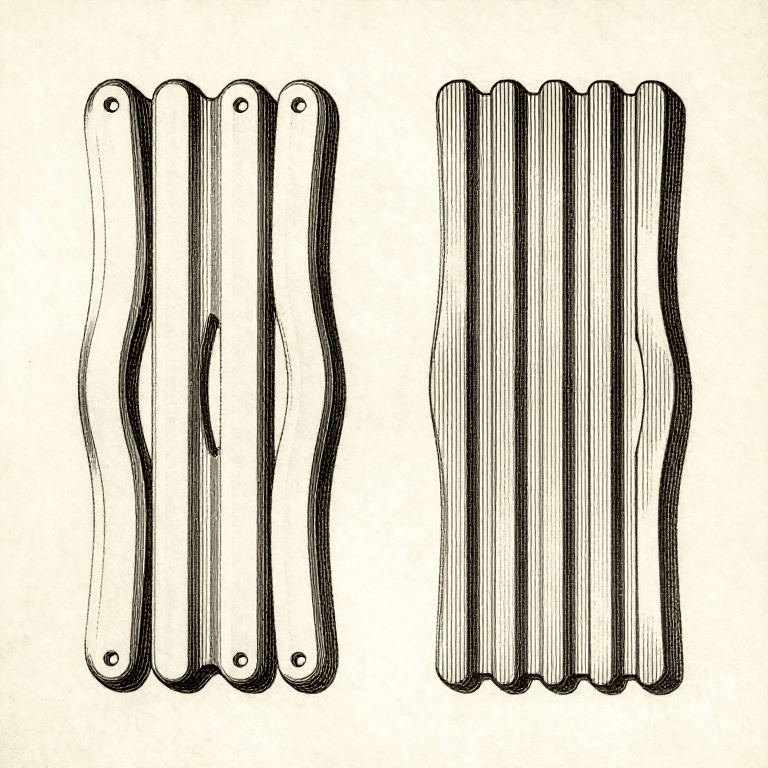


CC0 Нийтийн домэйн
Энэ загвар CC0 дор гаргагдсан. Та зөвшөөрөл авахгүйгээр хуулах, өөрчлөх, түгээх, ашиглах боломжтой.
Загвараар дамжуулан бүтээгдэхүүн худалдаж авч Бүтээгчийг дэмжээрэй Бүтээгчийн шимтгэл Борлуулагчаар тогтоосон, эсвэл энэ загварын шинэ хувилбар үүсгэж орлогоо хуваахын тулд өөрийн загварт холбоос болгон оруулна уу.